ELD Hardware Requirements: What Your Tablet Must Support
This technical guide outlines the hardware requirements for ELD tablets, explaining why specific features are essential for reliable compliance, how they solve real-world operational challenges, and what specifications separate adequate from optimal solutions.
Technical Contents
Why Hardware Matters in ELD Compliance
ELD Compliance Is Not Software Alone
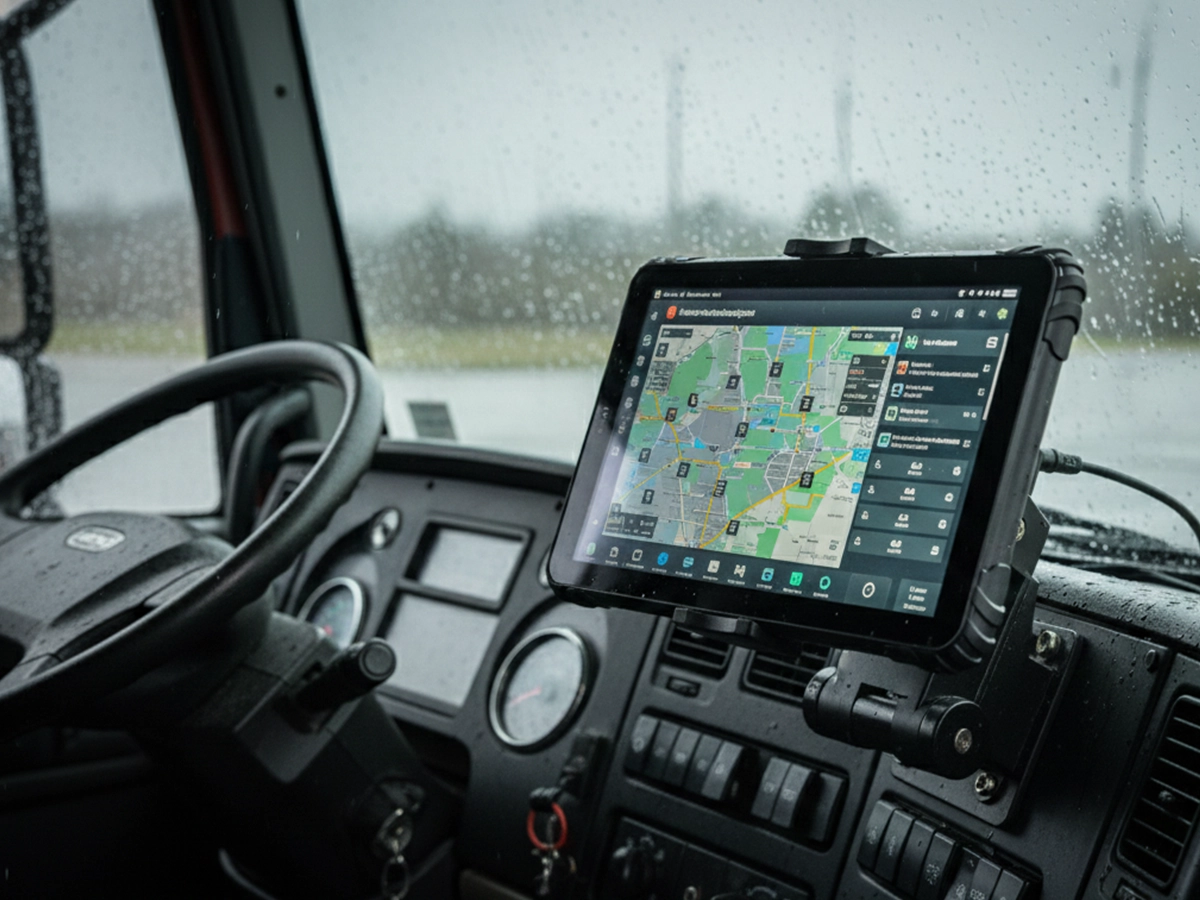
An Electronic Logging Device (ELD) is a system, not just an application. While software handles data recording and reporting, the tablet hardware serves as the critical interaction node that determines system reliability, data integrity, and driver compliance.
System Components Breakdown:
ELD Module: Vehicle data collection (engine hours, movement, mileage)
Tablet Hardware: Display, processing, connectivity, power management
ELD Software: Hours recording, status management, data transfer
Connectivity: Vehicle interface, wireless data transmission
The tablet is where all components converge—if it fails, the entire compliance system fails, regardless of software certification.
Common Failures Caused by Inadequate Hardware
Real-world compliance failures trace directly to hardware limitations:
| Field Issue | Hardware Root Cause | Compliance Impact |
|---|---|---|
| Driver reports "lost logs" after overnight parking | Tablet battery drains completely; no backup power | Missing duty status records, manual reconstruction required |
| Tablet shuts down in Arizona summer | Consumer-grade thermal limits (35°C) exceeded in cabin (60°C+) | Recording gaps during hottest hours, potential violations |
| Daily "reboot required" messages | Memory leaks, background process conflicts, poor power management | Drivers miss status changes, logs show inconsistent timestamps |
| Touchscreen unresponsive in winter | Consumer touchscreens fail below 0°C; drivers wear gloves | Inability to change duty status, manual logging required |
| Screen glare makes logs unreadable | Low-brightness display (300-400 nits), glossy surface | Drivers unable to verify status, increasing error risk |
Understanding these failure patterns is essential. For foundational knowledge, review what an ELD tablet actually is before evaluating specific hardware requirements.
Core Hardware Requirements for an ELD Tablet
These are non-negotiable features for any tablet serving as an ELD display and interaction device in commercial fleet operations.
Continuous Vehicle Power Support
Field Problem:
"Every morning, drivers need to manually power on tablets and reconnect to the ELD module. Sometimes the tablet dies overnight and loses all logs from the previous day."
Hardware Solution:
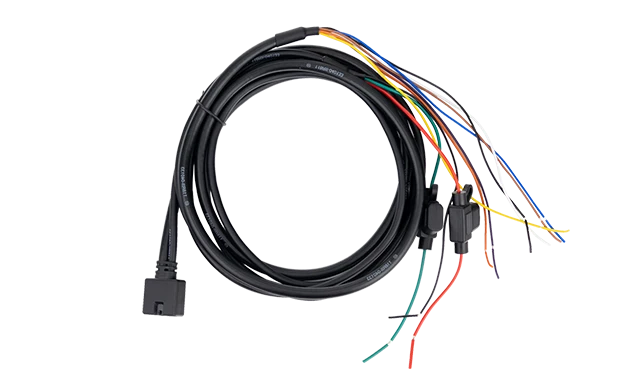
12V/24V Vehicle Power: Direct connection to vehicle electrical system (not USB or cigarette lighter adapters)
Ignition Sensing: Automatic power-on when vehicle starts, proper shutdown sequence when engine stops
Voltage Fluctuation Protection: Handles 9V-32V input range with surge and reverse polarity protection
Battery Backup: Maintains operation for 15+ minutes during power interruptions or vehicle changes
Intelligent Charging: Conditioning circuits that prevent battery swelling during continuous operation
Low-Power States: Proper sleep modes that maintain ELD connection while conserving power
Technical Implementation: Requires dedicated vehicle power cable with in-line fuse, proper grounding, and voltage regulation circuitry designed for automotive environments (ISO 7637-2 compliance recommended).
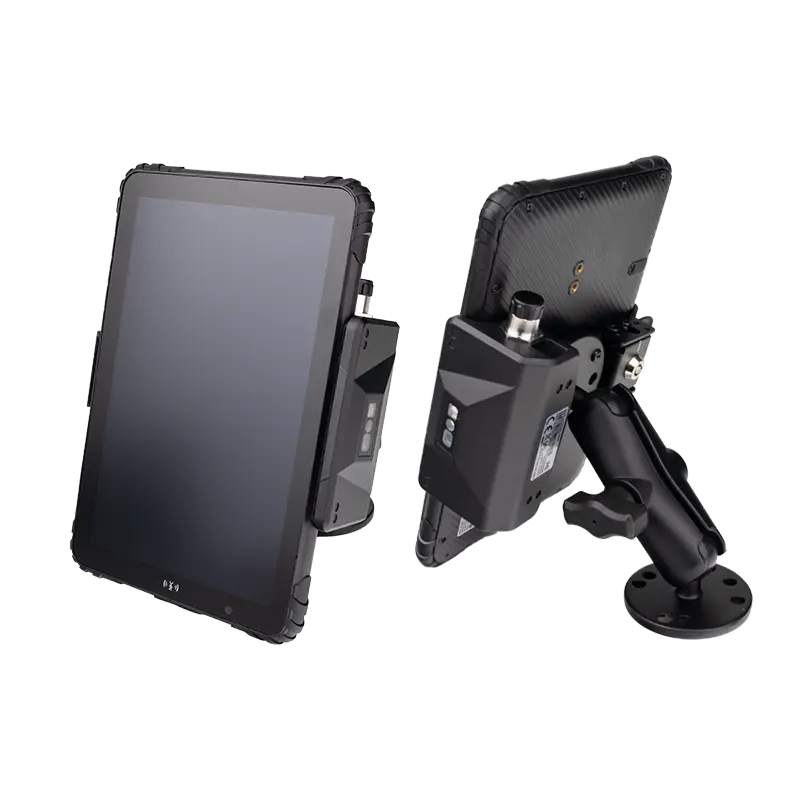
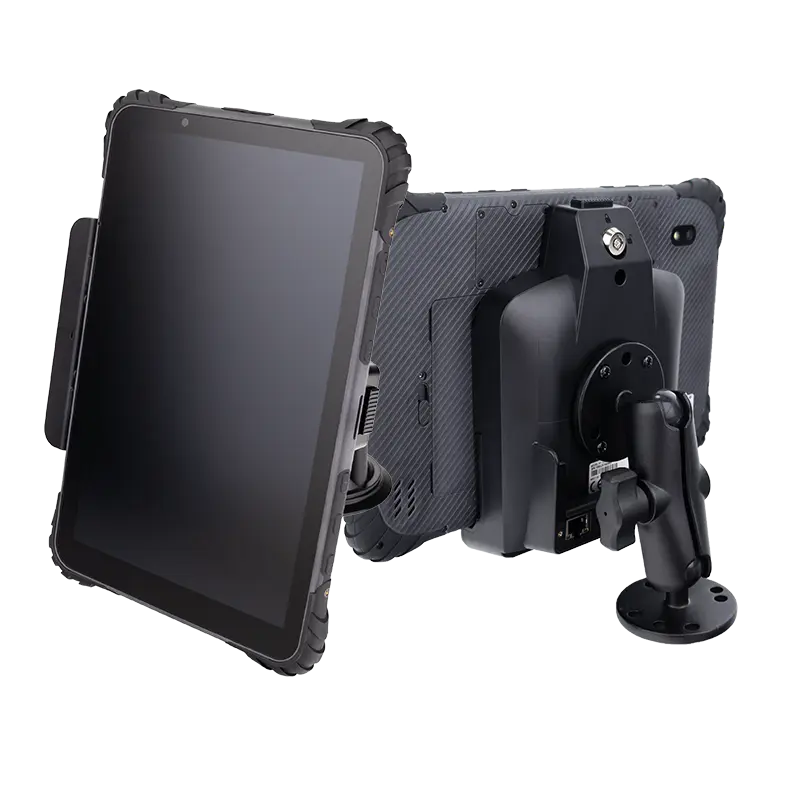
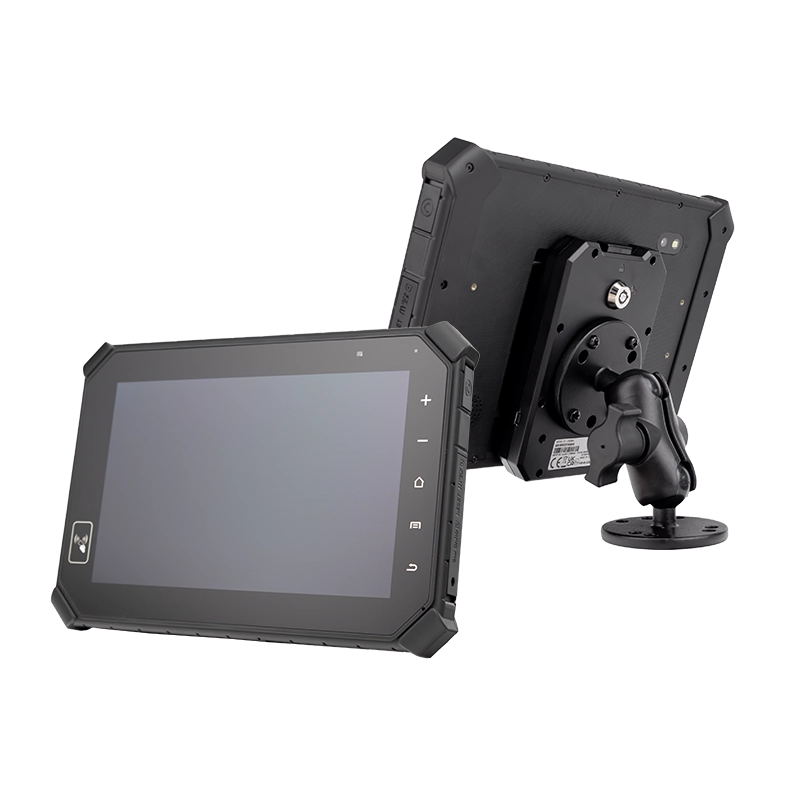
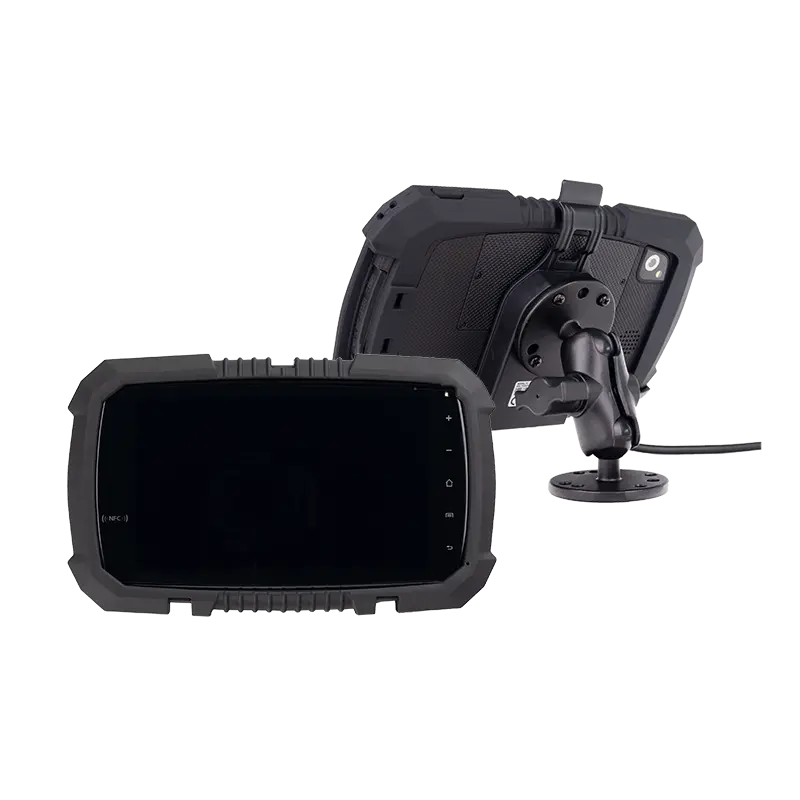
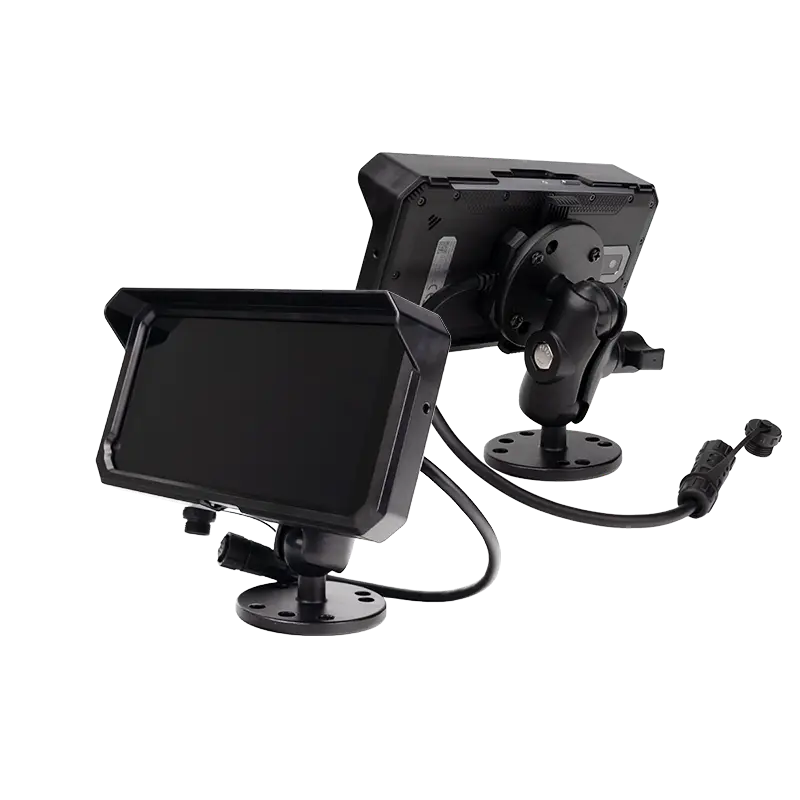
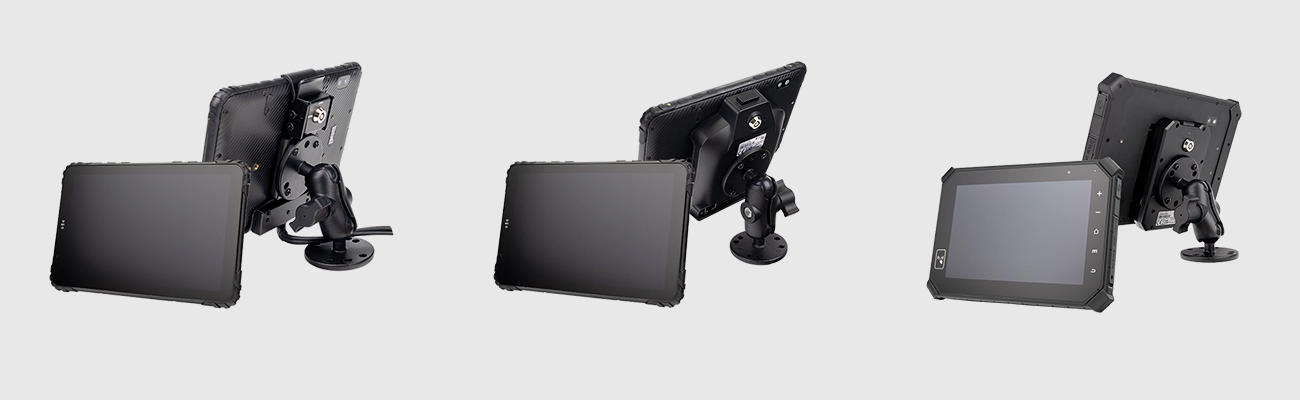
Stable Mounting and Docking
Field Problem:
"Tablets shake so much on rough roads that drivers can't tap buttons accurately. Sometimes they fall off the mount completely, requiring replacement."
Hardware Solution:
Vibration Resistance: MIL-STD-810G Method 514.6 Category 24 (helicopter vibration levels) or equivalent
Quick Install/Remove: One-handed operation for drivers changing vehicles or securing overnight
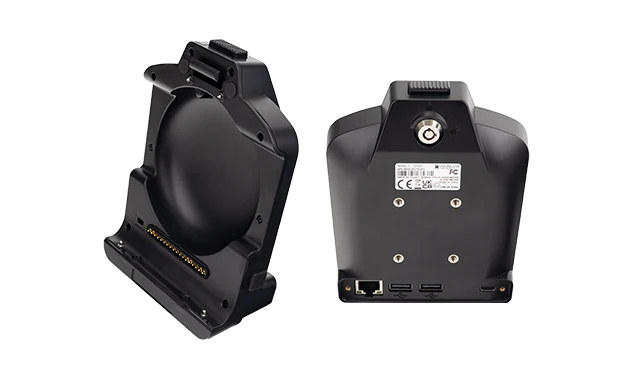
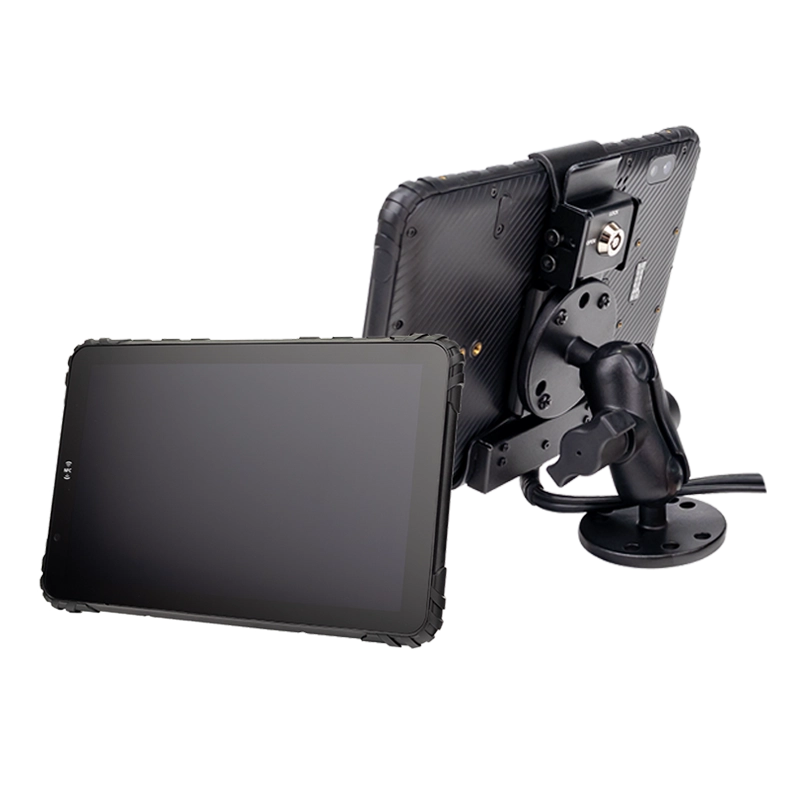
Locking Mechanisms: Keyed or tool-required locks for theft prevention in unattended vehicles
Adjustable Positioning: Multiple viewing angles to accommodate different driver heights and seating positions
Integrated Connectivity: Docks that provide power, data, and peripheral connections through single attachment
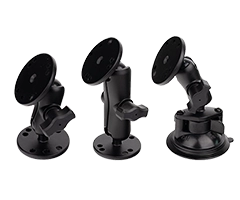
Vehicle-Specific Mounts: Compatibility with different cab designs and available mounting surfaces
Technical Implementation: Vibration damping materials (Sorbothane, rubber isolators), reinforced connection points, standardized mounting patterns (RAM, AMPS), and electrical connectors rated for 10,000+ mating cycles.
Display Readability in Vehicle Environments
Field Problem:
"Drivers complain they can't read the screen in sunlight, especially in afternoon hours. They have to shade it with their hands or park in shadow to check status."
Hardware Solution:
High Brightness: 800-1000+ nits for direct sunlight readability (vs. 300-400 nits in consumer tablets)
Anti-Reflective Coating: Matte finish or optical bonding to reduce glare
Wide Viewing Angles: IPS or similar technology for visibility from driver and passenger positions
Auto-Brightness Adjustment: Light sensors that adapt to changing cabin conditions
Glove-Friendly Touch: Capacitive or projected capacitive touch with glove support
Durability: Chemically strengthened glass (Gorilla Glass or equivalent) for scratch resistance
Technical Implementation: Optical bonding eliminates air gaps between layers, reducing reflections by 70-80%. High-efficiency LED backlights with proper thermal management prevent brightness reduction during extended use.
Operating System and Platform Compatibility
Android OS Requirements for ELD Tablets
Android dominates ELD implementations for practical reasons:
Market Dominance: Over 95% of FMCSA-certified ELD applications target Android
Long-Term Support: Industrial Android devices offer 5-7 year OS support versus 2-3 years for consumer versions
Enterprise Features: Android Enterprise provides essential fleet management capabilities
Hardware Compatibility: Broad driver support for vehicle interfaces and peripherals
Developer Ecosystem: Extensive tools for ELD application development and testing
Minimum Android Requirements:
Android 8.0 (Oreo) or higher for current ELD applications
64-bit architecture for future-proofing
Google Mobile Services (GMS) or AOSP with proper certification
Monthly security patch support commitment
Regular feature updates for at least 5 years from purchase
App Stability and Background Operation
Field Problem:
"ELD app closes unexpectedly when drivers use other applications. Sometimes the tablet goes to sleep and stops recording driving time."
Hardware/OS Solution:
Background Process Protection: Android features to prevent aggressive app killing
Kiosk/Single-App Mode: Lock devices to ELD application only
Wake Lock Support: Prevents system sleep during driving periods
Memory Management: Sufficient RAM (4GB+) to handle ELD app plus background services
Foreground Service Priority: Ensures ELD processes maintain CPU and network resources
Battery Optimization Exemptions: ELD app excluded from power-saving restrictions
Connectivity Requirements for ELD Systems
Vehicle Data Interfaces
| Interface | Purpose in ELD Systems | Technical Requirements |
|---|---|---|
| USB (Type-A/C) | Direct connection to ELD modules, data transfer to inspectors | USB Host mode, OTG support, sufficient power output (500mA+) |
| Bluetooth | Wireless connection to ELD modules, peripheral devices | Bluetooth 4.2+, BLE, stable connection in metal cabin environments |
| CAN Bus Interface | Direct vehicle data reading (advanced implementations) | CAN 2.0A/B, J1939 support, proper electrical isolation |
| Serial (RS-232/485) | Legacy device support, specialized peripherals | DB9 or terminal connections, proper voltage levels |
Wireless Connectivity
Field Problem:
"Logs don't sync to the office until days later. GPS locations are inaccurate in urban areas. Tablets lose connection when parked near metal buildings."
Hardware Solution:
LTE/5G Cellular: Category 4 LTE minimum, support for major North American carriers
Multi-Constellation GNSS: GPS, GLONASS, Galileo, BeiDou for reliable positioning
Dual-Band Wi-Fi: 2.4GHz and 5GHz support for terminal connectivity
External Antenna Support: Connections for vehicle-mounted cellular/GPS antennas
Connection Persistence: Intelligent switching between cellular and Wi-Fi networks
Signal Strength: High-sensitivity receivers for weak signal areas
Environmental and Durability Requirements
Temperature and Vibration Tolerance
Consumer Tablet Limits:
Operating: 0°C to 35°C (32°F to 95°F)
Storage: -20°C to 45°C (-4°F to 113°F)
Vibration: Basic handling only
Humidity: Non-condensing only
ELD Tablet Requirements:
Operating: -20°C to 60°C (-4°F to 140°F) with sun load
Storage: -30°C to 70°C (-22°F to 158°F)
Vibration: MIL-STD-810G or ISO 16750-3
Humidity: 5% to 95% non-condensing
Dust, Water, and Spill Resistance
Field Problem:
"Tablets fail within months on construction sites. Dust gets into charging ports. Coffee spills during morning routes kill touchscreens."
Hardware Solution:
IP Rating: IP65 (dust-tight, water jet protection) minimum for most fleet applications
Sealed Ports: Rubber gaskets or magnetic covers on all connectors
Spill-Resistant Design: Liquid drainage paths, sealed button membranes
Corrosion Resistance: Salt fog testing per MIL-STD-810G Method 509.5
Chemical Resistance: Screen coatings that withstand cleaning solvents
Drop and Shock Protection
Tablets regularly experience 4-6 foot drops to concrete during installation and removal:
Drop Specifications: 26+ drops from 4 feet (1.2m) onto concrete
Corner Protection: Reinforced edges and corners (most common impact points)
Internal Shock Mounting: Components isolated from external impacts
Screen Protection: Bezel raised above glass surface to prevent direct impacts
Peripheral and Expansion Support
Camera Integration
Field Problem:
"Fleets want integrated dash cams but don't want separate devices. Driver-facing cameras for safety programs require additional hardware."
Hardware Solution:
Dual Camera Support: Front and rear cameras for driver and road recording
Low-Light Performance: Sensors capable of clear recording in night conditions
Wide-Angle Lenses: 120°+ field of view for comprehensive coverage
Hardware Encoding: Dedicated processors for continuous video recording
Trigger Inputs: Connections for G-sensors or manual event buttons
External Sensors and Accessories
Modern ELD systems increasingly integrate with additional fleet technologies:
RFID Readers: Driver identification, asset tracking, secure access
Barcode Scanners: Delivery verification, inventory management
Temperature Sensors: Reefer monitoring, cargo condition tracking
Signature Pads: Electronic proof of delivery
Vehicle Diagnostics: OBD-II readers for maintenance monitoring
Security and Device Management Capabilities
MDM and Remote Device Control
Field Problem:
"Updating 500 tablets requires sending technicians to each vehicle. When drivers install unauthorized apps, ELD performance suffers."
Hardware/OS Solution:
MDM Compatibility: Support for major platforms (VMware, SOTI, Microsoft, Hexnode)
OTA Updates: Firmware and OS updates without physical access
Policy Control: Enforce security policies, network settings, application restrictions
Remote Troubleshooting: View device status, restart applications, collect logs
Zero-Touch Enrollment: Automatic configuration upon first power-on
Data Protection and Access Control
Application Whitelisting: Restrict to approved ELD and fleet applications
User Permission Controls: Separate access levels for drivers, managers, administrators
Data Encryption: Full-disk encryption for stored compliance data
Secure Boot: Prevent unauthorized OS modifications
Remote Wipe: Erase sensitive data from lost or stolen devices
Minimum vs Recommended Hardware Specifications
Minimum Requirements for Basic ELD Use
Suitable for small fleets with light-duty cycles, controlled environments, and minimal peripheral integration.
Processing & Memory:
Quad-core 1.5GHz+ processor
2GB RAM minimum
16GB internal storage
Display & Touch:
7-8 inch display
400+ nits brightness
Capacitive touch
Connectivity:
USB, Bluetooth 4.0
Wi-Fi 802.11ac
Basic GPS
Environmental:
0°C to 50°C operation
Basic vibration resistance
12-month warranty
Recommended Specifications for Professional Fleets
For mid-to-large fleets, mixed vehicle types, harsh environments, and future technology integration.
Processing & Memory:
Octa-core 2.0GHz+ processor
4GB+ RAM (6-8GB optimal)
64GB+ internal storage
Expandable storage support
Display & Touch:
8-10 inch sunlight-readable
800-1000+ nits brightness
Optical bonding, anti-glare
Glove-friendly touch
Connectivity:
USB-C with OTG, Bluetooth 5.0
LTE/5G cellular with carrier flexibility
Multi-constellation GNSS
Dual-band Wi-Fi 6
Environmental:
-20°C to 60°C operation
MIL-STD-810G vibration
IP65+ ingress protection
3-5 year warranty
Why Consumer Tablets Often Fail ELD Hardware Requirements
Power and Thermal Limitations
Consumer devices prioritize slim designs and battery life over continuous operation:
Thermal Throttling: Performance reduction at 35-40°C to prevent damage
Battery Degradation: Continuous charging causes swelling in 6-12 months
Insufficient Cooling: No active cooling for sustained high-temperature operation
Power Circuit Limitations: Not designed for 24/7 vehicle power with voltage fluctuations
Mounting and Lifecycle Issues
Real-World Example:
A regional delivery fleet deployed consumer tablets with universal mounts. Within 9 months: 40% experienced charging port failures from vibration, 25% had cracked screens from minor drops during vehicle changes, and 60% required replacement due to thermal shutdowns during summer routes. The resulting compliance gaps required manual log reconstruction for over 200 vehicles.
Consumer devices lack the engineering for commercial vehicle lifecycles. For reliable performance, consider rugged tablets specifically designed for fleet operations with proper environmental testing and durability certifications.
Final Thoughts: Hardware Is the Foundation of ELD Compliance
ELD compliance relies on a chain of technical components, with the tablet serving as the most visible—and most vulnerable—link. Hardware failures don't just cause inconvenience; they create compliance gaps that require manual intervention, increase audit risk, and undermine the automated recording that ELD mandates were designed to ensure.
When evaluating ELD tablets, look beyond software compatibility and consider the complete hardware ecosystem: power management for uninterrupted operation, environmental durability for real-world conditions, connectivity for reliable data flow, and management capabilities for scalable deployment. These hardware foundations determine whether your ELD system will be a compliance asset or a constant source of operational friction.
The most effective approach begins with understanding your specific operational requirements, then selecting hardware engineered to meet—and exceed—those demands for the long term. For comprehensive guidance on implementing these hardware requirements in your fleet, explore our ELD tablet solutions resource center.
Technical Summary: ELD tablet hardware must provide continuous power management, environmental resilience, reliable connectivity, and enterprise-grade security—features that consumer devices fundamentally lack but that professional fleet operations fundamentally require.