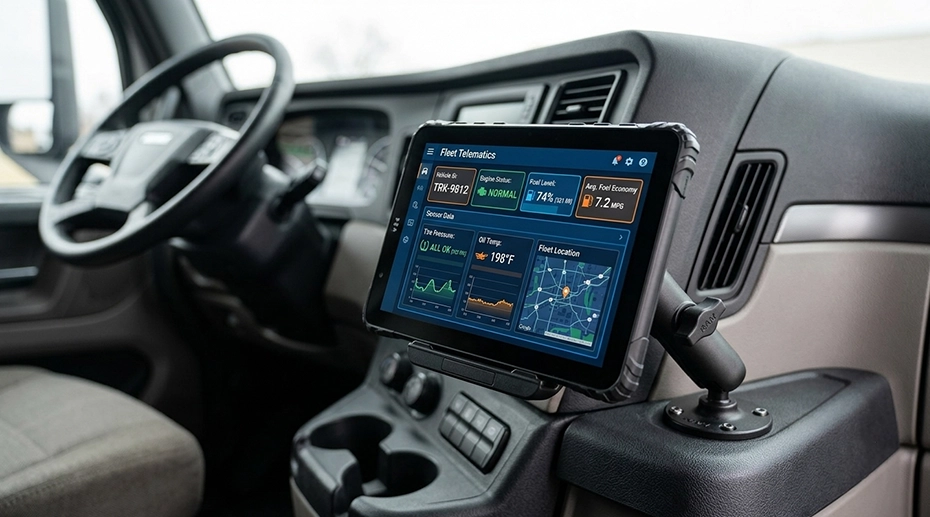
How to Choose an 8-Inch Rugged Tablet — Display, Power, Docking & GNSS Selection Notes
A 10-inch tablet blocks too much of the cab windscreen. A 7-inch screen is too small for a moving map. The 8-inch form factor sits between those two constraints — but the diagonal size is the least important variable in the decision. Brightness under direct sunlight, wide-voltage input for ignition transients, the dock mechanism, and GNSS antenna routing determine whether the tablet is usable in a vehicle or only on a desk. This article documents the selection variables that matter in an 8-inch platform for vehicle and field use, and how each one maps to a specific hardware specification.
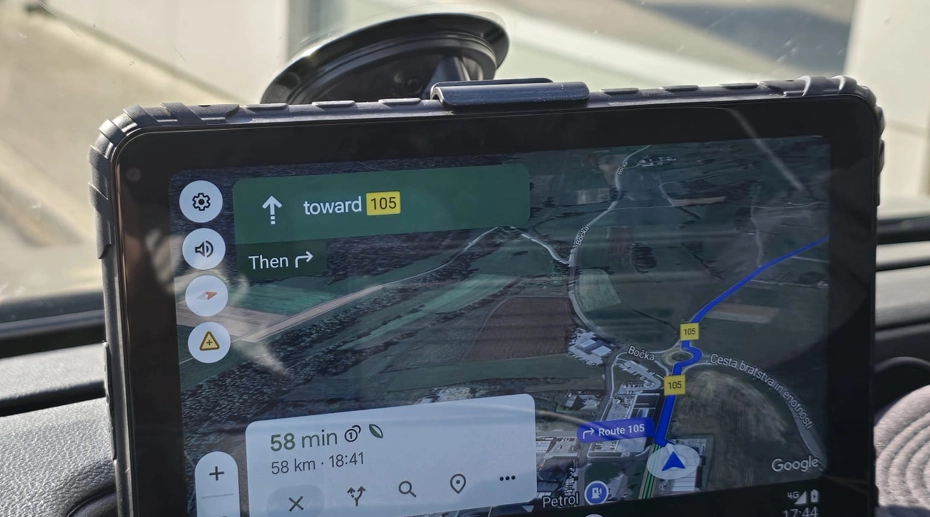
Table of Contents
1. Why 8-Inch in a Vehicle
The 8-inch form factor is a compromise driven by cab geometry. In a truck, forklift, utility vehicle, or marine wheelhouse, the mounting surface is limited by the windscreen, airbag deployment zone, and sight lines. A 10-inch tablet mounted on the A-pillar or dash can obstruct the driver's view of the near-side mirror. A 7-inch tablet shows less map area and forces more panning. The 8-inch class fits between those constraints.
The compromise only works if the display, power, and mounting system are specified for the vehicle environment. A consumer 8-inch tablet with a glossy 400-nit panel, a USB power adapter, and a suction-cup bracket will fail in the same three ways as any other consumer tablet: unreadable in sunlight, rebooting on engine crank, and falling off the mount under vibration. The diagonal size does not change those failure modes. The specifications do.
The decision sequence below is ordered by the failure modes that appear first in a vehicle deployment. Display readability, then power, then the dock, then GNSS, then data interfaces, then fleet management.
2. Display & Sunlight Readability
A cab has large glazed surfaces. Sunlight enters at a low angle in the morning and late afternoon and at a high angle near midday. Both angles produce different failure modes on a display. High-angle sun reduces contrast by raising the overall luminance of the panel. Low-angle sun produces a specular reflection from the cover glass that can obscure an entire region of the screen.
Brightness measured in nits addresses the high-angle case. A 1000-nit panel emits enough light to remain readable against direct sunlight. A 700-nit panel is the practical minimum for a shaded cab or an overcast day. Below 700 nits, the panel requires the driver to shade the screen, which is not compatible with operating a vehicle.
Anti-glare treatment addresses the low-angle case. A glossy cover glass reflects the sun as a bright point or streak. An anti-glare coating diffuses the reflection across the surface, reducing its peak intensity. The trade-off is a slight softening of the image, which is acceptable for map and form data.
Optical bonding is the third variable. A display assembled with an air gap between the panel and the touch glass has two internal reflection surfaces. Optical bonding fills that gap with an adhesive that matches the refractive index, removing those reflections and improving effective contrast. The display comparison analysis covers the effective contrast calculation.
Video Demo: Sunshield Cap & Anti-Glare on 8-Inch Rugged Tablet
Sunshield cap installation and anti-glare demonstration on the MDT880 / MDT865 8-inch rugged tablet.
3. Power & Ignition Sensing
Vehicle DC systems are not stable 12V or 24V rails. A nominal 12V system runs near 14V while the alternator is charging. Engine cranking drops the rail momentarily below 9V. A nominal 24V system can exceed 28V during charging and sag below 20V under heavy inductive loads such as a bow thruster or a hydraulic pump. A tablet powered through a 12V accessory socket or a USB adapter has no margin for this range.
The relevant specification is the input voltage range. A vehicle power architecture with 9–36V wide input accepts the full automotive and light marine range directly, without an external converter. Input filtering absorbs the transients generated by inductive loads. This removes the accessory adapter that is the most common source of power interruptions in a cab installation.
Ignition sensing is the second power variable. A tablet wired directly to the battery remains powered after the driver removes the key unless something tells it to shut down. An ignition sense line signals the tablet when the vehicle is running. The tablet can then follow the vehicle state — power on at key-on, controlled shutdown at key-off. This prevents the tablet from draining the battery overnight.
Not every vehicle has an ignition key. Vessels, some off-highway machines, and fixed installations use a master switch instead. In those cases, the ignition sense line is wired to a switched supply from the distribution panel. The direct wiring comparison covers the wiring topologies.
4. Dock & Mounting Architecture
The mount is the mechanical interface between the tablet and the vehicle. In an 8-inch platform, three dock types cover most deployments. The choice depends on whether the tablet stays in the vehicle or moves between vehicles, and whether the environment requires a sealed connector.
• All-Metal Hand-Latch Dock: A metal latch, tightened by hand, holds the tablet against a gasket. Optional IP67 waterproof connector. Resists vibration better than the quick-release design. Suitable for permanent installations on high-vibration vehicles.
• Integrated Barcode Scanner Dock: The dock itself carries a 1D/2D scanner module, so the tablet does not need an external scanner accessory. Used in warehouse, retail, and asset tracking deployments.
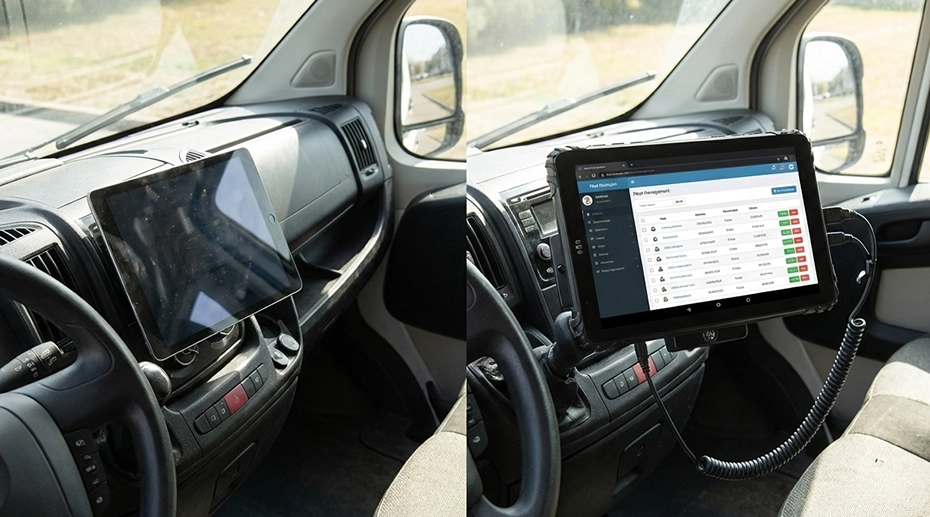
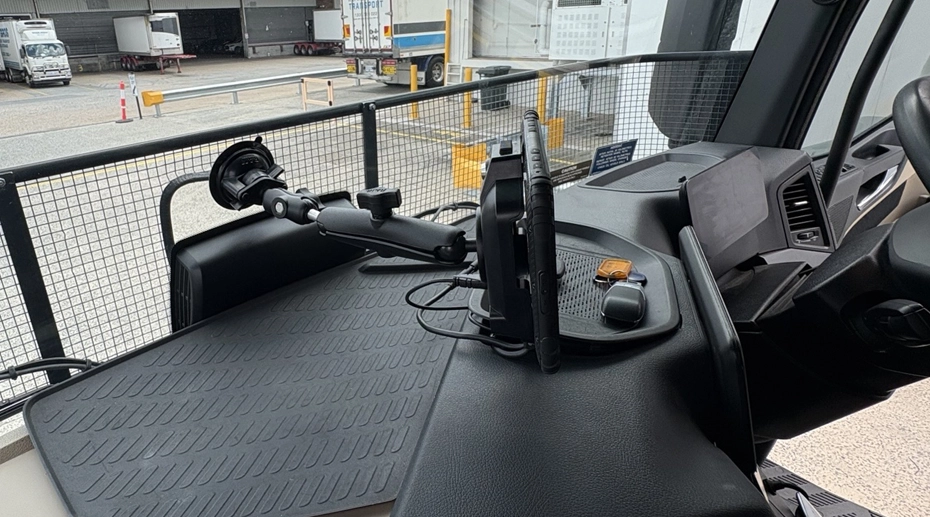
All three dock types mount to the vehicle through a screw-fixed base and a RAM mount ball or arm. The tablet drops into the dock without tools in the quick-release design. The hand-latch design requires the driver to tighten the latch, but produces a more rigid mechanical connection. The docking station matrix maps each tablet model to the compatible dock variants.
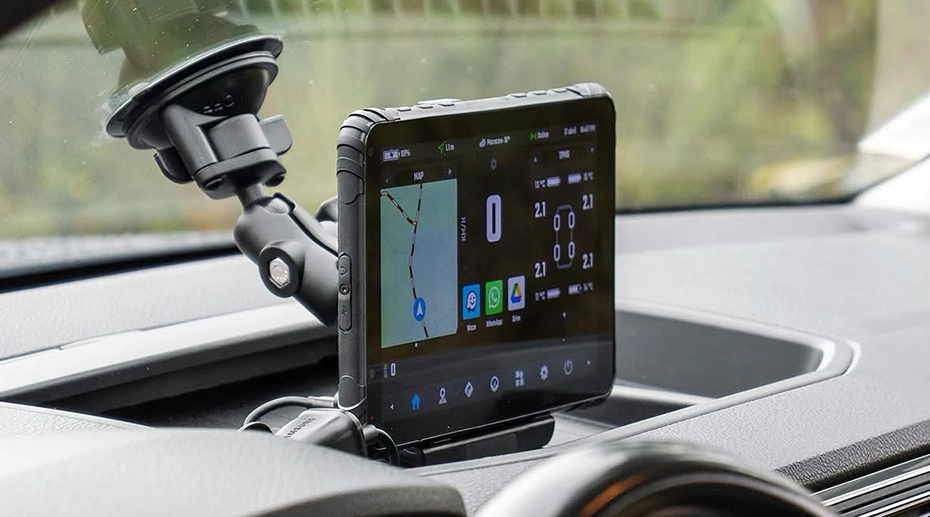
Video Demo: Vehicle Docking, RAM Mount & Key Lock
Vehicle docking, RAM mount, wiring harness, and key lock demonstration for the MDT880 / MDT865.
5. GNSS & Antenna Routing
An internal GNSS antenna works when the tablet has a clear view of the sky through a non-metallic surface. In a cab, the windscreen is the only large non-metallic surface, and it is often coated or laminated in a way that attenuates GNSS signals. In a metal-hulled vessel, a mining truck with a steel cab, or an agricultural machine with a roof structure, the internal antenna sees almost no signal.
The relevant specification is whether the tablet exposes an external antenna port. An MMCX or SMA connector allows a coaxial cable to route to an antenna mounted outside the enclosure. The receiver stays inside the tablet. Only the antenna is repositioned.
Antenna selection depends on the installation. A permanent bracket mount suits a fleet vehicle that stays in service. A magnetic or adhesive mount suits a temporary deployment. A USB GPS receiver suits retrofit installations where routing a coaxial cable is not practical. The GNSS hardware selection guide covers the antenna architecture in detail.
6. CAN Bus & Serial Interfaces
An 8-inch vehicle tablet is not only a display. In a fleet deployment, it is the data interface between the vehicle and the software platform. Two interface families dominate.
CAN Bus carries engine, brake, transmission, and body data through the J1939 protocol on commercial vehicles. A J1939-capable tablet reads that data directly from the vehicle network. The relevant specifications are the number of CAN channels, whether the channels are isolated, and whether the tablet supports 29-bit identifiers. A CAN Bus vehicle tablet platform documents the J1939 and dual-channel options.
RS232 and RS485 carry serial data from scales, printers, sensors, and legacy control units. RS232 is point-to-point and short-run. RS485 is differential, supports multi-drop, and tolerates longer cable. The RS232 serial tablet platform covers the serial configuration options. Whether the deployment needs one or both interface families determines the tablet model.
7. MDM & Fleet Deployment
A single 8-inch tablet can be managed by hand. A fleet of 50, 500, or 5,000 tablets cannot. The management layer becomes the deciding factor at scale.
Three capabilities matter in the first 12 months of a fleet deployment. Firmware updates need to be scheduled outside operating hours. Configuration changes need to be pushed to a group of devices at once, not configured one by one. Device status needs to be visible on a dashboard, including which units are offline or have not reported recently.
The TOPICON MDM platform provides OTA firmware updates, batch configuration, remote screen control, and an audit trail. It runs on TOPICON's infrastructure, so there is no on-premises server and no per-device subscription. For a fleet deployment, the MDM layer is what converts a hardware purchase into a manageable platform.
8. Reference Configuration
The variables above map to the following reference configuration for a vehicle-based 8-inch deployment:
• Power: 9–36V DC wide input, ignition sensing line, input filtering for inductive load transients
• Dock: Standard quick-release for shift-based vehicle use, or all-metal hand-latch for permanent high-vibration installation
• GNSS: Internal antenna for open cabs; external MMCX antenna for metal cabs, vessels, and mining vehicles
• Data: CAN Bus J1939 with 29-bit identifiers, dual-channel and isolated where the vehicle network requires it
• Serial: RS232 and RS485 on separate ports where legacy equipment is present
• Sealing: IP67 for exterior mounting, MIL-STD-810G for vibration and shock
• Management: MDM enrolment at first boot, OTA firmware, batch configuration, remote screen control
Two 8-inch models cover most of this configuration. The MDT880 carries 5G, dual-band GNSS, four-channel AHD camera input, and two CAN channels. The MDT865 is the J1939 and ELD-oriented platform with dual RS232, RS485, GPIO, and RJ45. Both share the 1000-nit anti-glare display and the 9–36V power architecture.
The Decision Order Matters
Choosing an 8-inch tablet by screen size first is the wrong sequence. The screen size is fixed by the cab. What is not fixed is whether the display stays readable at midday, whether the tablet survives the engine crank, whether the mount holds under vibration, and whether the GNSS receiver can see the sky through a metal enclosure. Each of those is a hardware specification, not a form factor. A deployment that starts with the form factor and works backward from there will end up replacing the tablet within the first operating season. A deployment that starts with the display, power, dock, and antenna specification will find that the 8-inch class contains the right model. The form factor follows the specifications, not the other way around.
9. Frequently Asked Questions
Is 8-inch better than 10-inch for vehicle use?
It depends on cab space and the application. An 8-inch tablet fits narrower dash areas and leaves more visibility. A 10-inch screen shows more map or form data. For trucks, forklifts, and utility vehicles with limited mounting space, 8-inch is often the practical choice. The display brightness and mounting system matter more than the diagonal size. A 10-inch tablet with the right specifications is a better choice than an 8-inch tablet with the wrong ones.
Does an 8-inch rugged tablet support CAN Bus?
Some models do. CAN Bus support depends on the internal interface and docking station, not the screen size. A J1939-capable 8-inch tablet can read engine, brake, and transmission data when paired with the correct dock and wiring. Check the CAN Bus tablet platform for the channel count and isolation specification.
How do I improve GNSS reception in a metal cab?
Use an external GNSS antenna mounted outside the metal cab. A conversion cable can route the signal from the tablet to the antenna. For temporary deployments, a USB GPS receiver can be placed on the dashboard. Metal roofs and cabs attenuate GNSS signals, so internal antennas often lose lock. The GNSS hardware selection guide covers the antenna options.
Which dock type should I choose for a fleet?
Use the standard quick-release dock when the tablet moves between vehicles or is removed at end of shift. Use the all-metal hand-latch dock when the tablet stays in the vehicle permanently and the vehicle produces high vibration. Use the scanner dock when barcode or RFID capture is part of the workflow. The docking station matrix maps each tablet model to the compatible dock variants.
What does an 8-inch tablet deployment cost to manage per year?
The hardware cost is a one-time purchase. The recurring cost is the management layer, the spares pool, and the replacement cycle. The TOPICON MDM platform is included with the hardware platform and hosted on TOPICON's infrastructure, so there is no per-device subscription. The variable cost is the spares ratio and the refresh interval, which depend on the duty cycle and environment.
Specifying an 8-Inch Tablet for a Vehicle Fleet?
The display, power, dock, and GNSS specifications determine whether the tablet is usable in a cab. Request a hardware evaluation kit or discuss the specific requirements for your vehicle class and data interfaces.