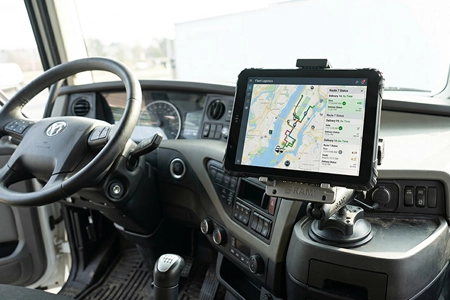
How to Power a Vehicle Tablet – Fixed Panel PC vs Docking Station: Choosing the Right Architecture for Your Fleet
There are two professional ways to power and mount a computing device in a vehicle — a fixed-installation Panel PC with aviation connectors, or a docking station with a detachable rugged tablet. Both are correct. The right choice depends on one question: does the device ever need to leave the vehicle?
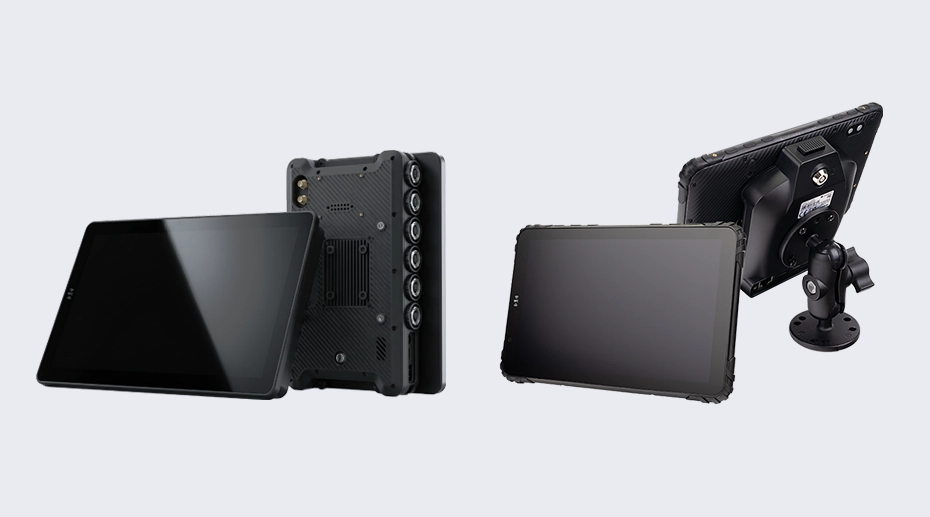
Table of Contents
1. One Question Decides Your Architecture
Before you choose any hardware, ask this: "Does the driver need to take the device out of the vehicle during a shift?"
If the answer is no — the device stays in the vehicle permanently, and the driver interacts with it only from the seat — you're looking at a fixed-installation architecture. A Panel PC with aviation connectors, hardwired to vehicle power, bolted in place for years.
If the answer is yes — the driver needs to undock the tablet for off-vehicle inspections, signature capture, shift handovers, or multi-vehicle use — you need a docking station with a detachable rugged tablet. One-hand release, pogo-pin charging, back in the dock when the driver returns. For deployments that require the device to leave the cab, vehicle mount tablets with docking stations provide the ideal balance of in-vehicle stability and off-vehicle portability.
Both architectures use the same vehicle-grade power integration — 9-36V DC input, ignition sensing, fused circuits, and professional wiring. The difference isn't in power quality. It's in how the device connects to the vehicle and whether it's designed to be removed. For system integrators planning large-scale rollouts, configuring your vehicle hardware platform at the manufacturing stage ensures consistent power architecture across the entire fleet.
2. Architecture 1: Fixed Panel PC with Aviation Connectors
A Panel PC is a rugged computer designed for permanent installation. It connects to vehicle power and peripherals through locking aviation-grade connectors (GX16/M12) that won't vibrate loose — ever. Once installed, it becomes part of the vehicle, like the radio or instrument cluster.
Best For These Scenarios
Bus driver consoles — the device is part of the dashboard and never leaves the cab
Heavy equipment (excavators, loaders, mining trucks) — extreme vibration requires a bolted, fixed installation
Train cabs and railway signaling — permanent, tamper-proof mounting is a regulatory requirement
Industrial HMI panels — the tablet is a fixed machine interface, not a portable tool
Any deployment where the device must survive years of continuous vibration without being touched
Key Advantages
Maximum connection stability: Aviation connectors (GX16/M12) thread-lock into place. They don't back out from vibration, period.
Simplified cable management: All I/O — power, CAN Bus, RS232, Ethernet, cameras — routes through a single locking connector bundle. No loose cables behind the dash.
Tamper-resistant: Once bolted in, the device cannot be removed without tools — important for public-facing installations like bus consoles.
Cleaner installation: No dock mechanism taking up space. The device mounts flush or on a fixed bracket — ideal for tight cabs.
RAM Mount compatible: Adjustable positioning with RAM ball mounts, then locked in place for permanent deployment. Order a fixed-mount vehicle computer →
PC1080 Panel PC — Aviation Connectors, Fixed Mount
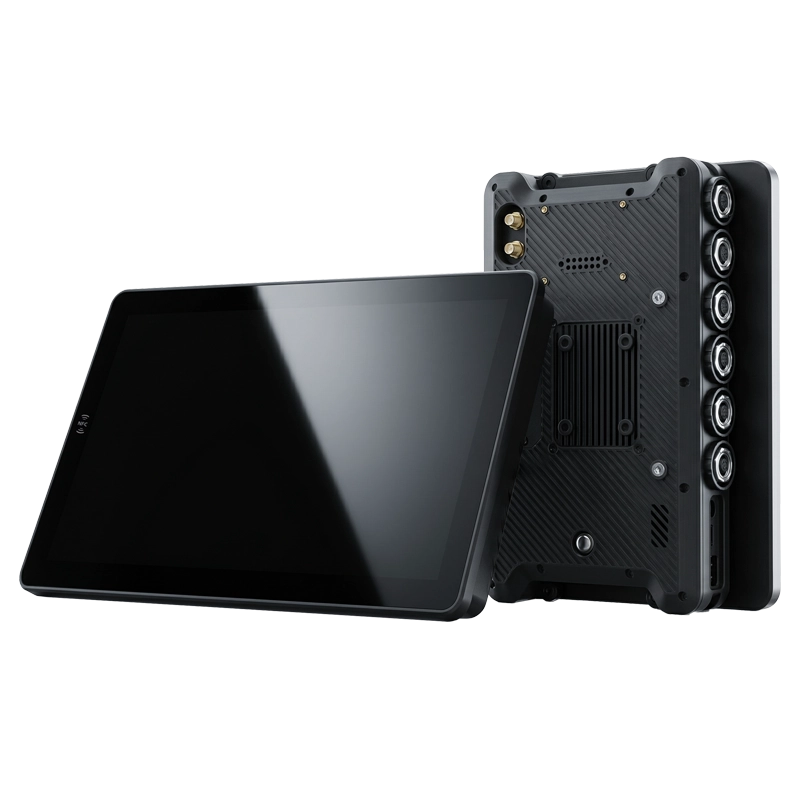
Built for permanent vehicle installation with locking GX16/M12 aviation connectors for power, CAN Bus, RS232, and Ethernet. 9-36V DC direct input. Bolted in place — designed to stay in the vehicle for the full 5-7 year deployment lifecycle.
View PC1080 specifications →3. Architecture 2: Docking Station with Detachable Rugged Tablet
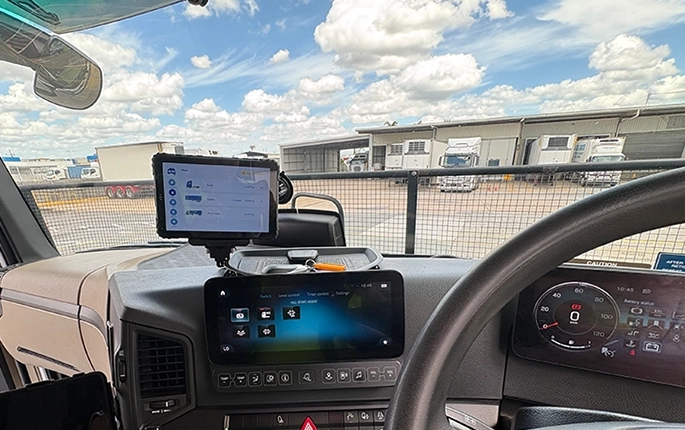
A vehicle docking station is hardwired to the vehicle once. After that, the tablet docks and undocks in seconds — automatically connecting power, data, and peripherals through pogo-pin contacts. The tablet stays charged in the dock and can be released with one hand for off-vehicle tasks. For fleet operations that need dual-use devices, deploy fleet management tablets with docking stations to enable seamless transition between in-cab computing and handheld field use.
✓ Best For These Scenarios
Fleet vehicles with driver shift changes — each driver docks their assigned tablet at the start of the shift
Delivery and logistics — driver undocks the tablet for proof-of-delivery signatures and package scanning at each stop
ELD compliance — driver keeps the tablet in the dock for HOS logging during driving, undocks for roadside inspections
Forklift operations — tablet docks for in-cab inventory lookup, undocks for warehouse floor barcode scanning
Field service — tablet serves as both in-vehicle navigation and handheld inspection tool
Key Advantages
One-hand dock and release: Tablet detaches in under a second — no cables to unplug, no connectors to wear out. Pogo-pin contacts rated for 10,000+ cycles.
Modular docking ecosystem: Choose from standard docks, CAN Bus-integrated docks (CRD865-CAN), or docks with built-in barcode/RFID modules — same tablet, different docks for different vehicle roles. This modular approach is what distinguishes a vehicle mount terminal with configurable docking from a standard tablet in a fixed bracket — the dock adapts to the vehicle role, not the other way around.
RAM Mount compatibility: Docks accept standard RAM ball mounts, allowing flexible positioning on dashboards, windshield arms, pole mounts, or forklift ROPS cages.
Tablet serves double duty: One device works as both a fixed vehicle computer and a portable handheld — reducing the total number of devices in your deployment.
Docking Ecosystem: One Tablet, Multiple Vehicle Roles
The same MDT tablet can serve different vehicle roles simply by changing the dock — no tablet replacement needed.
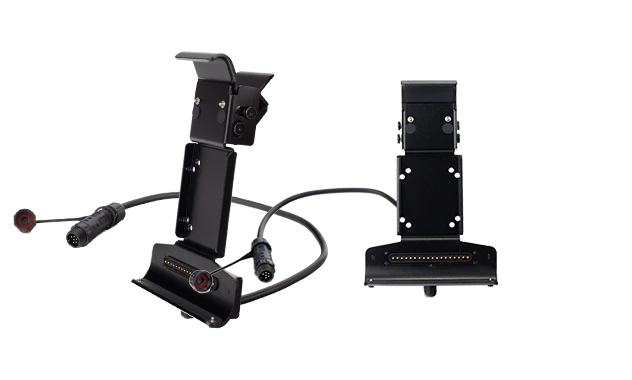 Standard Dock
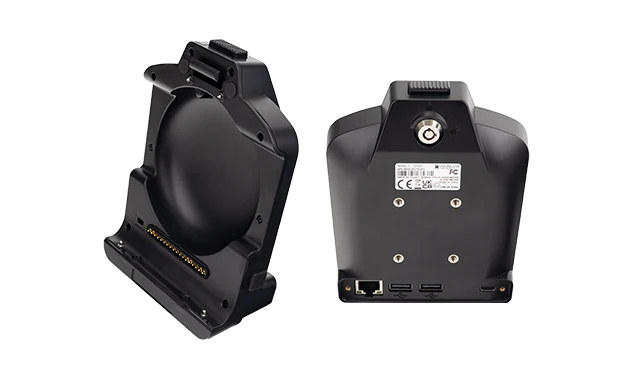 CRD865-CAN Dock
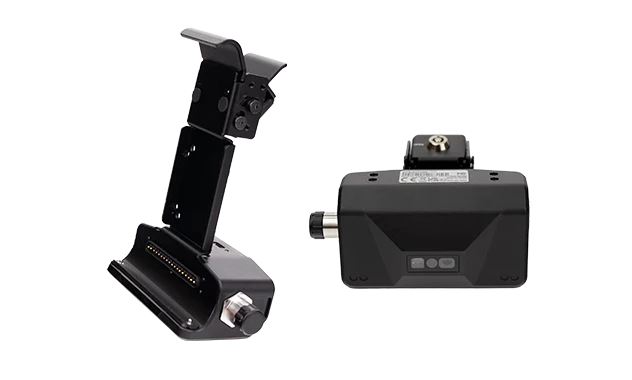 Barcode/RFID Dock
All docks share the same vehicle power architecture — 9-36V DC input with ignition sensing and fuse protection.
MDT865 / MDT880 + CRD Vehicle Docking Station
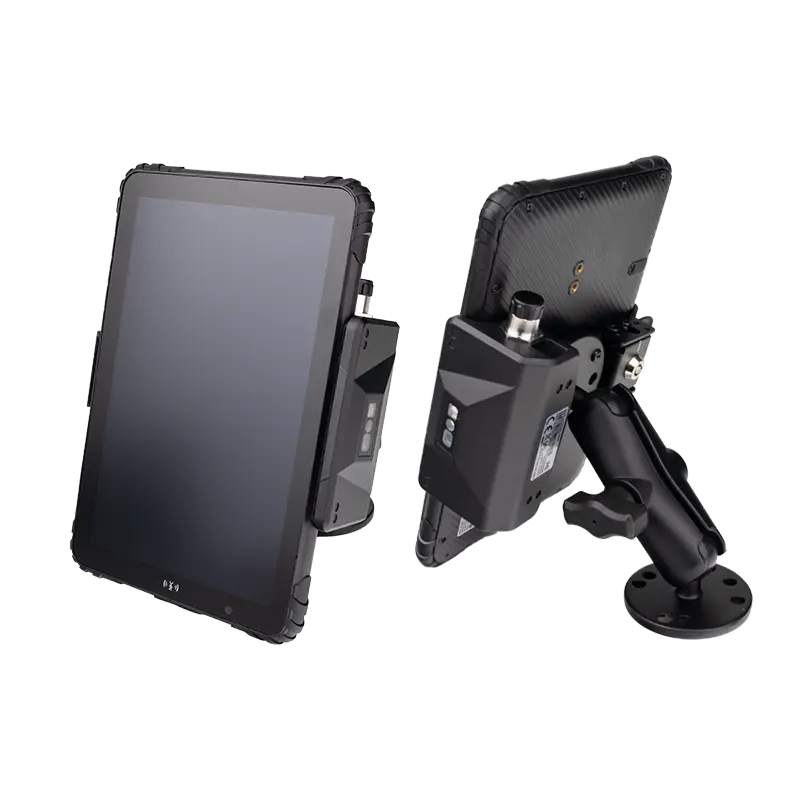
Rugged Android tablet with vehicle docking station. Dock and undock in one motion. Integrated CAN Bus, RS232, and 9-36V power through pogo-pin contacts. RAM mount compatible for flexible positioning. Available in standard, CAN Bus, and barcode/RFID dock configurations. Source rugged MDT hardware for your fleet →
4. Fixed Panel PC vs Docking Station: How to Choose
5. What NOT to Do — Regardless of Architecture
✕ Using a Consumer USB Charger in the 12V Port
This is not a fleet power solution — it's a temporary hack. USB chargers vibrate loose, provide unstable voltage, and lack ignition sensing. If you're deploying tablets to a fleet, use professional vehicle power integration. Period.
✕ Skipping the Inline Fuse
A fuse is not optional — whether you're wiring a Panel PC or a docking station. A 5A inline fuse on the VCC wire protects both the device and the vehicle. It costs less than a dollar and takes 2 minutes to install.
✕ Forgetting the Ignition Sense Wire
Without the ACC/IGN wire connected, the device stays powered 24/7 — draining the vehicle battery overnight. Every "dead battery at 6am" call traces back to a missing or incorrectly wired ignition sense connection.
✕ Sharing a Ground with High-Current Devices
Tapping into the same ground as a winch, compressor, or hydraulic pump introduces electrical noise and ground loops. Both Panel PCs and docking stations should use a dedicated, clean chassis ground point.
6. Frequently Asked Questions
Can I power a fleet tablet through the USB port?
No — not for fleet deployments. USB ports deliver 5V and are not designed for continuous vehicle power. Use a proper 9-36V DC vehicle power harness integrated with a docking station or Panel PC aviation connector.
What voltage do vehicle tablets need — 12V or 24V?
All TOPICON vehicle computing platforms — both Panel PCs and MDTs with docking stations — support 9-36V DC wide input. They work on 12V passenger vehicles and 24V trucks, buses, and heavy equipment without external voltage converters.
Which is more reliable — aviation connectors or pogo-pin docking?
Both are professional-grade solutions. Aviation connectors (GX16/M12) are designed for permanent, zero-maintenance connections — ideal for fixed installations. Pogo-pin docking contacts are rated for 10,000+ mating cycles — designed for daily docking and undocking. The choice depends on whether the device needs to be removable, not which is "better."
Do I need a separate fuse for each vehicle installation?
Yes. Each vehicle installation — whether Panel PC or docking station — should have its own inline fuse (5A recommended) on the VCC wire. If a short circuit occurs, the fuse isolates the problem to that single vehicle. Order a pre-fused vehicle power harness →
Need Help Choosing the Right Vehicle Power Architecture?
TOPICON engineering team can help you evaluate whether a fixed Panel PC or docking station architecture fits your fleet deployment — based on vehicle type, driver workflow, and peripheral requirements.
Related Deployment & Fleet Hardware Resources