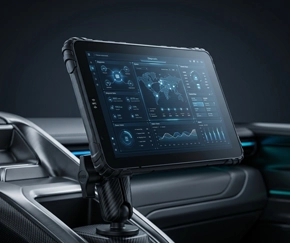
AHD Camera Connectivity for Rugged Vehicle Tablets
Single-camera wiring methods for MDT865 / MDT880 / MDT1065, plus multi-camera architectures for fleet safety and video monitoring — dock-connected, Camera Hub, and MDVR.
Table of Contents
1. Single-Camera Wiring Methods
The MDT865, MDT880, and MDT1065 support AHD camera input through three wiring methods. Each method suits a different installation scenario.

Method A — direct connection to the cradle

Method B — connection through an extension cable

Method C — connection with trigger input
MDT865 / MDT1065 — video input demonstration
2. Multi-Camera Architectures
A single camera connection covers rear-view or one blind-spot angle. Fleet safety deployments typically require two to four cameras — front, rear, side, and interior. The tablet platform supports multi-camera configurations through three architectures.
The correct architecture depends on the video retention requirement. Live assistance and event capture require only a dock-connected tablet. Continuous recording with multi-day retention requires a Camera Hub. Chain-of-custody evidence across five or more channels requires an external MDVR.
3. Dock-Connected Cameras
The cradle carries the camera inputs. Cameras connect directly to the dock, and the tablet decodes the video in hardware. No external recording device is required for live assistance.
• CRD865 TYPE-B — 4× camera hub + 1× on-cradle camera, dual RS232 + RS485, for MDT865
• CRD865 TYPE-F — 4× camera hub + 1× on-cradle camera, single RS232, for MDT865
• CRD1065 TYPE-B — 4× camera hub + 1× on-cradle camera, dual RS232 + RS485, for MDT1065
• CRD1065 TYPE-F — 4× camera hub + 1× on-cradle camera, single RS232, for MDT1065
For the full dock-to-tablet mapping, see the docking station matrix. For the 4-channel application platform, see the 4-channel vehicle video tablet page.
4. Camera Hub (HH420 / HH421)
The Camera Hub sits between the cameras and the tablet cradle. Cameras connect to the hub. The hub encodes the video and — on the HH421 — records it locally to an internal HDD. The tablet receives RTSP streams over Ethernet and decodes only the stream it needs to display.
• HH421 — same as HH420 plus internal HDD, 512GB / 1TB / 2TB, 2.2–9 days retention at 1080p
• Compatible cradles — CRD865, CRD865-BAS, CRD880, CRD1065
For full specifications and deployment wiring, see the HH420 / HH421 product page.
5. External MDVR
For deployments that require continuous 24-hour recording across five or more channels with chain-of-custody evidence, a dedicated MDVR is the appropriate device. The MDVR handles all camera encoding and storage. The tablet connects to the MDVR over Ethernet or Wi-Fi and requests the stream it needs for display.
6. Architecture Comparison
Read the full vehicle camera architecture guide →
Single Point of Failure
A camera connection that fails mid-route removes the driver's view of the blind spot or the rear. The wiring method — direct, extension, or trigger-based — determines whether the connection survives vibration, weather, and the full operating temperature range. For multi-camera deployments, the architecture decision (dock, hub, or MDVR) determines whether the video is available when it is needed.
7. Frequently Asked Questions
How many cameras can one tablet support?
Up to four AHD cameras directly through a compatible cradle. For five or more channels, an external Camera Hub or MDVR is required. The docking station matrix lists camera inputs per cradle.
Do I need a Camera Hub for multi-camera recording?
Only if the deployment requires continuous recording with multi-day retention. For live assistance and event capture, a dock-connected tablet is sufficient. The HH420 / HH421 Camera Hub adds local recording without the complexity of a full MDVR.
What is the difference between the three single-camera wiring methods?
Method A connects the camera directly to the cradle. Method B uses an extension cable for cameras mounted further from the tablet. Method C adds a trigger input so the camera feed activates automatically on a vehicle signal such as reverse gear or turn indicator.
Can the tablet record video without a Camera Hub or MDVR?
The tablet can record short event-triggered clips to its internal storage or microSD. Continuous recording across a full shift requires an external device — either the HH421 Camera Hub or a dedicated MDVR — because the sustained encoding and storage writes exceed what a tablet-sized device can handle in a vehicle cab.