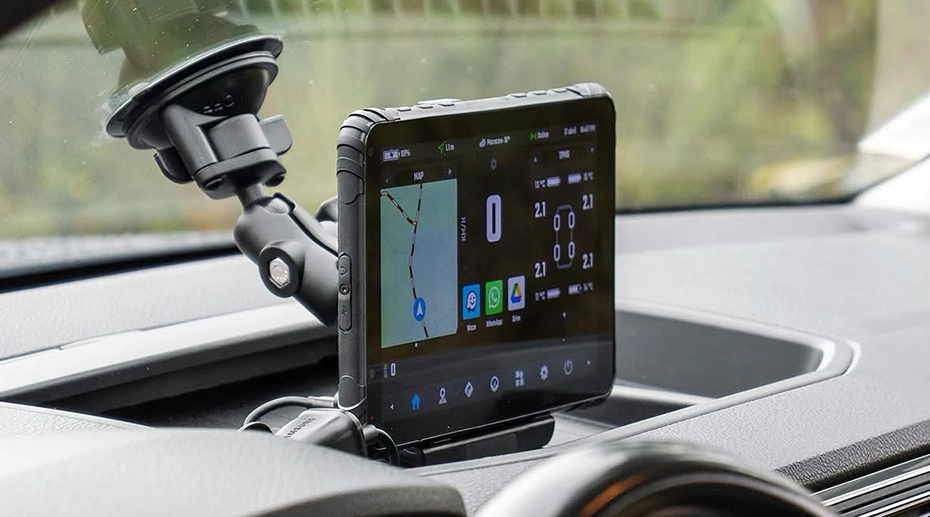
Dynamic Setting Sync — Clone One Tablet's Configuration to Your Entire Fleet in One Click
A system integrator preparing 200 in-vehicle tablets for a municipal waste management fleet faced a configuration checklist: kiosk mode with three whitelisted apps, WiFi credentials for the depot network, custom button mappings for the push-to-talk function, and a specific screen timeout policy. Manually applying these six settings to 200 devices would take two technicians roughly 20 hours of repetitive touchscreen work — with the near-certainty that some devices would be misconfigured. Dynamic Setting Sync reduced this to 15 minutes.
Table of Contents
Field Observation
Manual configuration of fleet tablets is the deployment phase most likely to introduce inconsistencies. A technician configuring 50 devices by hand will, statistically, make at least one error across the batch:
Missed WiFi network on device 12
Wrong app version installed on device 33
Each inconsistency generates a support ticket weeks later
About the Author
TOPICON Hardware Engineering Team
Specialists in fleet tablet configuration management, MDM deployment automation, and bulk provisioning strategies for system integrators deploying hundreds of devices across municipal, logistics, and field service fleets.
The Problem: Repetition Introduces Error
Configuring a fleet tablet involves navigating through multiple Android settings screens, enabling or disabling specific system features, entering WiFi passwords, setting app permissions, and defining kiosk mode parameters. Each device requires the same sequence of actions. A technician performing this sequence 200 times over two days will eventually tap the wrong checkbox, skip a step, or transpose a password character. The error will not be detected during initial deployment — the device boots, the apps launch, everything appears normal. The misconfiguration will surface later, when a driver reports that a specific function is not working as expected.
The traditional alternative — an Excel template or configuration file uploaded to each device — reduces repetition but introduces a different problem: the configuration is defined in a spreadsheet, not on a device. The integrator cannot see how the settings actually behave on the hardware before pushing them to the fleet. A typo in a WiFi SSID field or an incorrect app package name will be replicated to every device simultaneously, creating a fleet-wide misconfiguration that is harder to recover from than a single misconfigured unit.
What is needed is a method that combines the verification of manual configuration — the integrator can see and test the settings on a real device — with the efficiency of batch deployment. Dynamic Setting Sync provides exactly that. A single MDM-ready rugged tablet is fully configured and validated as the master device. Its exact configuration state is then cloned to every other device in the fleet.
How Dynamic Setting Sync Works
Dynamic Setting Sync is not a file export-import process. It is a live configuration replication between two devices that are both online and connected to the TOPICON MDM server. The administrator configures the master device — either remotely through the MDM console or physically on the device itself — while it is registered on the server. Once the configuration is verified, the administrator selects one or more target devices from the device list. The server reads the master device's current configuration state, serialises it, and applies it to each target device over the network. The target devices do not need to be factory-reset. They do not need to be running the same firmware version as the master — the server reconciles settings that are compatible with the target's firmware level and reports any settings that cannot be applied.
The configuration data transferred includes kiosk mode parameters, app whitelists and blacklists, WiFi network profiles with credentials, Bluetooth pairings, custom programmable button assignments, display timeout and brightness settings, language and input preferences, and security policies such as password requirements and USB debugging restrictions. The target device applies these settings and reports back to the server. If a setting fails to apply — for example, a WiFi network that is out of range — the device logs the failure and the administrator can address it individually rather than re-pushing the entire configuration.
▶ Dynamic Setting Sync — clone one device's exact configuration to any number of target devices instantly
For system integrators deploying fleet management tablets across multiple customer accounts, Dynamic Setting Sync can be used to create a baseline configuration for each customer. The integrator configures one device per customer profile, validates it, and clones that profile to all devices assigned to that customer. When a replacement device is needed, the integrator does not need to refer to documentation — they connect the new device to the server, select the customer's master configuration, and apply it. The replacement device is ready within minutes.
Beyond Cloning: When Devices Need Different Configurations
Not every device in a fleet needs an identical configuration. A refuse truck that operates in a city centre may need a different WiFi profile than one operating in a rural depot. A tablet used by a driver who works only day shifts may need different screen brightness settings than one used on night routes. Dynamic Setting Sync supports this variation through the creation of multiple master configurations — each saved on the server as a named profile. The administrator can apply "City Depot Configuration" to one group of devices and "Rural Depot Configuration" to another, without manually editing each device.
This capability is particularly relevant for OEM tablet deployments where different end customers require different configurations. The system integrator can maintain a library of customer-specific master configurations on the MDM server. When a new device is provisioned for Customer A, it receives Customer A's configuration profile — kiosk mode settings, whitelisted apps, WiFi networks, custom button mappings — in a single operation. No re-configuration. No manual setup. No risk of Customer A's device accidentally running Customer B's settings.
Single Point of Failure
A misconfiguration replicated across 200 devices is a single point of failure that can ground an entire fleet. A kiosk mode configuration that accidentally blocks access to the ELD app will be discovered only when drivers attempt to log their hours — simultaneously, across every vehicle. The operational impact is not one misconfigured tablet. It is every tablet. Dynamic Setting Sync mitigates this by validating the configuration on a single master device before cloning. The integrator tests the master device — launching apps, connecting to WiFi, verifying kiosk mode behaviour — while 199 other devices remain in their known-good state. Only after the master passes validation is the configuration cloned to the fleet.
Frequently Asked Questions
What types of settings can Dynamic Setting Sync clone?
All device-level settings configurable through the MDM server: kiosk mode parameters, app whitelists and blacklists, WiFi network profiles with credentials, Bluetooth pairings, custom programmable button assignments, display timeout and brightness, language and input preferences, security policies (password requirements, USB debugging restrictions, unknown source blocking), and Managed Google Play app distributions. User-generated data — documents, photos, driver login sessions — is not cloned.
Can Dynamic Setting Sync clone settings between different tablet models?
Settings that are model-specific — such as hardware button mappings that reference physical keys present on one model but not another — will not be applied to incompatible devices. The MDM server compares the configuration against the target device's capabilities and applies only compatible settings. The administrator receives a report listing any settings that were skipped. Settings that are OS-level and not hardware-dependent — such as kiosk mode and WiFi profiles — are generally transferable across models.
What happens if a target device is offline when the sync is initiated?
The server queues the configuration push for that device. When the device comes online — typically when the vehicle is powered on and the tablet connects to the network — the server detects the pending configuration and applies it automatically. The administrator can monitor queued configurations in the MDM console and manually retry or cancel individual pushes.
Can I use Dynamic Setting Sync to update configurations after initial deployment?
Yes. Dynamic Setting Sync is not limited to initial deployment. When a fleet-wide configuration change is needed — adding a new WiFi network, updating an app whitelist, changing a security policy — the administrator updates the configuration on one device or on the master profile stored on the server, then pushes the updated configuration to the fleet. Devices that are online apply the update immediately. Devices that are offline receive it when they next connect.
Still Configuring Fleet Tablets One at a Time?
Dynamic Setting Sync lets you fully configure and validate one device, then clone that exact configuration to your entire fleet in one operation. Built into the TOPICON MDM server — no additional tools, no manual repetition, no configuration drift across devices.