External GNSS Antenna Selection for Fleet Tablets — MMCX Port, Adapter Cable, and USB Receiver
A tablet with a high-sensitivity GNSS receiver loses position fix inside a steel cab, a metal-hulled vessel, or a truck with metallic window tinting. The receiver is not the problem. The antenna cannot see the sky. The solution is an external antenna — but the way the signal gets outside the enclosure depends on the tablet model. Two models in the lineup expose an MMCX antenna port. The rest rely on a USB GPS receiver connected through the dock. This article covers the three antenna accessories, which models each one fits, and the installation details that determine whether the signal actually reaches the receiver.
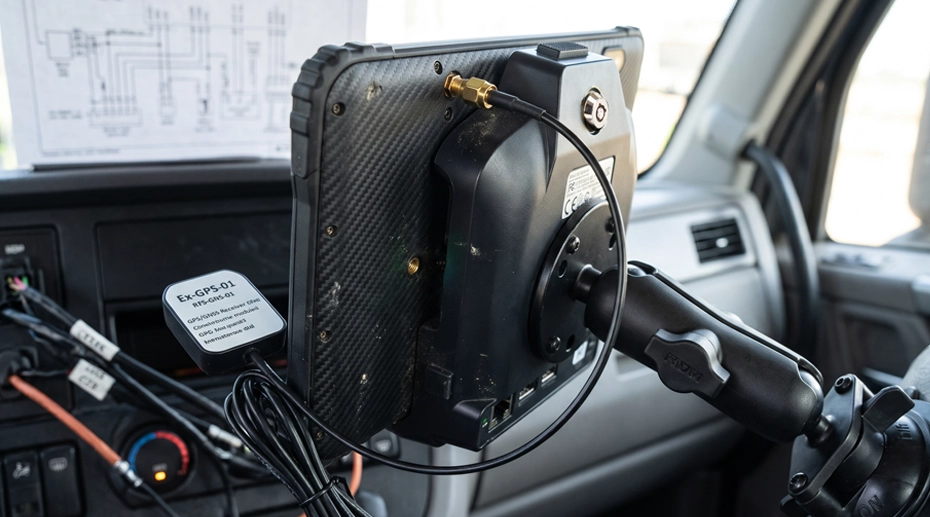
Table of Contents
1. Why an External Antenna
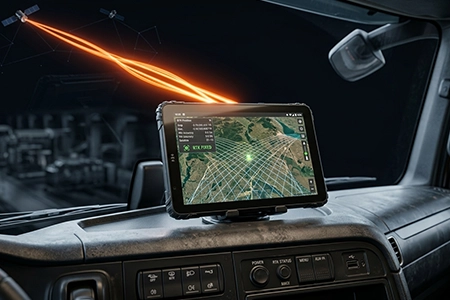
GNSS signals arrive at the Earth’s surface at approximately 1.5 GHz. At that frequency, conductive materials attenuate the signal significantly. A steel vehicle cab, a metal-hulled vessel, or a truck with metallic window tinting acts as a partial Faraday cage. The internal antenna inside the tablet receives only the small fraction of signal that passes through the glass, and often that fraction is not enough to maintain a position fix.
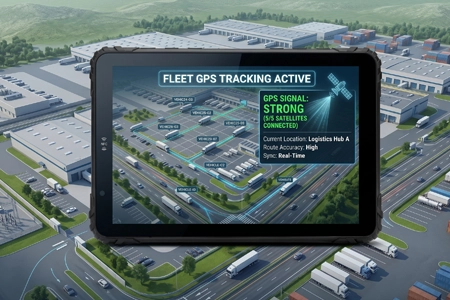
The failure mode is consistent: the tablet reports a position that is stale, inaccurate, or absent. In a fleet management system, the vehicle appears offline or parked in the wrong location. The dispatch algorithm cannot route it correctly. The operational cost is idle time and missed assignments, not the receiver itself.
An external antenna solves the problem by moving the signal capture point outside the enclosure. The receiver stays inside the tablet — only the antenna is repositioned. The GNSS hardware selection guide covers the receiver architecture and the dual-band L1+L5 requirements. This article covers the antenna accessories that connect the receiver to the sky, and the model-specific hardware path each one requires.
2. Three Antenna Configurations
TOPICON offers three accessory configurations for external GNSS reception. They are not interchangeable — each one fits a different installation scenario and a different hardware prerequisite.
The distinction matters at procurement. The MMCX port is a hardware feature of the tablet itself, and it is not available as an option on models that do not have it. The USB path, by contrast, is available across the lineup through the dock’s USB-A OTG port. A deployment that requires the MMCX port must select a model that has it. A deployment that can use the USB receiver can apply it to any model in the lineup, including models already delivered. The vehicle mount tablet platform documentation covers the antenna and USB port specification for each model.
3. Which Models Support Which Configuration
The MMCX port is present on two models in the current lineup. The USB GPS receiver path works across all models. This is a model-level distinction, not a configuration option.
The MDT880 and MDT865 carry the MMCX port on the 8-inch chassis. A deployment in a metal cab or a metal-hulled vessel that requires the coaxial path should select one of these two models. The MDT1065 and MDT1080 use the USB GPS receiver path when external GNSS is required. The MDT1080 connects through its CRD1080 vehicle dock, which provides the USB-A OTG port needed for the EXT-GPS-03 receiver.
The MMCX port cannot be added as an option after the tablet is manufactured. A deployment that orders MDT1065 or MDT1080 with the expectation of adding an MMCX port later will not be able to do so. If the coaxial path is a hard requirement, the model selection must be made with the port in mind. The complete rugged tablet product catalog lists the antenna specification for each model.
4. EXT-GPS-01: Roof-Mounted Antenna
The EXT-GPS-01 is an external GPS antenna with an L-shaped cable, designed for permanent vehicle or outdoor installation. The antenna is mounted on a bracket above the cab roofline, on a mast, or on any position with an unobstructed view of the sky. The coaxial cable routes from the antenna to the tablet’s MMCX port, typically through a weather-sealed gland at the cab entry point.
• Mounting position: the antenna must have an unobstructed view of the sky. On a haul truck, it is typically mounted on a bracket attached to the cab roof. On an excavator, it is mounted on the highest point of the cab structure, clear of the boom.
• Cable routing: the coaxial cable runs from the antenna to the tablet’s MMCX port. Use a weather-sealed gland at the entry point. Avoid routing the cable parallel to high-current wiring or the ignition system.
• Connector type: the EXT-GPS-01 connects to the tablet through an MMCX port. If the antenna cable terminates in SMA male, the EXT-GPS-02 adapter is required.
The EXT-GPS-01 is the appropriate choice for new vehicle installations where the coaxial cable can be routed during build or upfit, and where the tablet model already has the MMCX port. It provides a permanent, weather-sealed antenna installation that can be inspected during scheduled maintenance. The mining fleet GNSS case study covers a live deployment where the EXT-GPS-01 restored continuous tracking inside a steel cab.
5. EXT-GPS-02: MMCX-to-SMA Adapter
The EXT-GPS-02 is a conversion cable that adapts MMCX to SMA female. It is not a standalone antenna — it is a connector adapter used when the external antenna cable terminates in SMA male and the tablet’s port is MMCX. It is only relevant to the MDT880 and MDT865, because those are the only models with an MMCX port to convert.
The adapter is typically specified together with the EXT-GPS-01. In the mining deployment described in the case study, the configuration was EXT-GPS-01 antenna + EXT-GPS-02 adapter, connecting the roof-mounted antenna cable to the tablet’s MMCX port. The adapter adds a connection point, so the installation should include strain relief at the adapter junction and weatherproofing if the junction is exposed.
6. EXT-GPS-03: USB GPS Receiver
The EXT-GPS-03 takes a different architectural approach. Instead of routing a coaxial cable from an external antenna to the tablet’s internal receiver, the entire GNSS receiver module moves outside the enclosure. The module connects to the tablet through the dock’s USB-A OTG port, and the tablet receives position data over USB rather than processing raw satellite signals.
• Retrofit deployments: the vehicle was not designed for coaxial cable routing, and adding a permanent antenna cable is impractical.
• Mixed vehicle fleets: the fleet does not standardize on a single mounting architecture, and the USB receiver can be moved between vehicles.
• Sealed or restricted tablet locations: the tablet is installed in a location where routing a coax cable to its antenna port is difficult.
The trade-off is that the receiver module itself becomes an additional component to mount and protect on the vehicle exterior. It must be positioned with sky visibility and secured against vibration and weather. The GPS signal loss diagnosis guide covers the troubleshooting path when the USB receiver does not restore a fix. For a fleet that uses MDT1065 or MDT1080 and needs external GNSS, the USB receiver is the only supported path.
MDT865 Rugged Tablet GPS Enhancement: External Antenna & USB Receiver Setup
Demonstration of the EXT-GPS-01 antenna connection and EXT-GPS-03 USB receiver configuration on the MDT865.
7. Selection and Installation Checklist
Before specifying an external GNSS antenna for a fleet deployment, confirm the following.
• USB path for other models: if the deployment uses MDT1065 or MDT1080, the external GNSS path is the EXT-GPS-03 USB receiver through the dock’s USB-A OTG port. Confirm the dock exposes the USB-A port (e.g., CRD1080 for MDT1080).
• Antenna cable termination: if using the MMCX path, does the EXT-GPS-01 antenna cable terminate in MMCX, or does it need the EXT-GPS-02 adapter to convert to SMA?
• Mounting position: does the antenna or USB receiver have an unobstructed view of the sky? Avoid positions blocked by the cab roof, exhaust stack, or machine boom.
• Cable routing: can the coaxial cable be routed during build or upfit? If not, the USB receiver is the practical option.
• Weather sealing: is the cable entry point sealed with a gland? Is the antenna or USB receiver connector protected from moisture?
• Strain relief: is the cable secured against vibration, with a service loop at each connector?
• Adapter junction: if EXT-GPS-02 is used, is the junction protected from moisture and mechanical stress?
The complete rugged tablet product catalog lists the antenna port specification for each model. The docking station matrix covers the dock and cable options that support external antenna routing and the USB-A OTG port.
Single Point of Failure
A model selection made without confirming the antenna port is a specification gap that surfaces after the devices are delivered. The MMCX port is a hardware feature of the tablet itself. It is present on the MDT880 and MDT865, and it is not available as an option on the MDT1065 or MDT1080. A deployment that assumes the port can be added later, or that assumes it is present on every model, discovers the gap when the first vehicle arrives at the upfit bay and there is nowhere to connect the roof antenna. The USB GPS receiver is the fallback for models without the MMCX port, but it requires a different installation approach and an additional component to mount. The antenna path is part of the model selection, not an accessory decision made after the tablet arrives.
8. Frequently Asked Questions
Which models have a built-in MMCX antenna port?
The MDT880 and MDT865. These are the only two models in the current lineup with the MMCX port on the tablet chassis.
Can I add the MMCX port as an option on MDT1065 or MDT1080?
No. The MMCX port is a hardware feature of the tablet model. It is not available as a factory option on models that do not have it. If the coaxial antenna path is a requirement, the model selection must be made with the port in mind.
How do I get external GNSS on MDT1065 or MDT1080?
Use the EXT-GPS-03 USB GPS receiver connected through the dock’s USB-A OTG port. The receiver module is mounted outside the enclosure with sky visibility, and the tablet receives position data over USB. This path is supported across all models in the lineup. For the MDT1080, this is the CRD1080 vehicle dock.
Do I need EXT-GPS-02 with EXT-GPS-01?
It depends on the antenna cable termination. If the EXT-GPS-01 antenna cable terminates in SMA male and the tablet’s port is MMCX, the EXT-GPS-02 adapter is required. If the cable already terminates in MMCX, the adapter is not needed. The adapter is only relevant to the MDT880 and MDT865.
Where should the external antenna be mounted?
Any position with an unobstructed view of the sky. On a truck, the cab roof or a dedicated antenna mast. On an excavator, the highest point of the cab structure, clear of the boom. Avoid positions shielded by the exhaust stack or other vehicle structures.
Does the external antenna improve accuracy or only restore signal?
The primary function is to restore signal reception in environments where the internal antenna cannot see the sky. It does not change the receiver’s accuracy tier. For accuracy improvement in open-sky conditions, the receiver architecture — dual-band L1+L5, multi-constellation, RTK — is the relevant specification. The GNSS hardware selection guide covers the receiver side.
Specifying External GNSS for a Fleet Deployment?
The antenna port, the cable termination, and the model selection determine whether the external antenna restores a continuous position fix. Request a hardware evaluation kit or discuss the antenna configuration for your vehicle class.
Related GNSS & Antenna Resources