Rugged Tablets for Vehicle Inspection Systems – Display Controller Solution for Security Checkpoints
At a secure logistics checkpoint, a SECURITAS officer extends a carbon-fiber pole camera to scan the roof of a dump truck. The EFIS® inspection system sends high-definition video to the handheld display in real time. In this moment, the officer's ability to detect a threat depends entirely on one component: the screen. If it's washed out by sunlight, cracked from a drop, or dead from battery drain — the inspection fails. Here's why the display controller in vehicle inspection systems demands the same rugged engineering as the tablet in the truck cab.
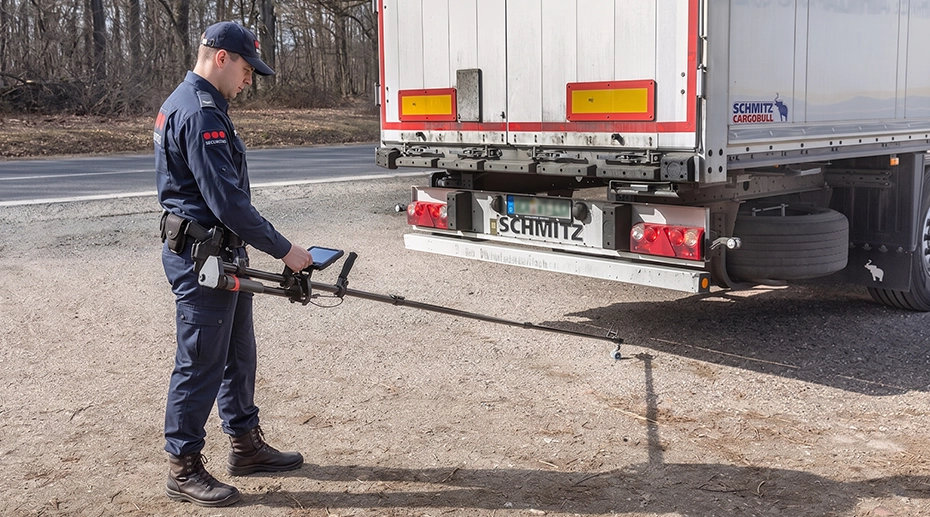
Table of Contents
Field Observation
Across high-security checkpoints — airports, border crossings, port terminals, and mining site exits — vehicle inspection systems share a common dependency:
• The display controller delivers the verdict
• If the display fails, the entire inspection system is blind
System Integration Insight
Security inspection system integrators (SI) typically specialize in camera optics, image processing, and detection software — not rugged computing hardware. The display controller is often the most overlooked component in the system design, yet it's the one that security officers interact with for hours per shift, in all weather conditions. For SIs managing a fleet of devices across multiple checkpoints, a centralized device management hub enables remote configuration and policy enforcement without on-site visits.
The Inspection: What's Happening at the Checkpoint
A heavy-duty dump truck approaches a secure logistics gate. The vehicle has just returned from a remote mining site or is crossing an international border. A security officer wearing a SECURITAS high-visibility vest deploys an military-grade under-vehicle inspection system — a portable pole-mounted camera system with a carbon-fiber telescopic boom.
The officer extends the pole to scan areas that ground-level visual inspection cannot reach: the truck roof, the top of the container, the gap between the cab and trailer, and internal cargo hold blind spots. The camera head — equipped with HD optics and infrared illumination — transmits live video through the pole to a handheld display controller that the officer holds in the other hand. This display, running inspection software on a hardened in-vehicle computing platform, provides the real-time visual feedback that determines whether the vehicle is cleared or detained.
"The pole camera is only as good as the screen it's connected to. We've had inspections where the officer couldn't confirm a threat because the display was unreadable in direct sun. That's a security incident waiting to happen — not a hardware inconvenience."
— Security systems integrator, European border agency contractor
Three Missions That Depend on Display Reliability
1. Anti-Terrorism & Explosive Detection
At ports, airports, and military base entry points, vehicle inspections screen for concealed weapons, explosives, and hazardous materials hidden in roof compartments, undercarriage cavities, or cargo blind spots. A missed detection due to display glare or lag is not a quality issue — it's a security breach with potentially catastrophic consequences.
2. Border Control & Anti-Smuggling
Cross-border truck inspections at customs checkpoints screen for illegal immigrants concealed in cargo spaces and smuggled contraband hidden behind false panels. The pole camera must deliver real-time, high-resolution video to the display without latency — a 2-second freeze during a sweep could mean missing a concealed person.
3. Asset Protection & Loss Prevention
At high-value mining sites and precious metal logistics hubs, exit inspections verify that outgoing trucks are not carrying unauthorized raw materials, ore samples, or company assets. The display controller must be rugged enough to operate in dusty, vibration-heavy mining environments where consumer electronics fail within weeks.
Why the Display Controller Is the Weakest Link
Security system integrators invest heavily in camera optics, pole mechanics, and detection software. But the handheld display — the component that the officer actually looks at for hours per shift — is often an afterthought. A consumer-grade tablet or a generic monitor repurposed for this role will fail in predictable ways that directly compromise inspection integrity. Deploying a hardened fleet-grade computing solution as the display controller eliminates these single points of failure from the start.
✕ Consumer Display Failures in Field Inspection
300-500 nit screen unreadable in direct sunlight — officer cannot confirm what the camera sees
Battery drains mid-shift — inspection stops, vehicle queue builds, checkpoint throughput collapses
USB/HDMI port loosens from repeated cable connection — video signal drops intermittently
No glove-compatible touch — officer must remove PPE to operate the screen in hazardous environments
✓ Rugged Display Requirements for Inspection Systems
1000-nit sunlight-readable display with optical bonding — clear video even at high noon
Hot-swappable battery or vehicle-powered dock — continuous operation across multi-hour shifts. For checkpoint supervisors, a remote device control platform allows monitoring battery status and pushing firmware updates across all inspection stations from a central console.
Locking aviation connectors (GX16/M12) or pogo-pin docking — no cable wear from repeated connection
Glove-compatible touchscreen — full operation with security PPE, wet hands, or in rain
What This Means for Inspection System Integrators
Companies building EFIS-style inspection systems — or any pole-camera, borescope, under-vehicle scanning, or portable X-ray system — typically focus on the sensor payload: camera resolution, infrared sensitivity, pole reach, and software analytics. The display controller is sourced as a commodity component.
But for the end customer — the security agency, the port authority, the mining company — the display is the system. It's the only part of the inspection apparatus that the officer touches, looks at, and depends on for every single vehicle screening. A premium camera transmitting to an unreliable display is a compromised system.
Integration Architecture: How Rugged Tablets Connect to Inspection Cameras
Camera video feed via RS232, USB, or M12 Ethernet to the rugged tablet. Locking connectors prevent signal dropout during pole manipulation. Ideal for fixed checkpoint installations.
Camera transmits via dedicated WiFi or encrypted RF to the tablet. Officer can move freely around the vehicle without cable management. Requires rugged tablet with external antenna support for extended range.
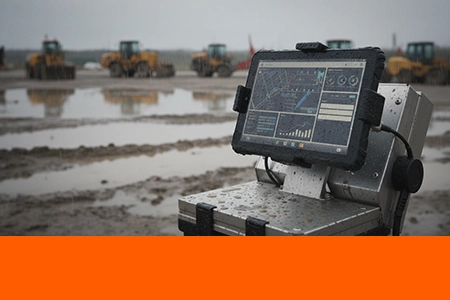
Fixed-Position Inspection Terminal: MDT865 on Tripod Mount
For checkpoints where the officer operates the pole camera with both hands, the display controller can be fixed on a tripod at eye level — providing a stable, hands-free viewing position with an 8-inch sunlight-readable screen.
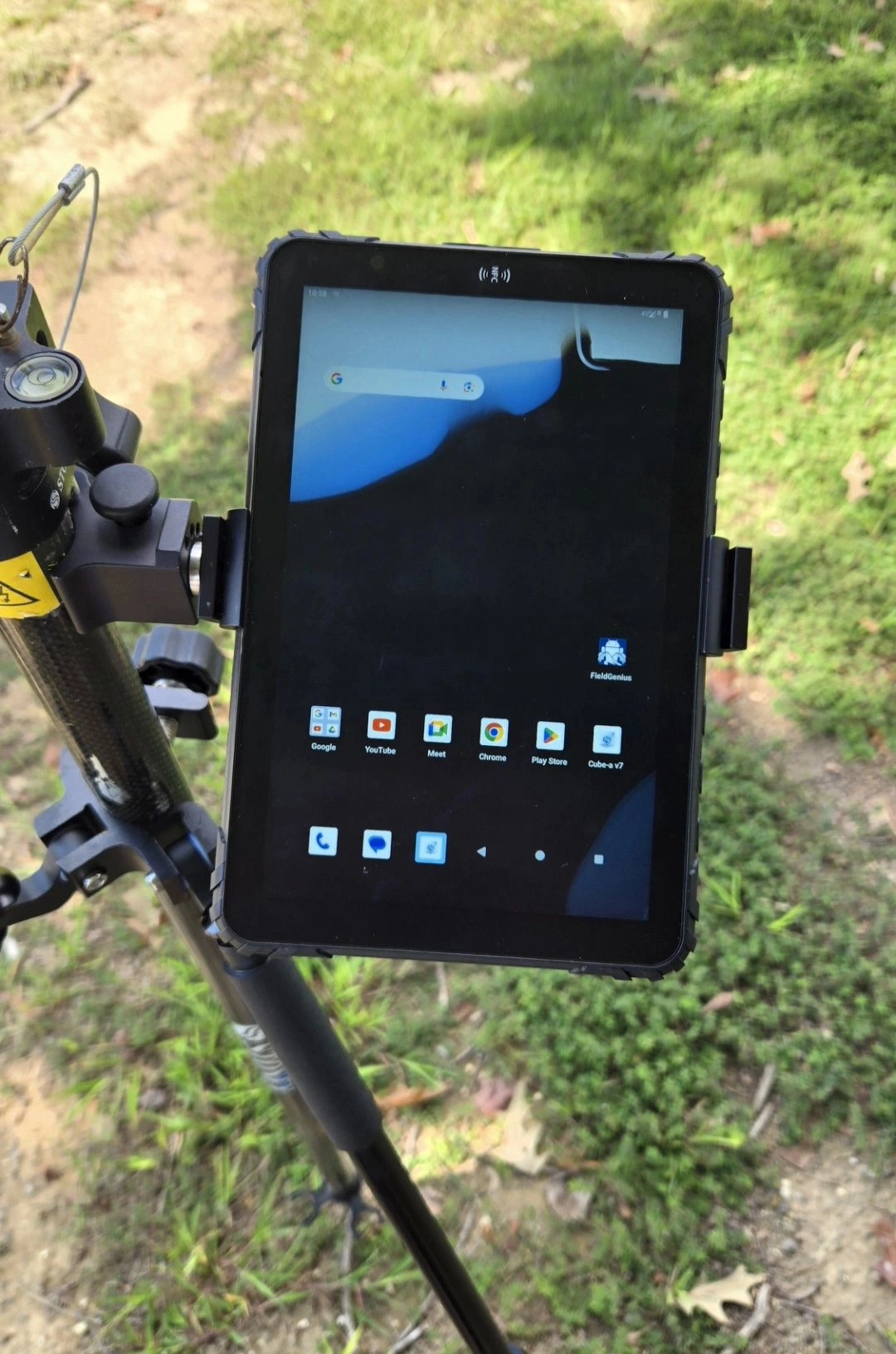
Rugged Tablet Platforms for Inspection System Integration
For security inspection system integrators, the ideal display controller combines vehicle-grade ruggedness with flexible I/O for camera integration — the same platform that powers fleet management tablets in truck cabs can serve as the control unit for pole-camera inspection systems with the right configuration.
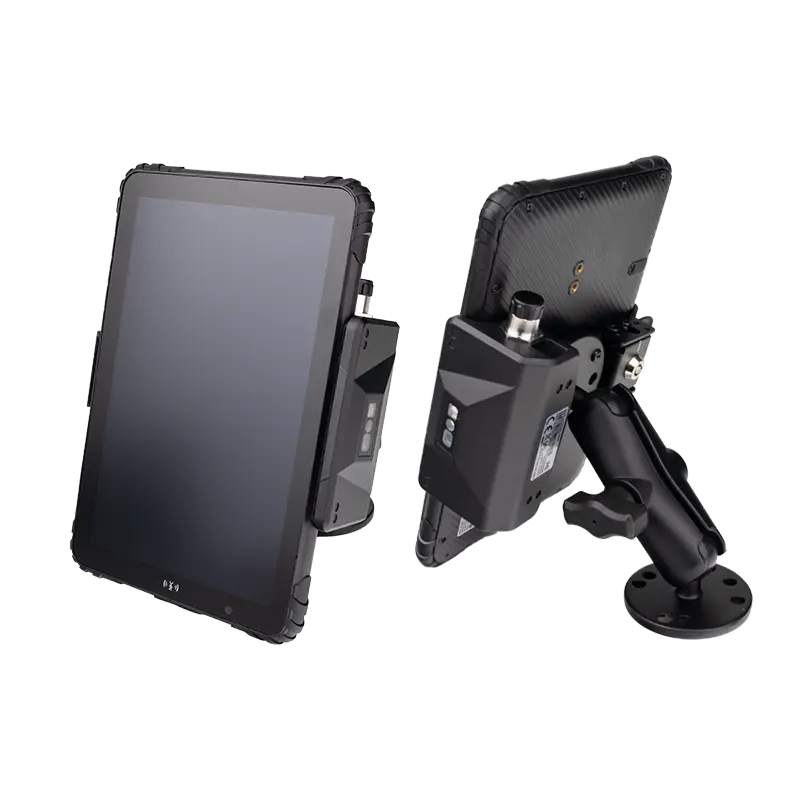
MDT865
8" · 1000-nit · IP67 · Vehicle Dock
Best for: Handheld inspection controller with optional vehicle dock for checkpoint charging. Sunlight-readable display for outdoor screening operations.
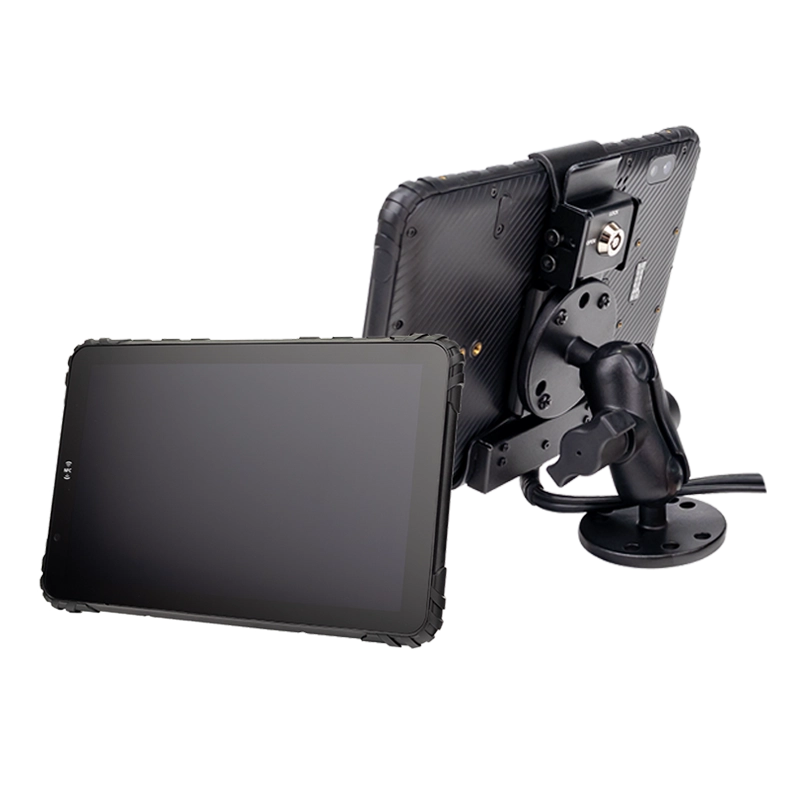
MDT880 5G
8" · 1000-nit · 5G · Dual band GPS · AHD Camera
Best for: Wireless camera integration with 5G backhaul. AHD camera input for direct wired connection. MIL-STD-810G certified.
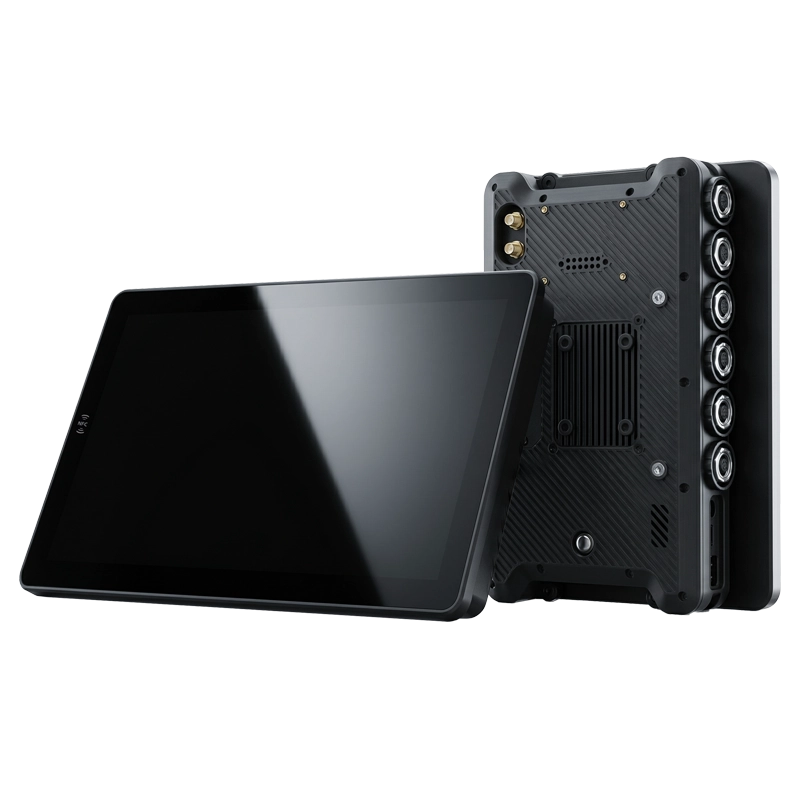
PC1080 Panel PC
8" · Aviation Connectors
Best for: Fixed checkpoint installation. GX16/M12 connectors for permanent wired camera integration. Tamper-proof, bolt-down mounting. Configure a fixed-mount inspection terminal →
Key Takeaways for Inspection System Integrators
Display = System Reliability
The officer's display is the only component that delivers the inspection verdict. A premium camera on an unreliable screen is a compromised system.
Rugged by Default, Not by Option
1000-nit sunlight readability, IP67 waterproofing, and MIL-STD-810G certification should be baseline — not upgrades — for outdoor inspection displays.
OEM Integration Ready
System integrators can source rugged tablets with custom I/O, branding, and firmware — focusing R&D on camera and software, not display hardware. Start your custom hardware project →
Integrating Rugged Displays into Your Inspection System?
TOPICON provides OEM-ready rugged tablets and Panel PCs with sunlight-readable displays, aviation connectors, and custom I/O configuration — purpose-built for security inspection, border control, and industrial vehicle screening systems.
Related Hardware & Integration Resources