17 Dock Configurations for Vehicle Mount Tablets — How the Docking Architecture Determines Deployment Flexibility
A system integrator deploying vehicle mount tablets across a mixed fleet does not face a single hardware decision. A light delivery van needs a different docking solution than a mining truck. A refuse vehicle that pressure-washes its cab interior weekly needs a different connector than a city bus. The tablet can be identical across all these vehicles. The dock changes. Here is how 17 dock configurations — organised into three functional tiers — provide the deployment flexibility that mixed fleets require.
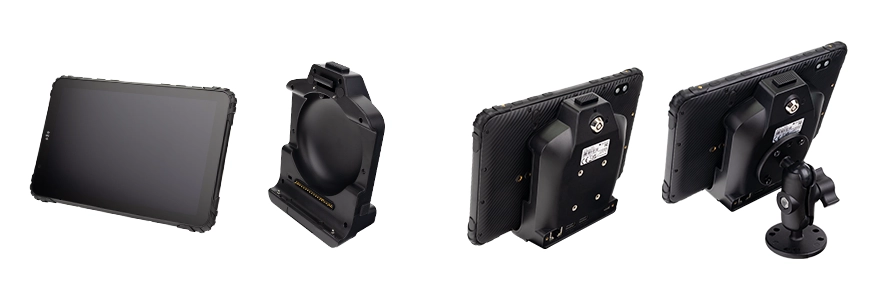
Field Observation
Fleet hardware selection often focuses on tablet specifications while the dock is treated as an afterthought. Field deployments consistently show the opposite — the dock determines whether the device survives, whether drivers use it correctly, and whether the fleet can scale its hardware architecture.
Correct dock selection = 10,000+ mating cycles across 5 years
The dock is the component that interacts with the vehicle's vibration, power, and environment every second
About the Author
TOPICON Hardware Engineering Team
Specialists in vehicle docking system design, connector engineering, and fleet deployment architecture. Supporting system integrators with mixed fleets across logistics, municipal, mining, and public transit environments.
Why the Dock Matters More Than the Tablet for Deployment Flexibility
A tablet is a standardised computing platform. A dock is a mechanical interface that must withstand the specific vibration signature, environmental exposure, and operational workflow of a particular vehicle class. The tablet can be moved between docks. The dock stays with the vehicle for its entire service life — typically 7 to 10 years, spanning multiple tablet generations.
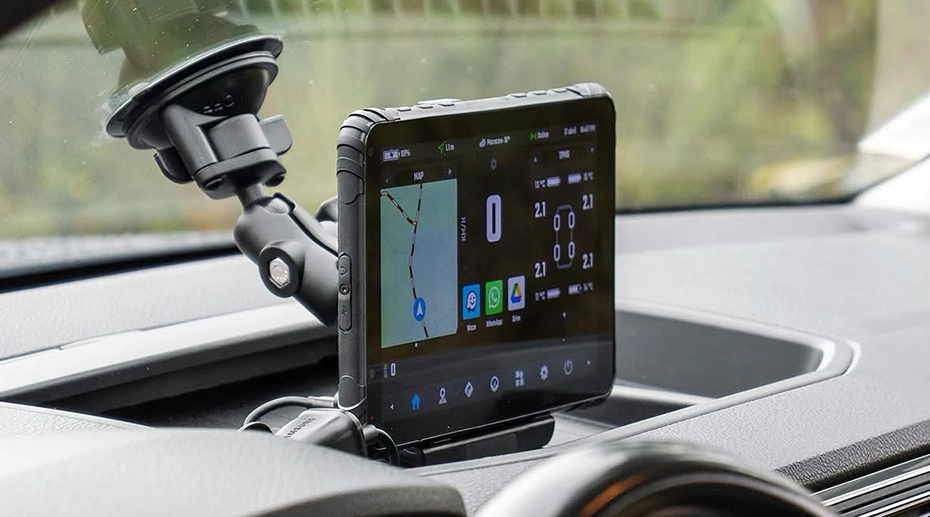
This asymmetry has practical consequences. When a fleet replaces its tablets after five years, the docks remain in place. The new tablets must be compatible with the existing dock infrastructure — or the fleet must absorb the additional cost of replacing every dock simultaneously. Standardising on a dock family with consistent connector pin-outs and mechanical retention across generations protects this investment. The docking station configuration matrix exists precisely to make this standardisation visible before procurement decisions are locked in.
For fixed vehicle mount terminals, the dock and the device are effectively one unit. For detachable vehicle tablets with quick-release docks, the separation of device and dock creates a hardware architecture where deployment flexibility is determined by dock selection, not tablet selection.
Three Functional Tiers, 17 Configurations
The 17 dock configurations are organised into three functional tiers. Each tier addresses a different operational profile — how often the device is undocked, how severe the vibration environment is, and whether the workflow requires integrated data capture.
Tier 1: Standard Quick-Release Dock
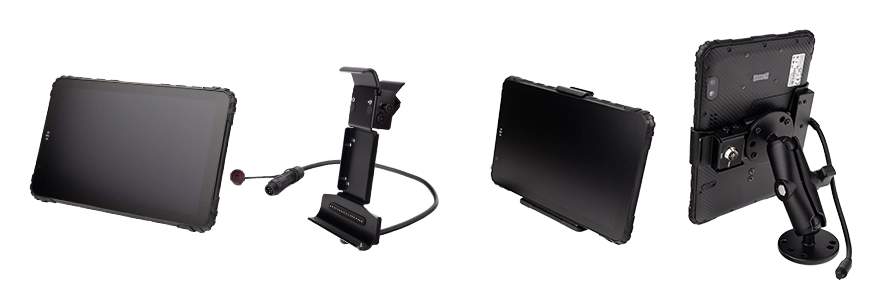
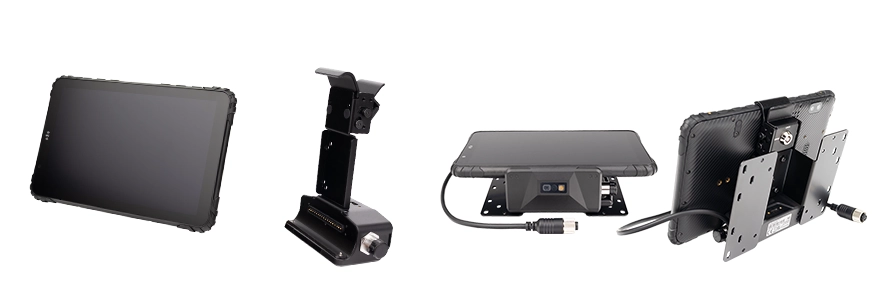
Pogo-pin contacts. One-hand dock and undock. 10,000+ mating cycles. Designed for fleets where the tablet leaves the vehicle multiple times per shift — pre-trip inspections, proof-of-delivery capture, multi-driver hot-desking. The dock base bolts to a RAM mount once and remains in place. The tablet is removed and re-inserted with a single motion.
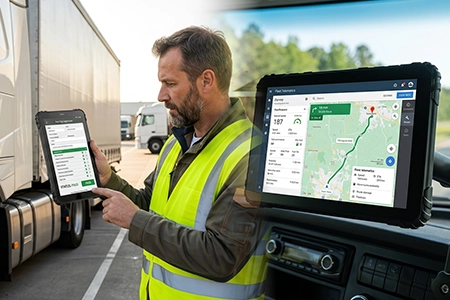
Typical deployments: urban delivery vans, light trucks, field service vehicles. The quick-release mechanism is the most important factor in whether drivers actually undock the device — friction at the dock level determines whether the single-device workflow happens in daily operation or remains a theoretical capability.
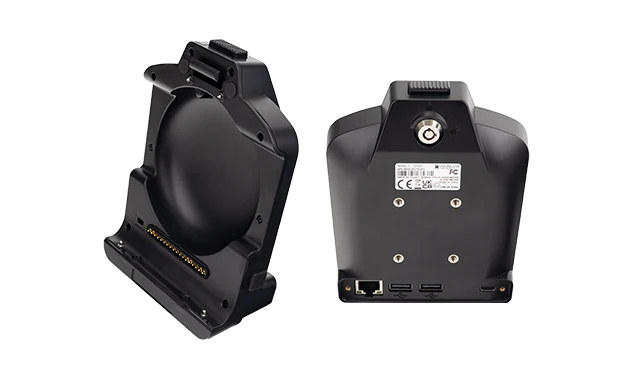
Tier 2: All-Metal Hand-Latch Dock
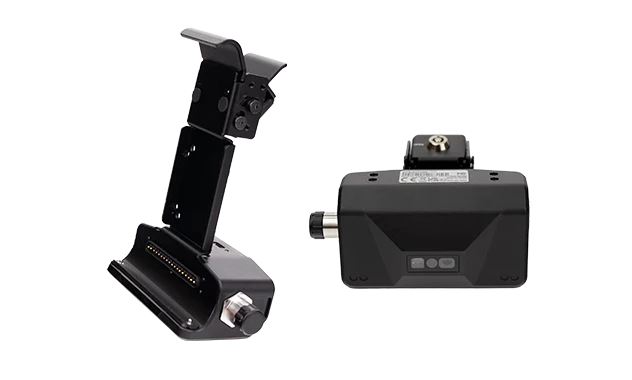
Full aluminium alloy body. Hand-screw latch secures the tablet — no tools required for tablet swap. The dock base is bolted to the vehicle via RAM mount once and remains permanently installed. The hand-latch mechanism provides higher vibration resistance than pogo-pin contacts while preserving tool-less tablet removal. An IP67 waterproof connector version is available exclusively in this tier, allowing the entire assembly — dock base plus tablet — to achieve full IP67 rating.
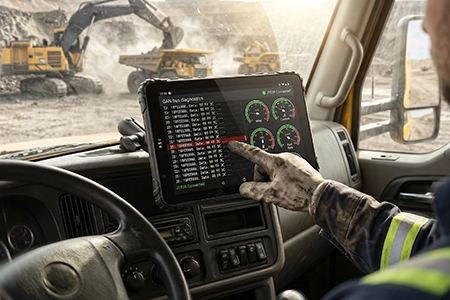
Typical deployments: mining trucks, agricultural tractors, heavy construction equipment. The aluminium body resists fatigue cracking that affects composite docks under sustained high-frequency vibration. The IP67 variant is specified for refuse vehicles that undergo pressure washing, open-cab equipment exposed to heavy rain, and marine deck applications with constant salt spray.
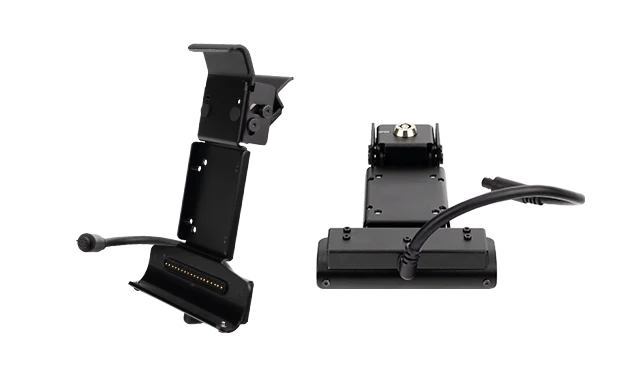
Tier 3: Integrated Barcode Scanner Dock
All-metal extended dock with a built-in 1D/2D barcode imager. Hand-screw latch for tool-less tablet swap. The dock base bolts to the vehicle via RAM mount. The integrated scanner eliminates the separate handheld barcode gun and its coiled cable — a common failure point in high-cycle warehouse operations. The scanner supports hands-free auto-scan when the forklift approaches a pallet, and the tablet can be undocked and used as a handheld barcode computer at the loading dock.
Typical deployments: forklift inventory tracking, waste management bin scanning, yard logistics. The integrated scanner is not a universal solution — it is specified only where the workflow requires continuous barcode capture at the vehicle interface.
How to Select the Correct Dock for Each Vehicle Class
Dock selection follows the vehicle's operational profile, not the tablet's specifications. The same tablet model can be deployed with three different dock tiers across three different vehicle classes in the same fleet.
This table is a starting point, not a final answer. Every fleet has edge cases — a delivery van operating in a coastal environment with salt spray may need the IP67 hand-latch dock instead of the standard quick-release. A forklift in a clean indoor warehouse may not need the integrated scanner if all barcodes are captured by fixed readers at the conveyor. The 17 configurations exist to cover these variations without requiring custom engineering for each deployment.
Compatibility: Docks Are Model-Specific and Size-Specific
A dock built for an 8-inch tablet will not accept a 10-inch tablet. The physical dimensions are different, and the mounting holes, latch positions, and connector locations are specific to each form factor. Within the same screen size, dock circuit boards are also model-specific: two different 8-inch tablets may share the same form factor and vehicle power wiring, but their internal data transmission architectures differ, and the dock's I/O pin-out must match the tablet's specific interface design.
This means OEM dock customization for fleet deployments must be specified at the tablet model level, not the screen size level. The docking station matrix documents these compatibility relationships explicitly. System integrators should verify dock model numbers against tablet model numbers before ordering — a mistake at this stage results in a dock that cannot be mechanically or electrically connected to the tablet it was intended for.
The standardisation strategy across a fleet should therefore be: choose a tablet model family, select the appropriate dock tier for each vehicle class, and ensure that all docks share the same connector interface for that tablet family. This allows tablets to be swapped between vehicles of different classes while docks remain vehicle-specific.
Single Point of Failure
The dock connector is the single point of failure that no software can detect and no driver can diagnose. A pogo-pin contact that gradually oxidises, a latch that loosens under vibration, a cable that fatigues at the entry point — each failure presents the same symptom: intermittent power loss or data drops that appear random and resolve themselves temporarily. The vehicle continues to operate while the device repeatedly disconnects. By the time the failure is confirmed, the dock may have already damaged the tablet's mating connector. Dock selection is not a procurement detail. It is the difference between a five-year deployment and a six-month service campaign.
Frequently Asked Questions
Why does the dock matter more than the tablet for fleet deployment flexibility?
The dock determines how the tablet connects to the vehicle, how it is powered, how quickly it can be removed, and whether it survives the environment. Tablets can be swapped between docks, but docks are installed once and remain with the vehicle for 7–10 years. The docking architecture defines the deployment model.
What are the three main dock tiers for vehicle mount tablets?
Standard quick-release docks with pogo-pin contacts for daily undocking. All-metal hand-latch docks with optional IP67 waterproof connectors for high-vibration and harsh environments. Integrated barcode scanner docks with hands-free auto-scan for forklift and warehouse workflows.
How do I choose between a quick-release dock and a fixed terminal?
If drivers need to carry the device off-vehicle for inspections, POD capture, or shift handover, a quick-release dock is required. If the device stays permanently in the cab and is never removed, a fixed terminal with circular connectors may be more appropriate. The decision is based on whether the tablet needs to leave the vehicle during normal operation.
Can one tablet work with multiple dock types across a fleet?
Yes, as long as the dock variants share the same connector pin-out and mechanical retention interface for that tablet model. Fleets can standardise on one tablet and deploy different dock tiers per vehicle class — for example, standard quick-release in light vans and all-metal hand-latch in mining trucks. See the docking station configuration matrix for compatibility details.
Planning a Mixed Fleet Deployment? Start with the Dock, Not the Tablet.
The docking architecture determines whether the deployment is flexible enough to handle multiple vehicle classes, harsh environments, and daily undocking workflows. Review the full matrix before locking in procurement decisions.