Warehouse Rugged Tablet Buying Guide: Forklift, WMS, Barcode and RFID
Eight questions decide the hardware long before the model number does — and three of them are usually asked after the purchase order is signed.
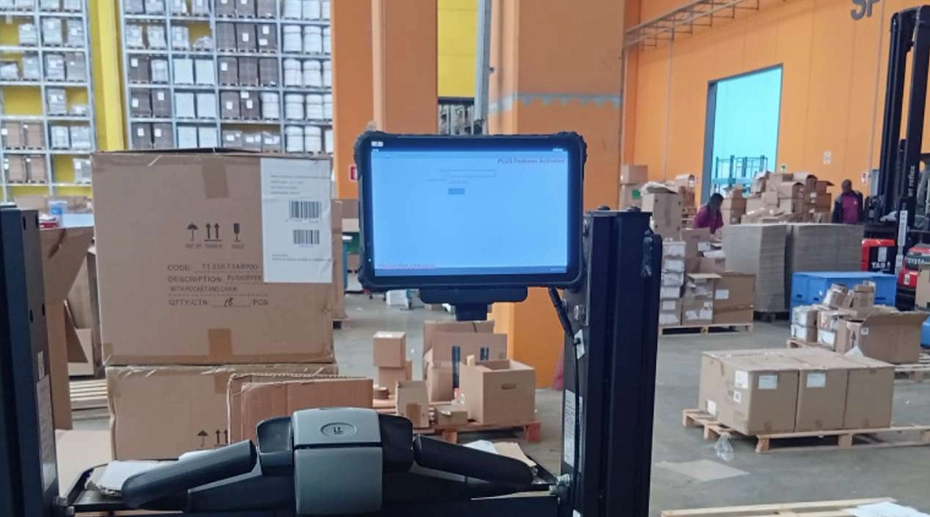
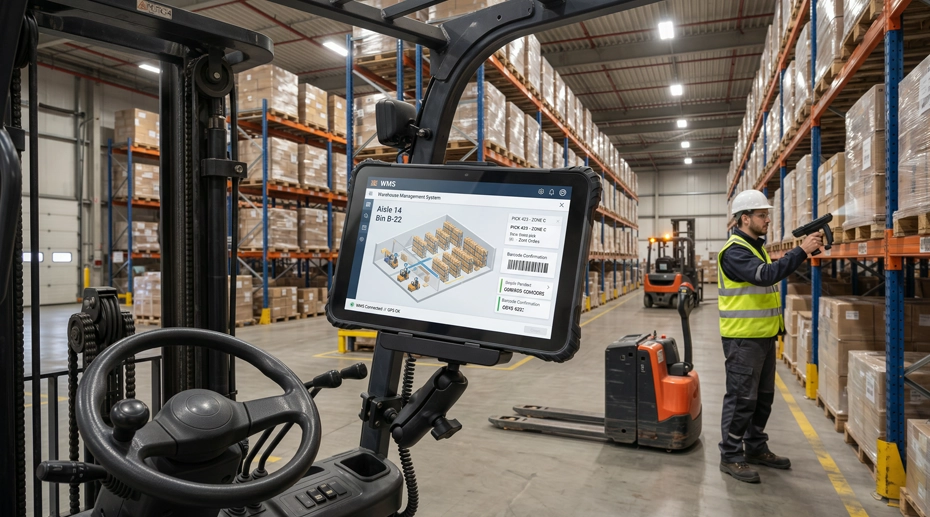
A warehouse tablet is not a rugged tablet that happens to be indoors. It is a device mounted on a moving machine, used in gloves, at temperatures near freezing, by people who have to log 120 picks an hour. Get the mounting and the power wrong and the tablet is fine — the deployment is not.
1. What the device has to survive
Warehouse floors are harder on hardware than most outdoor sites, because the abuse is constant and low-energy rather than occasional and violent.
Drops of 60–120 cm, several times a week. A tablet leaves the forklift cradle for a meeting, a shift handover or a battery change. The corner that hits the floor first is the one the spec sheet never mentions.
Dust that is conductive. Cardboard fibres and pallet dust settle on connectors and in speaker grilles. A sealed connector bay matters more than an IP number on the box.
Condensation, not rain. Cold store at −25 °C, then a dock at +18 °C: water forms inside the screen stack of a device that was never designed for a 40 K swing. Our own floor is −20 °C, so a deeper freezer is a siting decision, not a spec one.
Gloves, all shift. A capacitive panel that needs a bare fingertip forces the operator to take the glove off 200 times a day, and the device gets put down on a pallet while that happens.
2. Mounting decides the model
This is where most projects go wrong: the tablet is chosen first, then a mount is found for it. Reverse the order.
| Where it lives | What the mount must do | What that rules in |
|---|---|---|
| Forklift mast or dash | Lock the device, keep the connector on the mount, survive 4–8 Hz vibration, stay readable in peripheral vision | 8-inch class with a fixed bracket; 10-inch only if the mast has room |
| Picking cart / trolley | Quick release so the device goes with the picker at break; power from the cart battery | Quick-release dock with ignition sense |
| Wall or packing bench | VESA, no dock, mains power, screen at arm’s length | Panel PC or dock-free tablet |
| Hand-carried all shift | No mount at all; battery and weight become the constraint | Handheld terminal or 5.7–6 inch handheld |
Rule of thumb: a dock is bought per vehicle, a tablet per user. Mixing those two counts is the most common cause of a budget that doubles in year two.
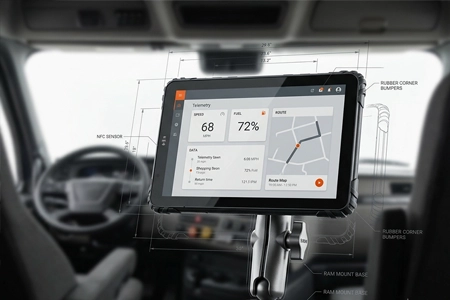
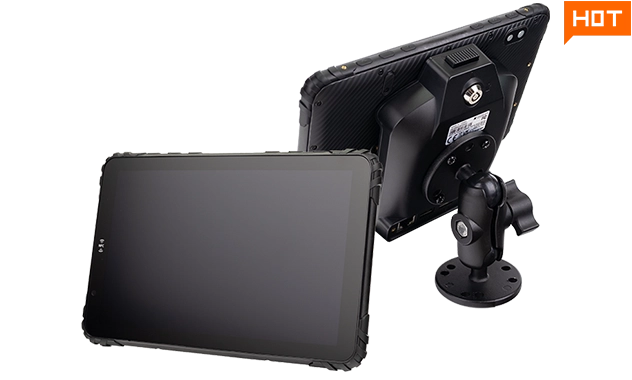
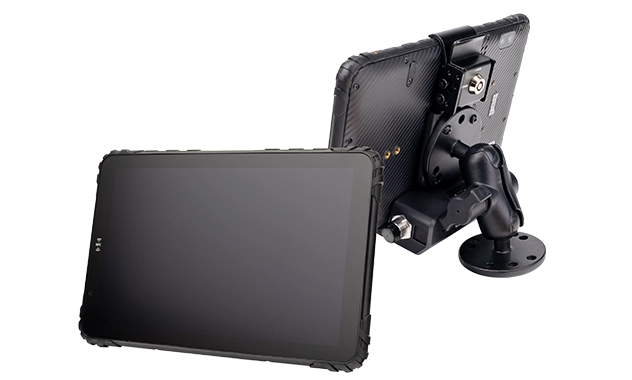
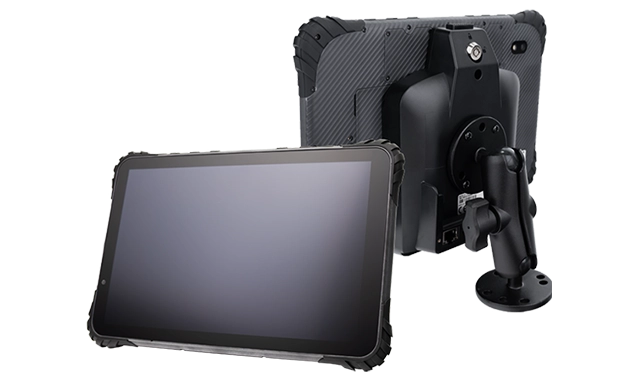
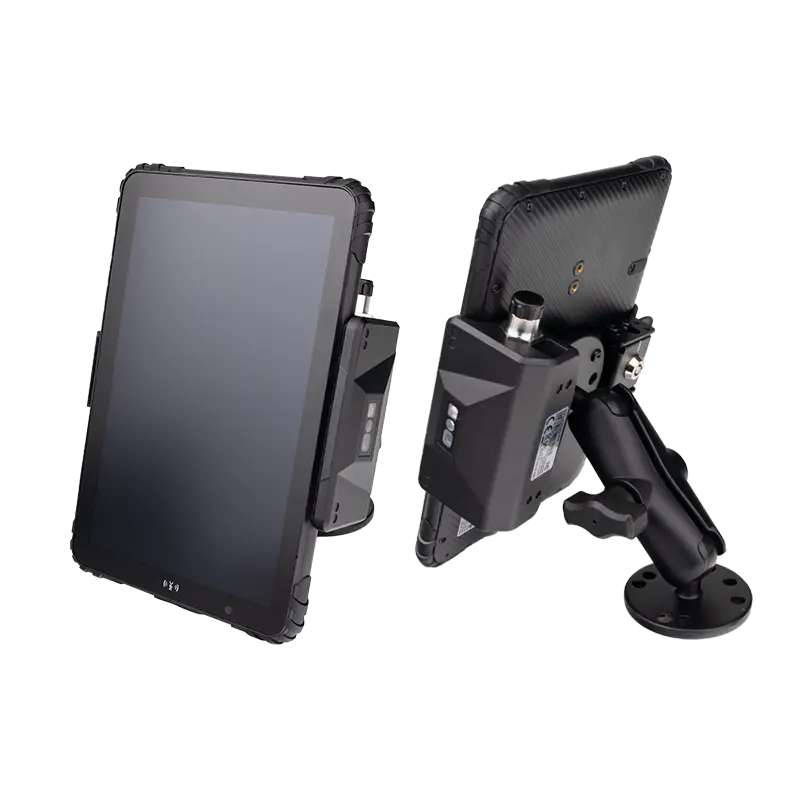
Two mount families cover almost every warehouse case. An all-metal bracket with a key lock (BKT865-BMW on the 8-inch, BKT1065-BMW on the 10-inch) is right for a forklift that never changes driver — the device stays on the machine overnight, and the key stops it walking off. A quick-release dock is right when the device is personal: the harness stays wired to the truck, the tablet moves.
3. Power: read the truck, not the datasheet
A tablet rated 9–36 VDC is not a licence to wire it to any vehicle. What matters is the rail you tap and what that rail does at start-up.
| Vehicle | Rail you will find | What to do |
|---|---|---|
| Electric forklift (24 / 48 / 80 V) | Traction battery, 24–80 V nominal | DC-DC converter to 12 or 24 V, fused, before the dock; never tap the traction rail directly |
| LPG / diesel forklift | 12 V starter battery | Direct feed through the dock with ignition sense; watch cranking dips |
| Powered pallet truck | 24 V or 48 V | Converter; the tray is often too small for a 10-inch device plus converter |
| Picking cart | 12 V or 24 V auxiliary | Dock on the cart, charge overnight; check the cart’s own charger headroom |
The one number to confirm with the vehicle OEM: the minimum voltage during crank. If it drops below the tablet’s floor, the device reboots mid-task.
4. Barcode, RFID and what the WMS accepts
“Rugged tablet with barcode and RFID” is a search people type, but the answer depends on the band and the middleware, not the device.
| Capture method | Typical warehouse job | Watch out for |
|---|---|---|
| 2D imager (built in or clip-on) | Pallet labels, location barcodes, proof of delivery | Scan window recessed enough to survive drops; keyboard wedge vs SDK integration |
| LF / HF RFID (125 kHz, 13.56 MHz) | Asset tags, tool crib, returnable containers at close range | Read range measured in centimetres; antenna placement on a metal forklift matters |
| UHF RFID | Pallet and tote reads at 1–6 m, dock doors | Reader is a separate unit with its own power and network; the tablet is only the screen |
| Voice / wearable | High-rate picking where hands stay on the load | Rarely a tablet decision at all — do not force one device to do both |
Ask the WMS vendor which integration path is supported before choosing hardware: an SDK-level scanner, a keyboard-wedge scanner, or a middleware layer. The same tablet can be a two-week project or a two-month one depending on that answer.
5. Screen, gloves and the cold store
Indoor brightness is a different problem from outdoor brightness. Under racking lights, 500 nits is enough and 1,000 nits buys you nothing but heat. What matters indoors is the surface and the touch layer.
Anti-glare, not anti-reflective coating. Racking lights sit directly above the operator; a glossy panel shows two ceiling rows and no label.
Glove-capable touch. Ask for the glove thickness the panel supports, not “supports gloves”.
Cold store. Our range is rated to −20 °C, and there is no cold-store variant — deliberately. Below that, LCD response slows and battery capacity falls, so a device parked at −25 °C overnight will underperform whatever the datasheet says. Dock it in the anteroom and carry it in.
6. Wi-Fi, not cellular
Inside a steel racking warehouse, cellular is a fallback, not a plan. Throughput comes from access point density and roaming behaviour, and that is a site survey question.
Confirm the tablet supports the 5 GHz channels and the security suite your APs use (WPA2/WPA3-Enterprise, 802.1X).
Ask for fast roaming behaviour (802.11r/k/v) if the device crosses aisles while a scan session is open.
Plan for dead zones at the dock doors and in the freezer lobby; the app must queue transactions, not fail them.
5G matters for yard and road operations, not for picks inside the building.
7. Which model fits which job
| Job | Device | Mount / dock | Why this combination |
|---|---|---|---|
| Forklift, fixed, 8-inch | MDT865 — 8-inch 1280 × 800, 1,000 nit, Android 12/14, 4G, 9–36 VDC | BKT865-IP or BKT865-BMW all-metal bracket; CRD865-CAN if the truck bus is needed | Bright enough for a glazed cab, small enough for the mast, dock family covers CAN, serial and M12 Ethernet |
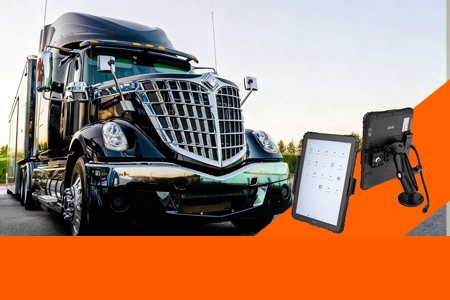
| Yard / cross-dock, 5G | MDT880 — 8-inch, 1,000 nit, 5G | CRD880-CAN, CRD880-M12 or CRD880-CAM for video | 5G and up to four AHD cameras when the vehicle works outdoors and indoors |
| Wide WMS screens, 10-inch | MDT1065 — 10-inch 1920 × 1200, 500 nit, MIL-STD-810H | BKT1065-IP / CRD1065-CAN | Indoor-only brightness, more rows per screen, ruggedised for yard transfers |
| Hand-carried picking | MDT665 handheld with cradle, or MDT864 with built-in imager | CRD665-REG fixed cradle in the cart or cab | Battery and weight matter more than screen size |
| Fixed station | PC890 / PC1090 panel PC | VESA 75 × 75 | No battery, no dock, mains power at the bench |
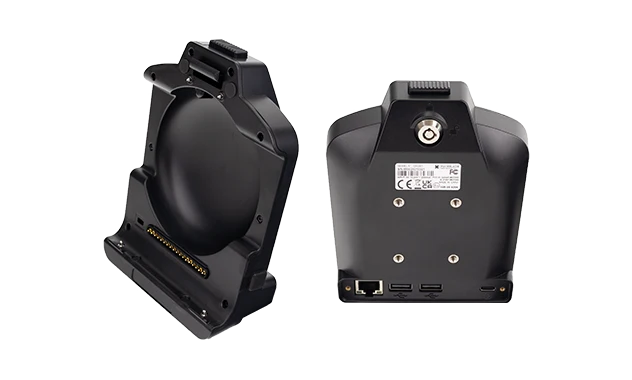
Interface counts differ by dock, not by tablet: CRD865-BAS carries power and one serial line, while CRD865-CAN adds CAN, RJ45 and USB. Pick the dock against the wiring diagram, not against the tablet name.
8. Five-year cost, not unit price
A 200-truck site with 300 pickers does not buy 500 tablets. It buys docks per vehicle, tablets per user group, and spares as a percentage.
| Line | What drives it | Where the money actually goes |
|---|---|---|
| Docks | One per vehicle or per cart | The largest single line in most quotes, and the one most often under-counted |
| Tablets | One per user group plus float | Refresh every 4–5 years; BOM continuity matters more than the CPU |
| Spares | 8–10% of the installed base | A spare on the shelf is cheaper than an idle forklift |
| Batteries | Cycle life, 2–3 years in two-shift use | Ask for the cycle count at 80% capacity, not the nominal mAh |
| Integration | WMS/MDM work, one-off | Usually larger than the hardware on a 200-unit site |
This is why the total-cost article exists: purchase price is the smallest number in the comparison, and the only one that is easy to quote.
9. Procurement checklist
Mount type and vehicle count agreed before the device is chosen.
Power rail measured at the tap point, including crank dip.
Dock interface list matched to the wiring diagram.
Scanner or RFID path confirmed with the WMS vendor.
Glove and cold-store requirements written into the spec.
Wi-Fi survey done; queue-and-forward behaviour tested.
Spare ratio and battery replacement cycle in the budget.
Certification per model confirmed (radio, safety, market).
MDM enrolment and kiosk policy defined.
Two devices piloted for a full shift before the PO is raised.
10. FAQ
Both are add-on capabilities rather than a model class. Imagers can be built in or clipped on; RFID is usually a module or a separate reader, and the band (LF, HF or UHF) decides the read range. Confirm the integration path with your WMS vendor before shortlisting hardware.
Usually not. Under racking lights, 500 nits is enough and the extra brightness costs heat and power. Specify brightness for the glazed cab or the yard, and specify anti-glare and glove support for the aisles.
Yes, if the dock family is the same and the device is quick-release. The tablet then travels with the shift supervisor while the docks stay on the machines — that is the pattern that keeps the device count down.
For a pilot, sometimes. For a 200-unit deployment it fails on the two things a case cannot fix: the connector bay and the battery. Both are replaced on a schedule in a warehouse, and neither is serviceable on a sealed consumer device.
No, and that is a deliberate limit. The range is rated to −20 °C. For a −25 °C freezer, the tablet is docked in the anteroom and carried in for the task, rather than parked at temperature overnight.
Counting docks as accessories. A dock is per vehicle, a tablet is per user, and a quote built the other way round looks cheap in year one and expensive in year two.
We will answer with the dock, the mount and the scanner path that fit those two inputs — not a catalogue.