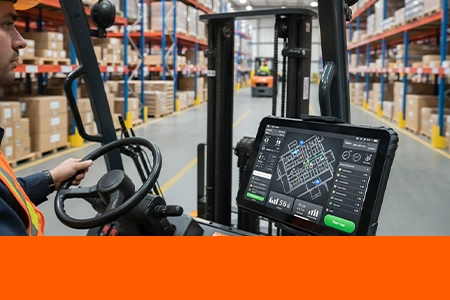
Forklift Tablet Installation Guide – Mounting, Power, and Safety Best Practices
A tablet mounted on a forklift isn't the same as one in a truck cab. The vibration signature is different. The electrical environment is noisier. And the consequences of a failed mount — a tablet falling into the operator's footwell during a lift — are fundamentally more dangerous. Here's what system integrators need to know before installing rugged tablets on forklifts, reach trucks, and material handling equipment. For integrators managing large deployments, custom rugged hardware for your deployment ensures every device meets the specific vibration and power requirements of your fleet.
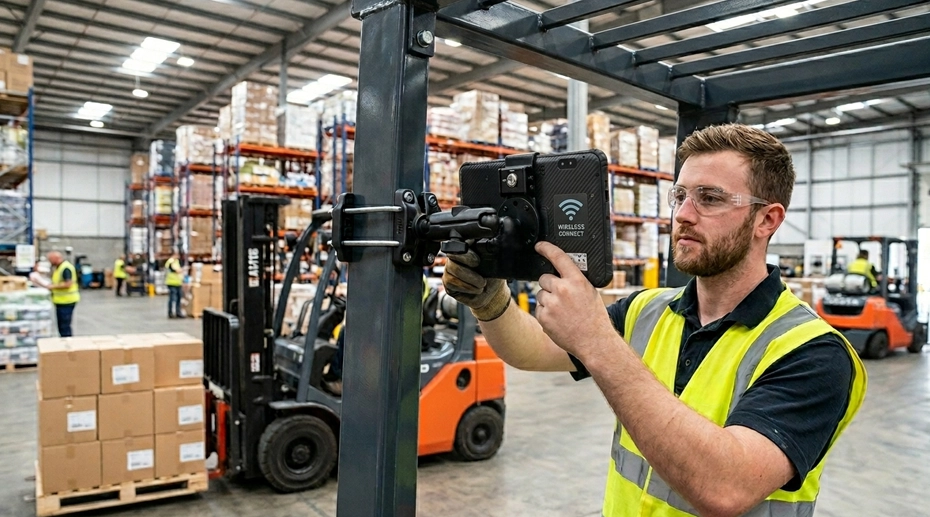
Table of Contents
Field Experience
Forklift tablet installations that fail in the field typically share one of these root causes:
Electrical noise from hydraulic pump motors disrupting touchscreens
Battery voltage sag during lift operations resetting the tablet
Inadequate impact protection for the most accident-prone vehicle in the warehouse
About the Author
TOPICON Fleet Deployment Team
Hardware engineering specialists supporting system integrators with vehicle-specific mounting solutions, power integration for electric and IC forklifts, and safety-compliant tablet installations across warehousing, logistics, and material handling operations.
Why Forklift Tablet Installation Is Different from Truck Installation
A forklift is not a truck. It operates on solid tires that transmit every floor joint directly to the chassis. Its mast generates unique vibration frequencies that change depending on load weight and lift height. Its hydraulic system creates electromagnetic interference that can disrupt capacitive touchscreens. And its electrical system — particularly on electric forklifts — experiences voltage fluctuations during lift and tilt operations that can reset poorly protected electronics.
None of these conditions exist in a long-haul truck cab. A standard vehicle tablet installation kit, applied without modification to a forklift, will fail — not because the hardware is defective, but because the installation didn't account for the unique operating environment of material handling equipment. This is why forklift-specific tablet solutions require different mounting hardware, different power conditioning, and different safety considerations than their on-road counterparts.
Part 1: Mounting Location and Hardware Selection
Where you mount the tablet on a forklift determines not just ergonomics, but whether the device survives the first year of operation. The wrong location amplifies vibration, obstructs visibility, or places the tablet in the path of a collision — and forklifts collide with racking, door frames, and other equipment more often than any other vehicle type in a warehouse. For vehicle mount tablets deployed on forklifts, mounting location is the single most important decision in the installation process.
Mounting Location Options: ROPS Cage vs Dashboard vs Overhead
✓ ROPS Cage Mount
Best for: Counterbalance forklifts, reach trucks, order pickers. The ROPS (Roll-Over Protective Structure) cage is the strongest mounting point on the vehicle — bolted directly to the chassis, isolated from the mast vibration path, and positioned at the operator's eye level.
Lowest vibration amplification — cage is chassis-mounted, not mast-mounted
Overhead position keeps tablet out of the operator's forward sight line
Protected from direct forklift collisions — cage structure absorbs impacts
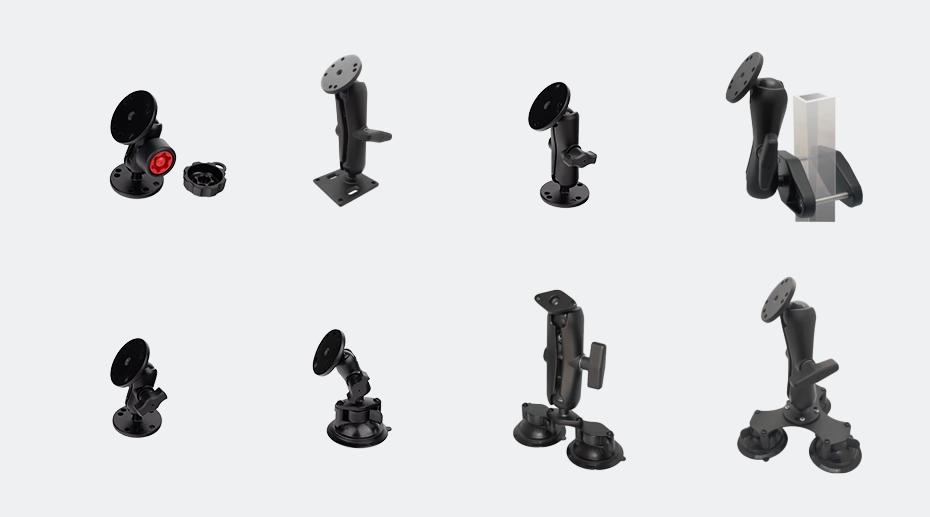
Compatible with RAM mount vehicle docking systems with short arm extension
! Dashboard Mount
Acceptable for: Light-use electric forklifts in smooth-floor warehouses. Not recommended for IC (internal combustion) forklifts or rough-surface operation.
Convenient reach — operator can touch the screen without extending arm
Higher vibration than ROPS mount — dashboard is closer to the mast
Obstructs forward visibility if mounted between steering wheel and windshield
Requires additional impact protection — dashboard mounts are exposed in low-speed collisions
✕ Unprotected Mast or Fender Mount
Not recommended. Mounting directly to the mast, fork carriage, or fender exposes the tablet to direct impact, hydraulic fluid spray, and the highest vibration levels on the vehicle.
Mast vibration at lift height can exceed 10G — far beyond tablet specifications
Direct exposure to hydraulic leaks and chain lubricant spray
High probability of physical impact during loading operations
No safety benefit — device becomes a projectile risk if mount fails during lift
Mounting Hardware for Forklift Vibration
Forklift vibration is fundamentally different from truck vibration. A truck experiences road-induced vibration — broad-spectrum, relatively predictable. A forklift experiences impact vibration — sharp, high-amplitude spikes from floor joints, dock plates, and uneven surfaces, transmitted directly through solid tires with no suspension.
Recommended Hardware Configuration
Short RAM arm (max 8-10 cm): Minimize the lever effect. A long arm amplifies impact vibration; a short, stiff arm transmits less resonance to the tablet. For ROPS mounting, a 5-7 cm arm with a double ball joint is usually sufficient for positioning.
Thread-locking compound on all fasteners: Forklift vibration will loosen any fastener that isn't thread-locked. Apply Loctite Blue (medium strength) to every bolt, screw, and clamp adjustment point. Check torque at 30-day intervals during the first quarter of deployment.
Vibration-dampening washers: Install rubber or polyurethane washers between the RAM mount base and the ROPS cage or dashboard mounting surface. These absorb high-frequency impact vibration before it reaches the docking station.
Locking dock with secondary retention: In addition to the standard dock latch, add a safety tether for forklift deployments. If the dock latch is accidentally released during operation, the tether prevents the tablet from falling into the operator's footwell — a safety hazard during lift operations.
Part 2: Power Integration for Electric and IC Forklifts
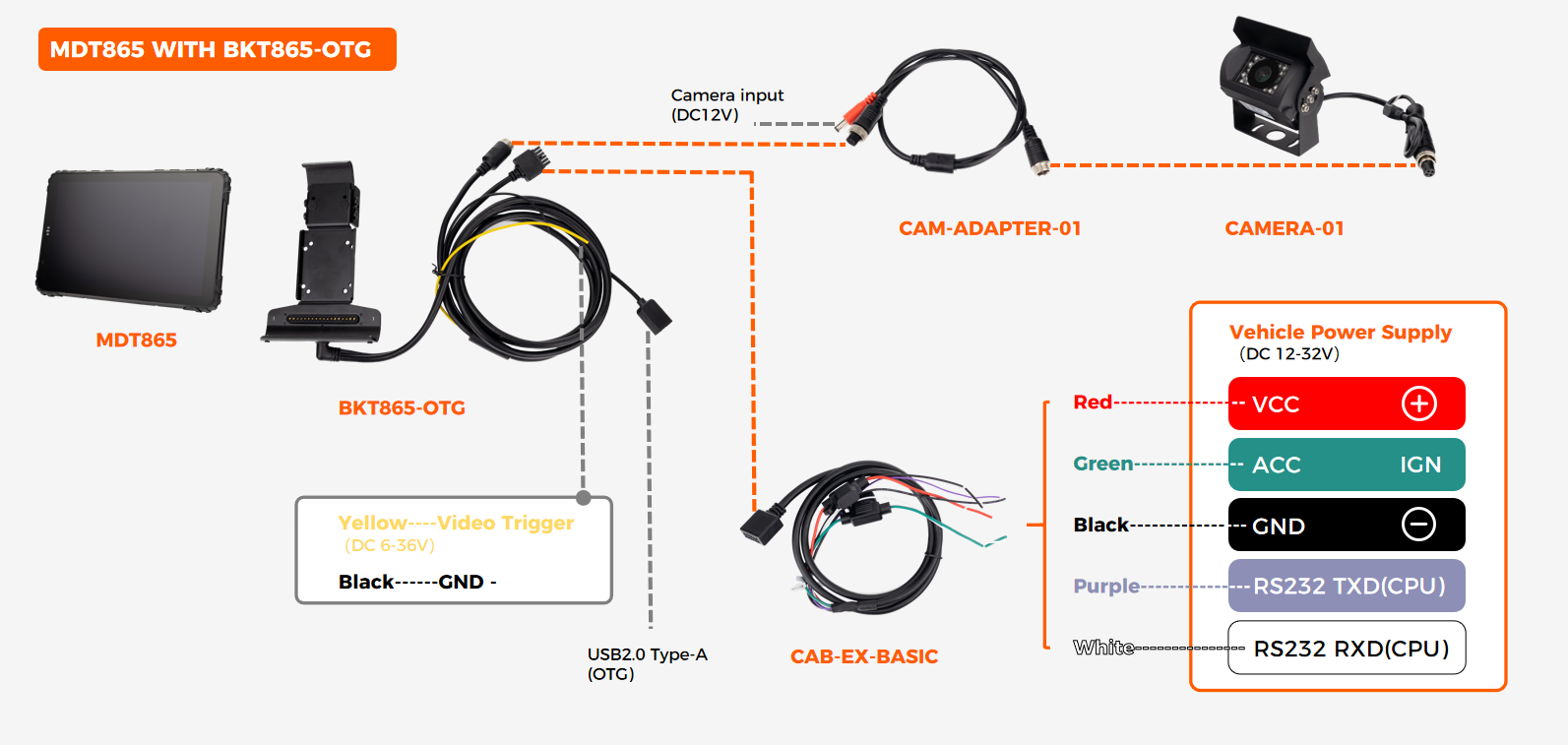
Forklift electrical systems present two challenges not found in on-road vehicles: voltage sag during lift operations, and electromagnetic interference from high-current DC motors. Both can cause tablet resets, data loss, and touchscreen malfunctions if the power integration isn't designed for the environment. Vehicle power architecture for forklifts requires specific consideration of these industrial power challenges.
Electric Forklifts: Battery Voltage Sag During Lift Operations
An electric forklift runs on a large lead-acid or lithium-ion battery — typically 24V, 36V, or 48V. When the operator activates the hydraulic pump to lift a heavy load, the pump motor draws 200-400 amps from the battery. This causes a momentary voltage sag on the entire vehicle electrical bus — the battery voltage can drop by 5-15V for 1-2 seconds until the pump reaches operating speed.
A tablet powered directly from the forklift battery through a standard DC-DC converter sees this voltage sag as a power interruption. If the sag drops below the tablet's minimum input voltage — typically 9V for a wide-input device — the tablet's power management IC triggers a hard reset. The screen goes black mid-operation. When the voltage recovers, the tablet reboots — losing any unsaved data and requiring the operator to log back into fleet applications.
This is the most common cause of "random reboots" on forklift-mounted tablets — and it's entirely preventable with proper power conditioning.
Power Integration Solutions
Wide-input DC-DC converter with hold-up capacitance: A DC-DC converter rated for 9-60V input with sufficient input capacitance can ride through a 1-2 second voltage sag without output interruption. This is a component specification — not all "wide-input" converters include hold-up capability. Verify with the tablet manufacturer that the power module supports forklift-specific voltage sag profiles. For a complete in‑vehicle computing platform with forklift‑rated power conditioning, specify the power architecture at the hardware procurement stage.
Dedicated power circuit from the battery: Do not tap into the auxiliary circuit shared with lights or the horn. Run a dedicated fused power line from the battery terminals — or from the main bus bar on larger forklifts — to the tablet's DC-DC converter. This minimizes voltage drop from shared loads.
Lithium-ion forklift battery advantages: Lithium forklift batteries maintain more stable voltage under load than lead-acid — typically less than 5% voltage sag compared to 15-20% for lead-acid. If your fleet is transitioning to lithium, tablet power stability improves as a side benefit. See our vehicle power architecture guide for detailed power integration options.
IC Forklifts: Alternator Noise and Ground Loop Risks
Internal combustion forklifts (LPG, diesel, or gasoline) use a 12V alternator-based electrical system similar to a truck — but the electrical environment is noisier. The alternator is typically mounted close to the operator compartment (unlike a truck where it's under the hood), and the hydraulic pump motor shares the same electrical bus. This creates two problems.
Alternator whine on the power line: The alternator's rectified output contains ripple at several kHz that varies with engine RPM. A poorly filtered DC-DC converter passes this ripple through to the tablet — causing erratic touchscreen behavior or USB peripheral dropouts.
Ground loops from shared chassis grounds: If the tablet shares a chassis ground with the hydraulic pump motor, the pump's current draw creates a voltage differential across the ground path. This ground offset can reach several volts during pump operation — enough to disrupt the tablet's CAN Bus or RS232 communication. For IC forklift installations, a vehicle‑mounted computing solution with proper isolation eliminates these ground‑loop issues at the hardware level.
Power Integration Solutions
Isolated DC-DC converter: An isolated converter breaks the ground path between the forklift electrical system and the tablet — eliminating ground loop noise. This is especially important if the tablet connects to CAN Bus or RS232 peripherals that have their own ground reference.
Ferrite choke on the input power line: A clip-on ferrite core on the DC input cable suppresses high-frequency alternator noise before it reaches the DC-DC converter. Install one ferrite at the converter input and a second at the docking station input for maximum noise suppression.
Dedicated, fused power circuit with clean ground: Run power and ground directly from the battery — not from the fuse box or an existing accessory circuit. Use a dedicated chassis ground point away from the starter motor, alternator, and hydraulic pump grounds.
Part 3: Hydraulic System EMI and Touchscreen Interference
This is the most difficult forklift-specific problem to diagnose — because the symptom looks exactly like a faulty touchscreen, but the cause is invisible electromagnetic interference from the hydraulic system. For industrial rugged tablets deployed in high-EMI environments, touch controller shielding is a critical hardware specification.
How Hydraulic Pump EMI Disrupts Capacitive Touchscreens
The hydraulic pump motor on a forklift is a high-current DC motor controlled by a PWM (Pulse Width Modulation) speed controller. When the operator moves the lift or tilt lever, the PWM controller switches hundreds of amps at frequencies between 8-20 kHz. This switching generates broadband electromagnetic noise that radiates through the wiring harness and through the air.
A capacitive touchscreen works by detecting tiny changes in an electrostatic field — microvolt-level signals. When a strong EMI source is operating within 1-2 meters of the touchscreen, that noise couples into the touch sensor's electrode grid. The touch controller sees a screen full of noise and either: (a) reports phantom touches in random locations, (b) becomes unresponsive as it tries to filter noise from real touches, or (c) triggers its noise-rejection threshold and ignores all input — including the operator's finger.
This explains the "works sometimes, not others" pattern that drives forklift operators and fleet managers crazy. The touchscreen works perfectly when the forklift is idle. It becomes erratic or unresponsive when the operator is actively lifting or tilting a load — exactly when they need to check the WMS for the next pick location.
Mitigation Strategies
Physical separation from the pump motor and controller: Mount the tablet as far as practical from the hydraulic pump assembly. On most counterbalance forklifts, the pump is located under the floor plate near the operator's feet — making ROPS overhead mounting the best option for EMI separation.
EMI-shielded touch controller with higher SNR: Industrial-grade touch controllers are designed with higher signal-to-noise ratios and active noise filtering. This is a factory specification — the touch controller's EMI immunity is determined by its chipset and PCB layout, not by software settings. Computing hardware designed for industrial environments typically uses touch controllers rated for higher EMI environments than consumer or general-purpose rugged devices.
Ferrite chokes on touch controller flex cable: In extreme EMI environments, adding a ferrite choke on the flex cable connecting the touch sensor to the mainboard can suppress coupled noise. This is a post-installation fix that should be done in consultation with the tablet manufacturer.
Part 4: Safety Considerations for Forklift Tablet Installation
Forklifts are involved in more workplace accidents than any other type of industrial vehicle. A tablet installation that isn't designed with safety in mind can become a contributing factor — obstructed visibility, a projectile in a collision, or a distraction during critical lift operations.
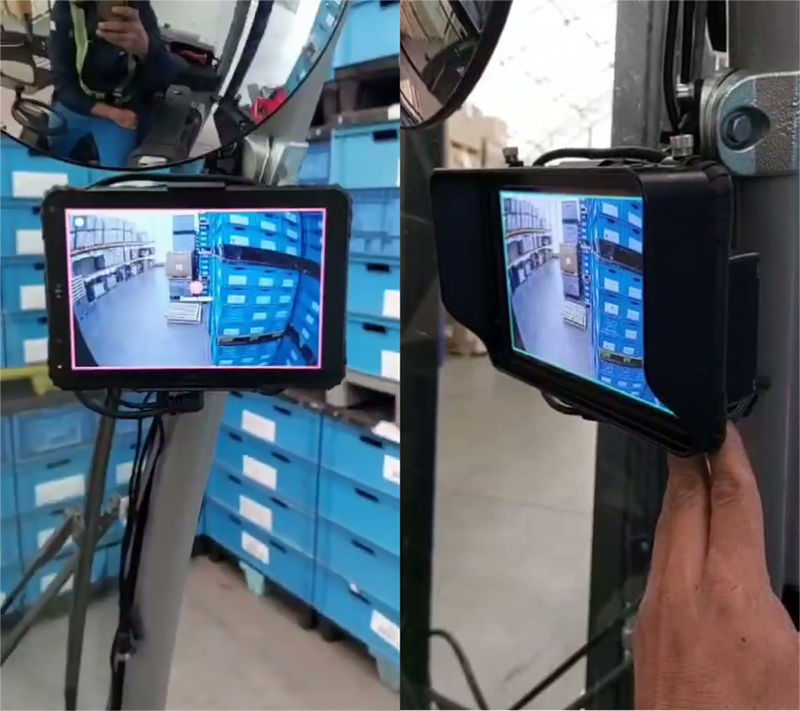
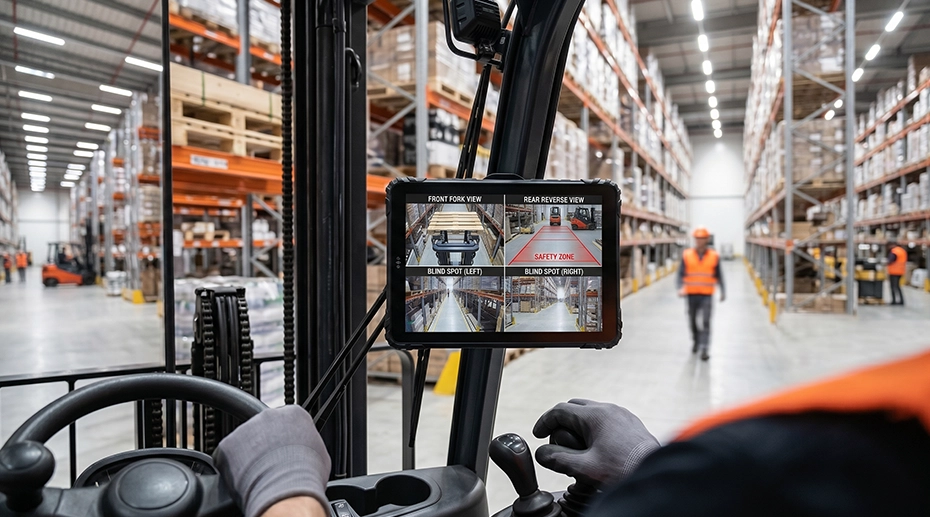
Safety Requirements for Forklift-Mounted Tablets
1. Visibility: Keep the Forward Sight Line Clear
The tablet must not obstruct the operator's view of the forks, the load, or the travel path. Mounting on the ROPS cage at head height, slightly offset to the side, keeps the screen visible while preserving forward visibility. Dashboard mounting directly in front of the operator is the worst position for visibility — it blocks the view of the fork tips during load engagement.
OSHA 1910.178 requires operators to have a clear view of the travel path. A tablet that blocks forward visibility is a compliance issue, not just a safety concern.
2. Secure Mounting: No Projectile Risk
In a forklift collision — even a low-speed impact with racking — an unsecured tablet becomes a projectile. A 1kg tablet at 5 mph carries enough energy to cause serious injury. The docking station must have a positive locking mechanism; the RAM mount must be torqued to specification; and a safety tether should connect the tablet to the ROPS cage as a secondary retention.
ANSI/ITSDF B56.1 requires all attachments and accessories to be securely mounted. A tablet installation falls under this requirement.
3. Impact Protection: Surviving the Inevitable Collision
Forklifts hit things. Racking uprights, door frames, trailer edges, other forklifts. The tablet installation must survive these impacts without becoming a hazard. The ROPS cage itself provides the best impact protection — the steel structure absorbs collision energy. A tablet mounted inside the ROPS cage envelope, with the dock arm folded inward, is protected from direct impact in most collision scenarios.
Dashboard-mounted tablets are exposed in collisions. Overhead ROPS mounting provides passive impact protection without additional hardware.
4. Operator Distraction: Minimize Interaction While Moving
The tablet interface should be designed so the operator can complete tasks (scan a barcode, confirm a pick) while the forklift is stationary. WMS software can be configured to lock the screen or display only essential information while the vehicle is in motion. This is a software-level safety measure, but it affects the hardware installation — the tablet must be positioned so the operator can glance at it without turning their head away from the travel direction.
Many WMS platforms support motion-locked UI modes that integrate with the forklift's speed sensor or the tablet's GPS to detect vehicle movement.
Forklift Tablet Installation Checklist
Frequently Asked Questions
Why does my forklift tablet reboot when I lift a heavy pallet?
The hydraulic pump draws 200-400 amps during a heavy lift, causing the forklift battery voltage to sag momentarily. If the tablet's DC-DC converter doesn't have sufficient hold-up capacitance to ride through this sag, the tablet resets. The fix is a wide-input DC-DC converter rated for the forklift's battery voltage with hold-up capacitance specified for motor load transients. Refer to our vehicle power architecture guide for selecting the right power module.
Should I mount the tablet on the ROPS cage or the dashboard?
ROPS cage mounting is strongly recommended for all forklift types. It provides the lowest vibration transmission, the best forward visibility, passive impact protection, and maximum EMI separation from the hydraulic pump. Dashboard mounting is acceptable only for light-use electric forklifts on smooth warehouse floors — and even then, forward visibility must be verified with the operator in the seat.
Why does the touchscreen only malfunction when the forklift is lifting something?
This is almost certainly hydraulic pump EMI. The PWM motor controller generates electromagnetic noise when the pump is active. This noise couples into the tablet's capacitive touch sensor, causing erratic behavior or unresponsiveness. Solutions include mounting the tablet further from the pump (ROPS overhead), using an EMI-shielded touch controller, or adding ferrite chokes. This problem does not occur on manual-hydraulic or non-PWM-controlled forklifts.
Do TOPICON tablets support forklift-specific power and mounting requirements?
Yes. TOPICON rugged MDTs support 9-36V DC wide input with optional isolated DC-DC converters for IC forklift applications. Our docking stations accept RAM mount systems compatible with ROPS cage, dashboard, and overhead mounting configurations. Contact our deployment engineering team for forklift-specific installation specifications →
Deploying Tablets on Forklifts? Start with Hardware Built for the Job.
TOPICON rugged MDTs support 9-36V DC wide input, isolated power options, and RAM-compatible locking docks — engineered for the vibration, EMI, and safety requirements of material handling equipment.
Related Deployment & Hardware Resources