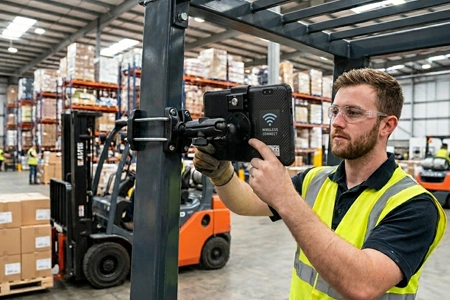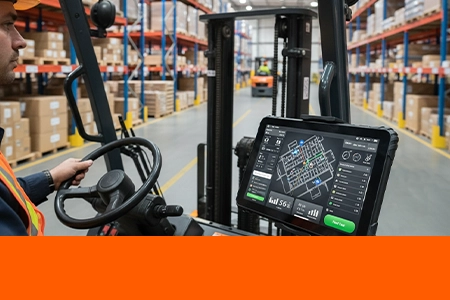
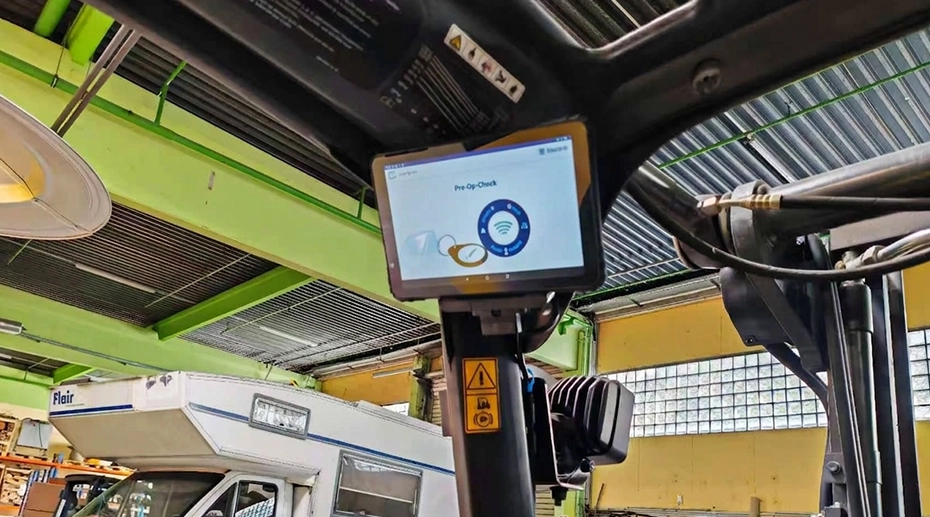
Getting a rugged tablet onto a forklift is a mounting and power problem, and it has been covered. Keeping that tablet usable while the truck moves from the dock to the top tier of a racking aisle is a different problem. It is a radio and optics problem. The tablet has to hand off between access points without dropping its WMS session, and the operator has to read a label at whatever height the pallet happens to be. This article covers the Wi-Fi roaming parameters that matter on a moving vehicle, the coverage math at working height rather than ceiling height, and the scanning paths available across the current tablet lineup with their distance limits.
Reviewed by the TOPICON engineering team. Specifications current as of November 2026.
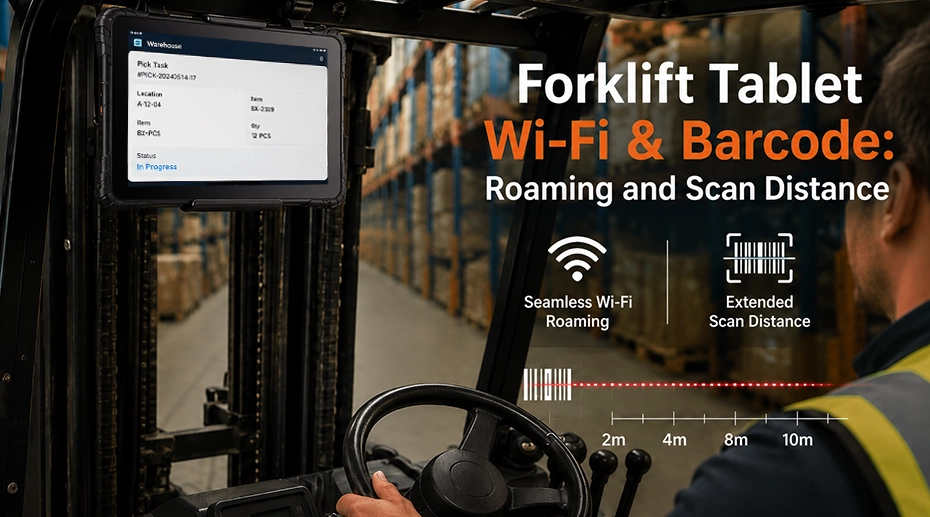
Table of Contents
1. Installation Is Only Half the Problem
The mechanical side of a forklift tablet deployment is well understood. Solid tyres transmit vibration differently from pneumatic tyres. The mast introduces a vibration frequency that shifts with load. Electric trucks pull the supply rail hard when the drive or lift motor engages. The tablet needs a mount that survives the vibration and a wide-input DC-DC converter that rides through the sag on lower-voltage systems. The forklift tablet installation guide covers that side in detail.
None of it answers the question the operator asks on day two: why did the screen freeze when I turned into aisle seven, and why did the scanner refuse to read the label on the top tier. Those failures are not mechanical. They are a roaming handoff that took longer than the WMS session timeout, or a scan path aimed at a pallet outside its reading range. A tablet that is bolted down and powered correctly can still be unusable in motion.
The two failure modes are independent and are solved with different decisions. Roaming is a property of the Wi-Fi radio and the access point configuration. Scan distance is a property of the imaging path — built into the tablet, carried in the dock, or held in the operator's hand — and of where the operator can physically point it. This article treats them separately, then looks at where they interact with power and mounting.
2. Wi-Fi Roaming on a Moving Forklift
A forklift is a continuously roaming client. In a single trip it may move from a loading dock with high ceilings and open space, into a racking aisle where steel uprights and palletised stock absorb and reflect 5 GHz energy, then into a chilled or freezer zone with a different AP group. Each boundary is a roam event. If the roam takes long enough for the WMS session to time out, the operator sees a frozen screen or a dropped task, not a brief latency spike.
Standard Wi-Fi roaming is client-driven and reactive. The client holds on to a weak AP until the link becomes unusable, then scans, authenticates and re-associates with a new one. In the worst case that sequence can take several seconds. On a fixed laptop nobody notices. On a forklift moving at walking pace down an aisle, several seconds is enough to cross the coverage boundary and lose the session.
All three are negotiated. The tablet radio has to support them, the AP infrastructure has to have them enabled on the same SSID, and the backend key-management path has to be configured end to end. Enabling 802.11r on the controller while the client does not support it does nothing, and a partial 802.11r chain can make a roam worse rather than better. The current tablet lineup lists 802.11 d/e/h/i/j/k/r/v/w in its Wi-Fi specification, so the client side of the chain is covered. The practical check before ordering hardware is to confirm the site survey was run with those features active on the production SSID, not on a default open network. The MDT865 and MDT880 both carry dual-band Wi-Fi with this feature set; confirm against the datasheet revision in use at the time of order.
3. AP Coverage at Working Height
Warehouse AP designs are usually drawn at ceiling level. A 10-metre ceiling with ceiling-mounted APs and a nominal 30-metre coverage radius looks generous on the floor plan. It is not what the forklift experiences. The tablet sits at roughly 1.5 to 2.5 metres when the operator is seated, and the path from a ceiling AP down to that height passes through racking, palletised stock and the steel structure of the truck itself.
Steel racking is the dominant factor. A dense aisle with full pallets behaves like a corridor with metallic walls. Signal that would propagate 30 metres in open space may only reach a few metres into the aisle at working height before falling below the threshold needed for a stable link. This is why a site survey done standing on the floor with a laptop can pass while the same aisle fails once a loaded forklift is in it.
The actionable point is that the coverage survey has to be run with a device at the working height and in the working orientation, and it has to be repeated with racking loaded. A survey run on an empty floor with a phone held at head height will overstate coverage in exactly the aisles where the forklift spends its day. If the site cannot be resurveyed, the fallback is to reduce reliance on Wi-Fi for the critical transaction path and confirm the WMS client tolerates a reconnect, which is a software decision rather than a hardware one.
4. Barcode and RFID: What Is On the Tablet
Scan distance is determined by where the label is, not by which scanner is best in the abstract. A pallet on the floor next to the truck is a 0.3 to 1 metre read. A label on the third tier of racking is several metres away. A label on the top tier, with the operator seated in the cab and the forks raised, can be 10 to 20 metres from the scan position. These are different optical problems and they do not share a single answer.
On the current lineup the scan path is also a model-level decision. Only the MDT680 handheld carries a built-in 1D/2D scan engine in the body. On the MDT865 and MDT880 the scanner is an optional module carried in the vehicle dock, not a body-integrated feature. The MDT1065 offers the same optional path through its dock, and the MDT665 uses an external pogo-pin scan module. A deployment that needs the scan window at the tablet's body has one option. A deployment that is happy with the scan window at the dock has several.
The built-in engine is the lowest-friction option and is the right choice for short-range work on the handheld. It becomes the wrong choice the moment the operational requirement includes reading labels on upper racking, because the engine's reach is fixed and the tablet's mounting position is fixed. Aiming the whole truck at the label is not a workflow.
A Bluetooth gun decouples the scan position from the tablet position. The operator keeps the tablet mounted and picks up the gun to read the high tier. The trade-off is a second device to charge, pair and manage, plus a 2.4 GHz radio sharing spectrum with the tablet's own Wi-Fi. The tablet's Bluetooth is 5.0; the scan distance is set by the gun's imaging engine and the radio range by the gun's Bluetooth class. A Class 1 gun is specified to roughly 100 metres line of sight, which covers cab-to-racking distance, but the pairing has to be verified in the presence of the site's Wi-Fi traffic rather than on a bench. The barcode and RFID tablet application page lists the scan options per model.
RFID is a separate question and a separate frequency band. On the current lineup the frequency is not limited to LF. The MDT665 and MDT680 handhelds carry NFC (HF 13.56 MHz, ISO 15693 / MiFare) in the body. The MDT865, MDT880 and MDT1080 offer an optional LF (125 kHz) reader, and the MDT1065 provides NFC through its dock rather than its body. UHF is not built into any model and requires a third-party reader or a separately sourced module. NFC and LF cover access control, driver login and short-range asset tags. Neither is a pallet-level or racking-level inventory technology. If the workflow is bulk pallet reading, the built-in options do not meet it and the decision belongs with a UHF reader sourced outside the tablet.
MDT880 / MDT865 Barcode Scanner Module Setup & Scanning Demo
The scanner is an optional module in the vehicle dock, not a body-integrated feature. This demo shows the dock module installation and a live scan on the MDT880 and MDT865.
5. The Power Load You Forgot
The tablet's DC input is rated 9 to 36 VDC. That number frames the power problem correctly. On a 48 V or 80 V electric truck the pack voltage is above the tablet's input range, so the converter is not an optional accessory — it is the only way to connect the tablet at all, and the selection constraint is the converter's input range and isolation, not a sag tolerance. On a 12 V or 24 V system the pack sits inside the tablet's range on paper, and the real problem is the transient: the drive or lift motor can pull the rail below the tablet's input floor for a fraction of a second, and the converter plus ignition control has to ride through it without cutting power.
What is often missed is that the load being protected is not just the screen and the SoC. The Wi-Fi radio in active roaming and the scan engine firing are both meaningful additional draw, and they tend to peak at the worst moment — the operator is moving between aisles and scanning a label at the same time the truck is accelerating. A converter sized against idle or screen-on consumption can be marginal under that combined load. The symptom is easy to misread: instead of a clean reboot, the tablet drops its Wi-Fi association or the scanner resets mid-read, which looks like a radio fault rather than a power fault. Sizing the converter against the combined peak, and confirming the ignition control does not cut power during a brief sag, is the fix. The DC-DC sizing guide and the isolated versus non-isolated converter comparison cover the selection logic.
6. Mounting Position vs Antenna and Scan Aim
The installation guide recommends the ROPS cage as the best mounting location, and that recommendation holds for vibration and safety. It has a side effect that belongs in this article. The ROPS structure is steel tube, and a tablet mounted on the inside of the cage has its Wi-Fi antenna looking through that structure toward the AP. Depending on the truck and the cage geometry, the antenna can end up in the shadow of a tube for part of the route.
The same geometry affects scan aim. A tablet mounted flat against the inside of the cage has its scan window facing the operator, not the racking, and a dock-mounted scan module has the same problem at the dock position. If the workflow depends on a fixed scan window, the mount has to allow the tablet or the dock to be angled toward the load. If it cannot, a Bluetooth gun is the working alternative, and that decision is made before the dock is specified, not after.
Neither issue invalidates the ROPS recommendation. It means the mount needs a tilt or swivel joint, and the antenna position on the tablet has to be checked against the cage before the final torque is applied. A quick field test — walk the truck through the worst aisle and watch the roaming log while an operator reads a top-tier label — catches both problems before the fleet is rolled out. The vibration and mounting best-practices article covers the mechanical side of the mount selection.
MDT880 / MDT865 Vehicle Docking Guide: RAM Mount, Wiring Harness & Key Lock
The RAM mount allows the tablet angle to be adjusted toward the load, which matters when a fixed scan window is used. The same guide covers the wiring harness and key lock.
7. Pre-Deployment Checklist
Confirm the following before the pilot truck goes into service.
• Coverage at working height: was the survey run with a device at the mounted height and orientation, inside a loaded aisle, with the roam boundary clear of doorways?
• Overlap threshold: is the overlapping AP signal at the roam boundary at roughly -67 dBm (voice) or -70 dBm (data) at working height?
• SSID and subnet: single SSID and single VLAN across the roaming domain, with no mid-route DHCP renewal?
• Scan height: what is the highest label the operator must read, and is that distance inside the reach of the chosen scan path — built-in (MDT680), dock module (MDT865/880/1065), pogo module (MDT665), or Bluetooth gun?
• Scan aim: can the tablet or dock be angled toward the load, or does the workflow require a Bluetooth gun?
• Bluetooth coexistence: was the gun pairing tested in the presence of live warehouse Wi-Fi traffic, not on a bench?
• Power source: for a 48 V or 80 V truck, is a DC-DC converter in the bill of materials and rated for the pack voltage? For a 12 V or 24 V truck, is the converter sized against the combined peak of Wi-Fi roaming plus scan engine plus screen?
• Antenna clearance: with the tablet on the ROPS cage, is the Wi-Fi antenna clear of the cage tube for the length of the route?
The warehouse rugged tablet platform page covers the model-level hardware options for forklift deployments, and the docking station matrix lists which docks carry a scan module and which expose the ports needed for a Bluetooth gun's host connection.
The Failure That Looks Like a Hardware Fault
A forklift tablet that drops its WMS session at the same point in every route, or that fails to read labels above the third tier, is usually reported as a faulty device. In most cases the hardware is working as specified. The roam boundary is in the wrong place, the overlap signal is below threshold at working height, or the chosen scan path cannot reach the labels the workflow actually uses. These are site and configuration decisions, and they are cheaper to fix before the fleet is ordered than after the first trucks come back with complaint tickets.
8. Frequently Asked Questions
Which rugged tablets support barcode and RFID?
Barcode is body-integrated only on the MDT680 handheld. The MDT865, MDT880 and MDT1065 carry the scanner as an optional module in the vehicle dock, and the MDT665 uses an external pogo-pin module. On RFID, the MDT665 and MDT680 carry NFC (HF 13.56 MHz, ISO 15693 / MiFare) in the body; the MDT865, MDT880 and MDT1080 offer an optional LF (125 kHz) reader; the MDT1065 provides NFC through its dock. UHF is not built into any model and needs a third-party reader.
Why does the forklift tablet lose Wi-Fi between aisles?
The most common cause is a roam that takes longer than the WMS session timeout. Confirm the tablet and the AP both support 802.11k/r/v, that all three are enabled on the SSID, and that the overlapping coverage at working height is roughly -67 dBm (voice) or -70 dBm (data) or better. A subnet change mid-route is a second cause, because it forces a DHCP renewal and breaks the session.
Can a Bluetooth scanner stay connected at 10-metre lift height?
The tablet's Bluetooth is 5.0. The radio range is set by the gun's Bluetooth class, not the tablet's, and a Class 1 gun is specified to roughly 100 metres line of sight, which covers cab-to-racking distance comfortably. The read distance to the label is a separate number set by the gun's imaging engine; long-range 2D imagers are specified into the 10 to 20 metre class for high-tier racking. Test the pairing and the read in the live aisle, because 2.4 GHz Wi-Fi traffic in the warehouse affects both.
Does the tablet need 802.11r for warehouse roaming?
802.11r is the feature that removes the re-authentication delay from a roam, and it is the one that matters most for a session that cannot tolerate a multi-second gap. It only helps when the AP infrastructure, the client and the backend key path all support it on the same SSID; a partial chain can make a roam worse. 802.11k and 802.11v reduce the scan and steering overhead around it, and the three are usually deployed together.
Why does the scanner fail on upper racking but work on the floor?
The built-in engine on the MDT680 has a reach of roughly tens of centimetres, enough for floor-level and shoulder-height labels but not for the top tier. Dock-mounted scanner modules have the same reach limit at the dock position. The label distance is the constraint, not the scanner quality. Either the mount must allow the tablet or dock to be aimed toward the load, or the workflow needs a Bluetooth gun with a long-range imaging engine.
Where should the tablet be mounted for the best Wi-Fi and scan performance?
The ROPS cage remains the best location for vibration and safety. For Wi-Fi, check that the tablet antenna is not shadowed by a cage tube for a significant part of the route. For scanning, the mount should allow the tablet or dock to be angled toward the load if a fixed scan window is used. A short field test through the worst aisle, with the roaming log open and a top-tier label being read, confirms both before the fleet is ordered.
Planning a Forklift Tablet Rollout?
The mounting and power decisions are settled early. The roaming and scan-distance decisions are the ones that decide whether the pilot survives contact with a loaded aisle. Tell us the racking height, the WMS client and the truck type, and we will map the scan path and the roaming configuration.
Related Forklift, Warehouse and Connectivity Resources