Forklift-Mounted Tablet Deployment — MDT865 Case Study
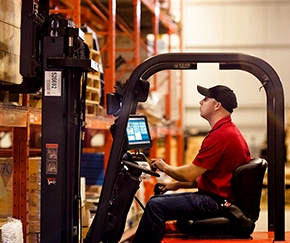
A distribution centre handling palletised goods across a 12,000-square-metre warehouse was running its picking workflow on paper. Pick lists were printed in the office at the start of each shift, carried on the forklift, and marked up by hand as each pallet was collected. The completed lists were returned to the office at the end of the shift for data entry. This deployment note covers what changed when the paper workflow was replaced with a forklift-mounted tablet — and the hardware configuration that made it work on an electric forklift.
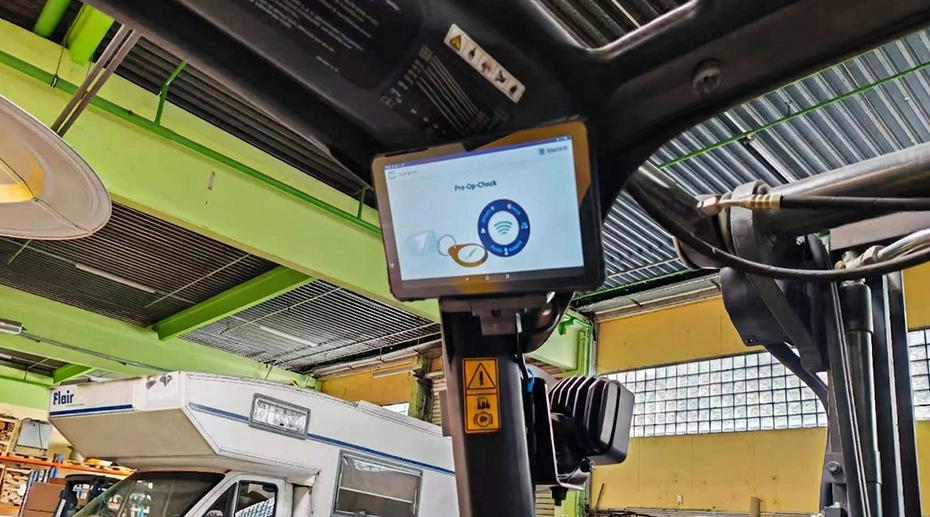
Table of Contents
1. The Operation Before Deployment
The distribution centre operates a fleet of counterbalance electric forklifts on two shifts. Each forklift is assigned a driver for the duration of the shift. Pick lists are generated by the WMS at the start of each shift and printed on A4 paper. Drivers carry the printed list on a clipboard in the cab and mark off each pallet location as it is collected.
The workflow had been in place for years. It worked, in the sense that goods were picked and shipped. But the operational friction was cumulative. When the WMS updated a pick sequence mid-shift — because a delivery truck arrived early or a customer order was amended — the printed list became outdated. Drivers either continued with the original sequence and created a bottleneck at the loading dock, or returned to the office to collect a new printout, which took several minutes per return.
The second friction point was at the end of the shift. The completed paper lists were collected and the data was keyed into the WMS by office staff. This introduced a delay between the physical completion of picking and the digital record of what had been picked. Inventory accuracy reports run at the end of the shift could not reflect the actual stock state until the keying was finished.
2. Where the Paper Workflow Failed
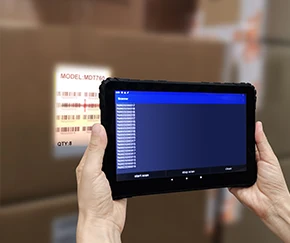
The distribution centre evaluated several options before selecting a forklift-mounted tablet. Handheld scanners were considered first — they were already used in the receiving area for goods-in scanning. But a handheld device cannot be operated while driving a forklift. The driver would need to stop the vehicle at each pallet location, retrieve the scanner from a pocket or holster, scan the pallet label, and return the scanner before moving on. The time overhead per pick was estimated at 15 to 20 seconds, which across a shift of 200 picks added up to approximately one hour of non-driving time.
Consumer tablets mounted on the forklift were also considered. The problems appeared quickly in evaluation. The suction-cup mount failed within days under the impact vibration from the solid-tire forklift travelling over concrete floor joints. The tablet was powered through a USB adapter from the forklift's 12V accessory socket — and the USB connection loosened repeatedly under vibration, causing the device to lose power during a pick sequence.
The third evaluation issue was more subtle. On an electric forklift, the traction motor and hydraulic pump create electrical noise on the DC bus. When the driver raised the forks to place a pallet at height, the hydraulic pump engaged and the tablet's touchscreen became unresponsive for the duration of the lift. This was initially attributed to the tablet itself, but the pattern was consistent — it only occurred during hydraulic operation.
3. The Hardware Configuration
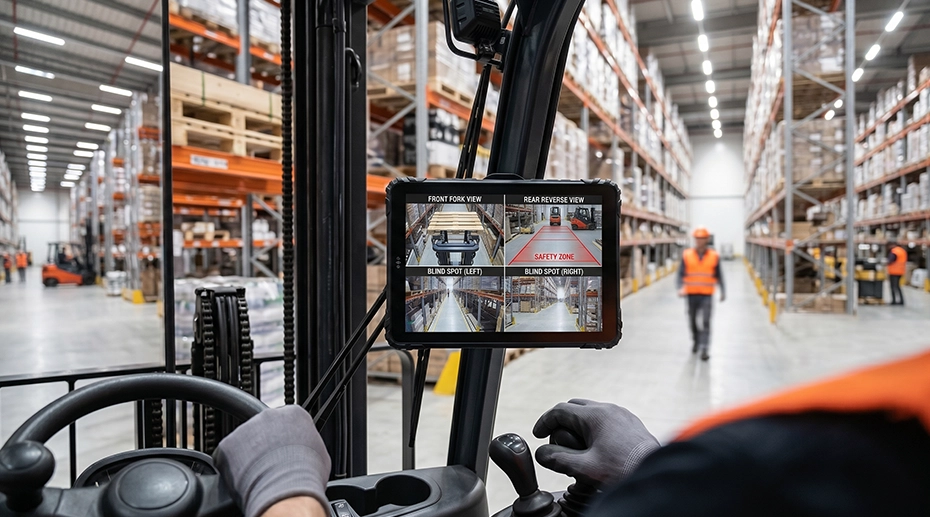
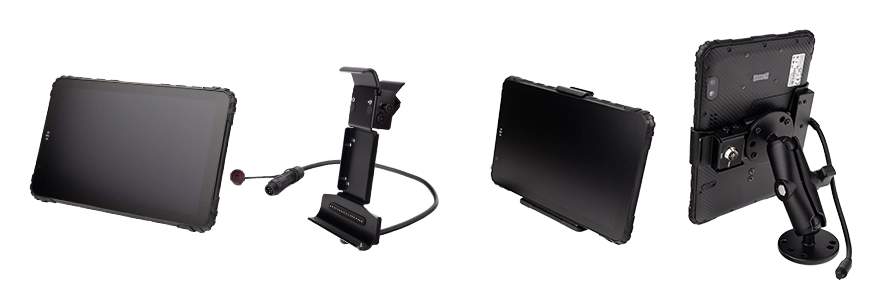
The deployment selected the MDT865 as the mounted terminal. The configuration per forklift:
• Mounting: RAM mount ball on the forklift dashboard, short arm to position the screen within the driver's forward field of view
• Dock: Vehicle docking station with key-lock retention and locking connector
• Power: Direct wire to the forklift's DC distribution, 24V nominal on the electric forklift fleet
• Software: WMS client with real-time pick list updates
The forklift-mounted tablet is not a handheld device. It stays in the dock during the shift and is only removed for maintenance or when the forklift is serviced. The dock provides both the mechanical retention and the electrical connection. The docking station configuration matrix documents the dock variants available for material handling vehicles.
4. Mounting & Power Integration
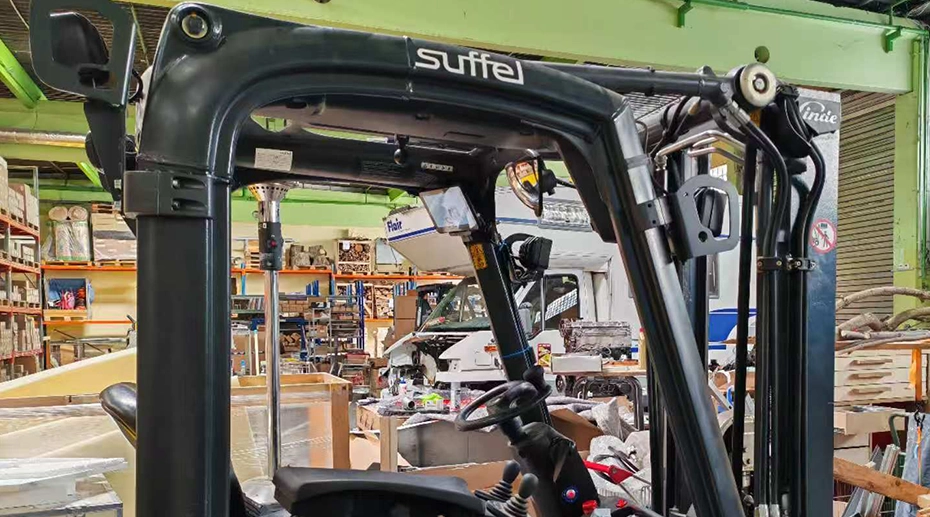
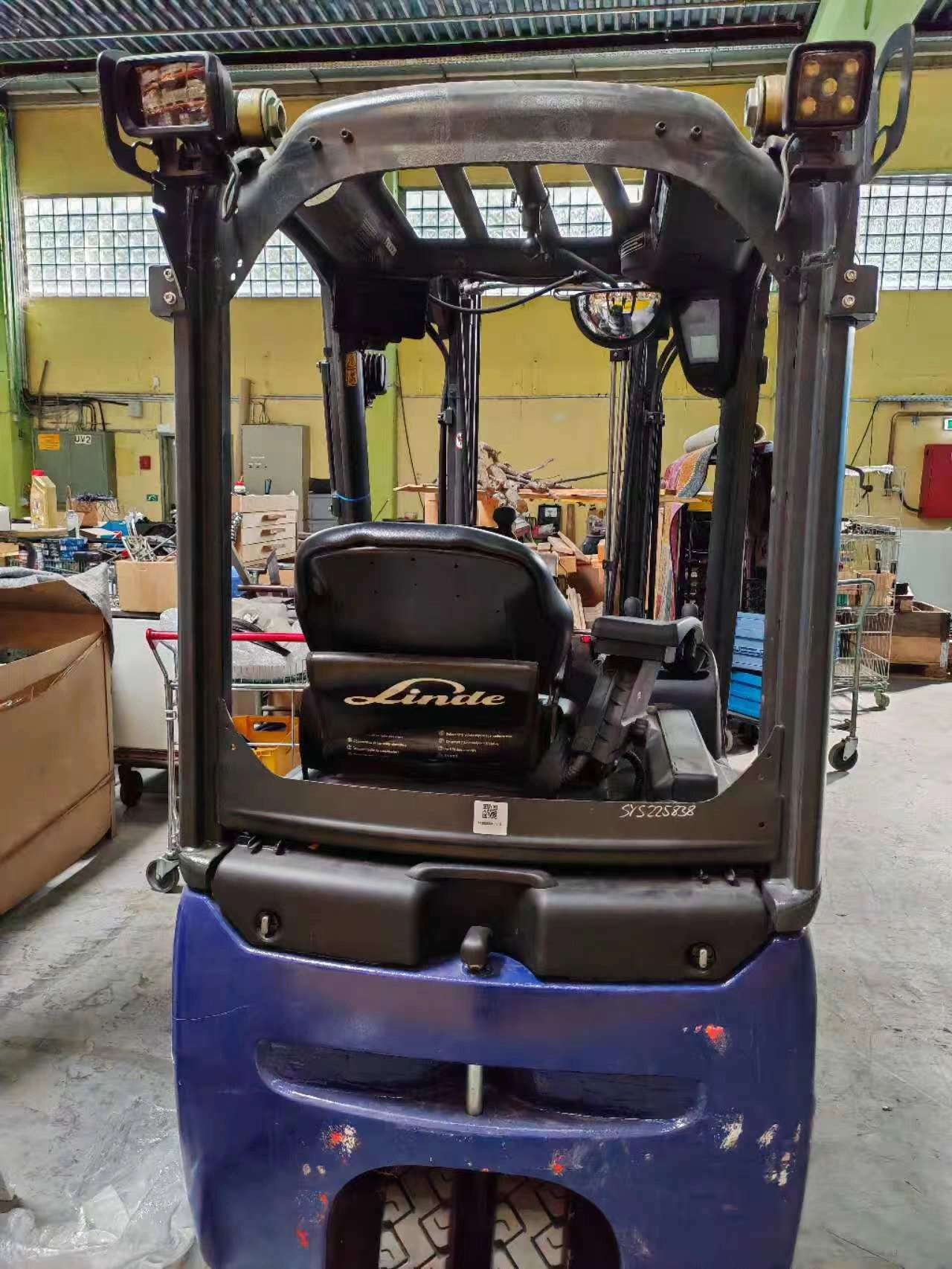
The mounting position was chosen to keep the tablet within the driver's forward sight line without obstructing the view of the forks or the load. A short RAM arm was used to minimise the lever effect that amplifies vibration on longer arms. The mount base was bolted to the dashboard structure rather than to a plastic panel — the dashboard plastic on the forklift flexes under vibration and would have introduced additional movement at the mount point.
The power connection was made directly to the forklift's DC distribution rather than through an accessory socket. On an electric forklift, the 24V bus is stable under normal operation but can drop momentarily when the hydraulic pump engages. The tablet's 9-36V input range covers the operating voltage natively. The input filtering and hold-up capacitance in the tablet's power stage maintain device operation through the transient without a reboot.
The touchscreen interference during hydraulic operation was resolved by relocating the tablet mount further from the hydraulic pump motor housing and routing the power cable away from the motor's power conductors. The tablet's touch controller maintained normal operation after the relocation. The forklift tablet installation guide covers the EMI mitigation approach in more detail.
5. Outcome After Deployment
The deployment was completed across the forklift fleet. The most visible change was the elimination of the end-of-shift data keying. Completed picks were transmitted to the WMS in real time as each pallet was confirmed, and the inventory accuracy reports at the end of the shift reflected the actual state of the warehouse without a delay.
The mid-shift pick list changes also stopped causing bottlenecks. When the WMS updated a sequence, the change appeared on the tablet in the forklift within seconds. Drivers followed the updated sequence without returning to the office. The office staff no longer printed replacement lists.
The device reliability after the first months of operation was in line with the specification. No device failures were reported in the deployment period. The MDT865 specification lists IP67 sealing and MIL-STD-810G vibration resistance — the combination of the sealing against dust in the warehouse environment and the vibration rating against the forklift's impact profile. The deployment continues to operate on the original hardware configuration.
Single Point of Failure
A forklift-mounted tablet that loses power or touchscreen response during a pick sequence is a single point of failure that takes the driver out of the workflow until the device recovers. The driver cannot continue the pick without the device — the next pallet location is on the screen. If the device reboots, the driver waits through the boot sequence. If the touchscreen is unresponsive during a lift, the driver cannot confirm the pick until the fork operation is complete. In a warehouse where the picking workflow is timed to the loading dock schedule, every minute of device downtime is a minute of operational delay that compounds across the shift. The hardware configuration — direct DC power, short RAM arm, tablet placement away from the hydraulic pump — is what prevents the device from becoming the bottleneck.
6. Frequently Asked Questions
Why was a tablet used instead of a handheld scanner?
A handheld scanner cannot be operated while driving a forklift. The driver would need to stop the vehicle at each pallet location, retrieve the scanner, scan the label, and return the scanner before moving on. The time overhead per pick was estimated at 15 to 20 seconds. A mounted tablet displays the pick list continuously and allows the driver to confirm a pick without stopping the vehicle or retrieving a separate device. The barcode and RFID integration options cover the scanning configurations for warehouse deployments.
How was the tablet mounted on the forklift?
A RAM mount ball was bolted to the dashboard structure — not to a plastic panel — with a short arm to position the screen within the driver's forward field of view. The short arm minimises the lever effect that amplifies vibration on longer mounts. The tablet docks into a vehicle docking station with key-lock retention and a locking connector for the power and data connection. The forklift installation guide covers the mounting architecture and safety considerations.
How was the tablet powered on an electric forklift?
The tablet was wired directly to the forklift's DC distribution rather than to an accessory socket. On an electric forklift, the 24V bus is stable under normal operation but can drop momentarily when the hydraulic pump engages. The tablet's 9-36V input range covers the operating voltage, and the input filtering and hold-up capacitance maintain device operation through the transient without a reboot. The DC-DC converter analysis covers the power architecture for high-inductive-load vehicles.
How was the touchscreen interference during hydraulic operation resolved?
The hydraulic pump motor on an electric forklift generates electromagnetic interference when it engages. The tablet was relocated further from the motor housing and the power cable was routed away from the motor's power conductors. The tablet's touch controller maintained normal operation after the relocation. The touchscreen diagnosis guide covers the EMI mitigation approach for material handling vehicles.
Deploying Tablets Across a Forklift Fleet?
The mounting position, power integration, and EMI considerations determine whether the device supports the workflow or becomes a bottleneck. Request a hardware evaluation kit or discuss the configuration for your forklift class and warehouse environment.