When Fleet Tablets Fail from Heat – How to Keep Your Devices Running in Extreme Cab Environments
A truck cab in summer isn't just warm — it's a thermal stress test that runs 10 hours a day, every day. Even professional-grade hardware can degrade if the deployment doesn't account for how heat accumulates, how charging circuits behave at high temperatures, and how thermal throttling silently eats into system performance. Here's what actually fails, why, and how to engineer it out of your fleet deployment.
The Thermal Reality of a Vehicle Cab
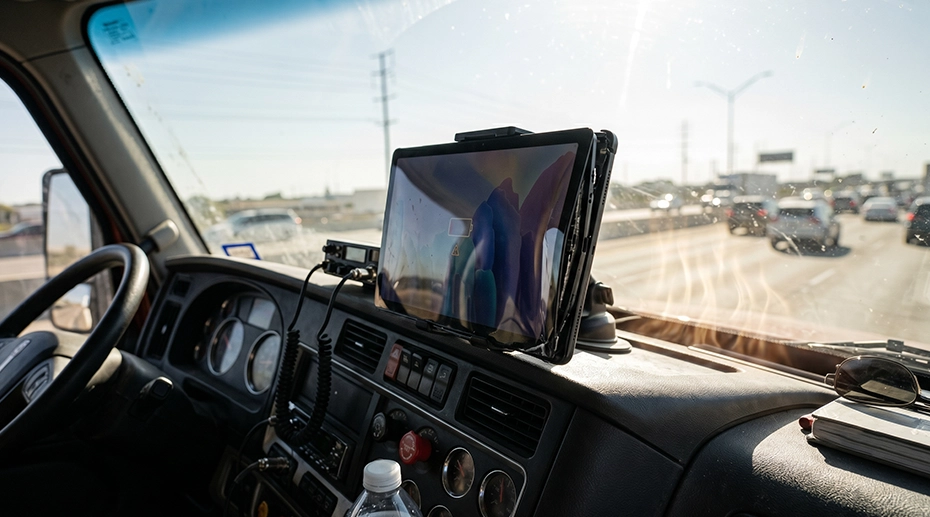
A parked truck cab in direct summer sunlight reaches 50-60°C (120-140°F) within 15 minutes. With the engine running and air conditioning on, the dashboard area where most tablets are mounted still sits at 35-45°C — because the windshield acts as a greenhouse, and the AC vents don't reach the mounting position effectively.
On top of ambient temperature, the tablet generates its own heat. The SoC, cellular modem, GPS chip, and display backlight collectively dissipate 5-8W continuously during active fleet operations. In a sealed IP67 enclosure — which has no ventilation by design — that heat accumulates. Over a 10-hour shift, the internal temperature can climb 15-25°C above ambient. The device isn't just sitting in a hot cab. It's generating additional heat inside a sealed chassis with no airflow. This is why industrial-grade rugged tablets with metal chassis designs are fundamentally different from consumer devices — they're engineered to dissipate this accumulated heat rather than trap it. For fleet-wide deployments, a thermally validated fleet tablet should be a non-negotiable requirement in your hardware spec.
"We had tablets randomly slowing down between 2pm and 5pm every day during summer. Navigation would lag, dispatch updates would take 30 seconds to load. Turned out the SoC was throttling itself down to 800MHz to survive the heat. The devices never shut down — they just got slow. And slow is almost as bad as dead when you're trying to run a fleet."
— Fleet systems engineer, Midwest regional carrier
What Actually Fails in High-Heat Fleet Deployments
Fleet tablets rarely fail catastrophically in the heat. Instead, they degrade in ways that are harder to diagnose — and more dangerous, because the failure mode isn't obvious until it causes an operational problem. For fleet operators deploying fleet management tablets in hot climates, understanding these degradation patterns is critical to hardware selection.
1. Thermal Throttling — Not a Crash, But a Crawl
When the SoC junction temperature exceeds its thermal ceiling (typically 85-95°C), the CPU and GPU frequencies are aggressively reduced. Navigation becomes sluggish. ELD screen refreshes take seconds. Dispatch messages arrive late. The tablet hasn't crashed — it's protecting itself by slowing down. But for fleet operations, a device running at 30% performance is barely functional. This is the most common heat-related complaint, and it's often misdiagnosed as "the app is slow."
2. Display Degradation Under Sustained Heat
LCD panels degrade measurably under sustained high temperatures. The liquid crystal layer expands, causing uneven backlight distribution and color shift — the screen develops a yellowish tint, starting at the edges. Touch responsiveness decreases as the capacitive layer's dielectric properties change with temperature. Over months of thermal cycling (hot days, cool nights), the optical bonding between the display and touch panel can delaminate, creating air gaps that reduce sunlight readability — the exact problem a 1000-nit display was supposed to solve.
3. Storage Wear Acceleration from Thermal Cycling
Flash storage (eMMC or UFS) degrades faster under thermal cycling than under sustained high temperature alone. A tablet in a vehicle cab experiences a daily cycle: cold soak overnight (10-15°C) → rapid heating during morning operation (35-50°C) → sustained heat through the afternoon → cool-down in the evening. Each cycle causes microscopic expansion and contraction of the NAND cells. Over hundreds of cycles, this accelerates wear — particularly on eMMC storage, where the write endurance is already limited. This is why fleet tablets that live in vehicles often develop storage errors after 18-24 months, even if they were never dropped or damaged.
4. Charging Circuit Stress — Heat Moves to the Dock
When a tablet charges through a vehicle docking station, the charging circuit is in the dock, not inside the tablet. This is by design — it moves a significant heat source out of the device. But the dock itself now generates heat at the contact point. If the pogo-pin connection has any resistance buildup from dust or oxidation, that resistance converts charging current into localized heat at the connector — accelerating contact degradation in a feedback loop. A dock that charges reliably at 25°C may intermittently disconnect at 50°C because thermal expansion changes the contact pressure. This is why dock maintenance — cleaning pogo-pin contacts every 6 months — is essential in hot-climate fleet deployments. For fleets relying on vehicle mount tablets, docking station thermal management is as important as the tablet itself. Upgrade to heat-tolerant vehicle docking stations designed for sustained high-temperature operation.
The Real Cost: It's Not a Device Failure — It's a Fleet Operations Problem
When heat degrades fleet hardware, the cost isn't measured in replacement devices alone.

Degraded Driver Workflow
A throttled tablet means slow navigation, delayed dispatch, and lagging ELD screens. Over 10 hours, those seconds add up to real productivity loss — without a single error message to point to.

Unplanned Hardware Refresh
Devices that degrade from thermal cycling need replacement before their planned end-of-life — breaking the fleet budget cycle and forcing emergency procurement.

Diagnostic Blind Spots
Thermal throttling and storage degradation don't trigger alerts. Your MDM shows "device online, compliant" — but the driver is fighting a sluggish interface all day. Problems accumulate silently until a component fails.
Bottom line: The most expensive thermal problem isn't a device that shuts down — it's a fleet of devices that are all running at 70% performance, and nobody knows until the complaints pile up.
Engineering for Heat: What Separates Fleet-Ready Hardware
Deploying tablets into hot vehicle cabs requires hardware that's engineered for the thermal environment — not just ruggedized for drops and dust. Here's what matters at the component and system level. Whether you're sourcing rugged tablets for a small fleet or a large-scale deployment, thermal engineering should be a primary selection criterion. For in-cab computing platforms that run dispatch, navigation, and ELD simultaneously, an industrial vehicle computing platform with adequate thermal headroom prevents the slowdowns that plague consumer-grade hardware.
Industrial-Grade SoC with Higher Thermal Ceiling
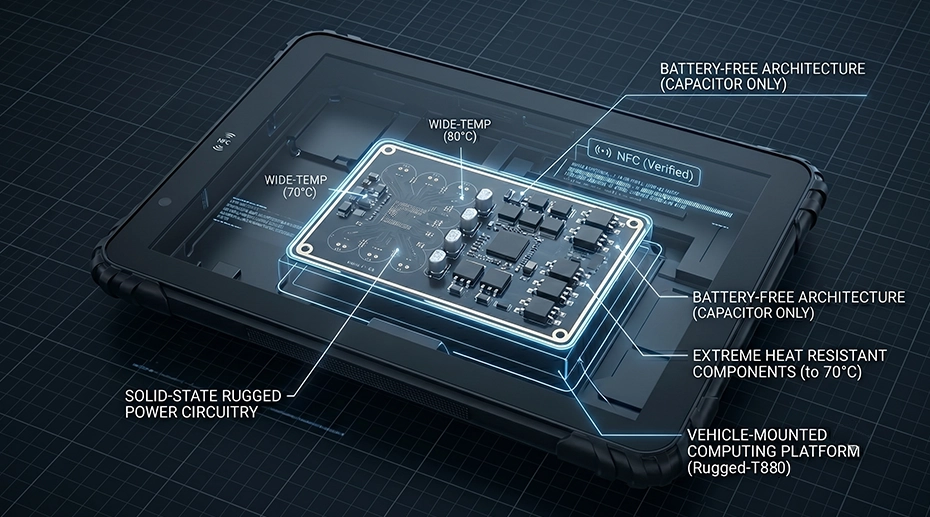
The SoCs in rugged MDTs are binned and validated for sustained operation at higher junction temperatures than consumer silicon. The thermal throttle point is set higher because the device is expected to operate in a hot environment — not air-conditioned comfort. This is the single most important silicon-level difference.
Charging Circuit Moved to the Dock
When a tablet charges through a vehicle docking station, the charging circuit and its associated heat are in the dock — not inside the tablet. This removes a major internal heat source during the hottest hours of operation. Combined with ignition-sensing power management, the tablet charges primarily when the engine is running and the cab is being cooled.
Metal Chassis as Passive Heatsink
Unlike plastic-bodied devices that trap heat, rugged MDTs use the metal chassis as a thermal spreader — conducting heat away from the SoC and distributing it across the entire device body. No fans. No vents that can clog with dust. Just engineered thermal mass that keeps the SoC below its throttle point during sustained operation.
Wide-Temperature Component Selection
Every component on the PCB — capacitors, inductors, connectors — is rated for the full -20°C to 60°C operating range. This isn't about surviving extreme cold or heat momentarily. It's about preventing cumulative degradation from daily thermal cycling over a 5-year deployment. Components rated for commercial temperature ranges (0-40°C) will drift out of specification after months of vehicle cabin cycling.
Rugged MDTs Engineered for Hot Cab Environments
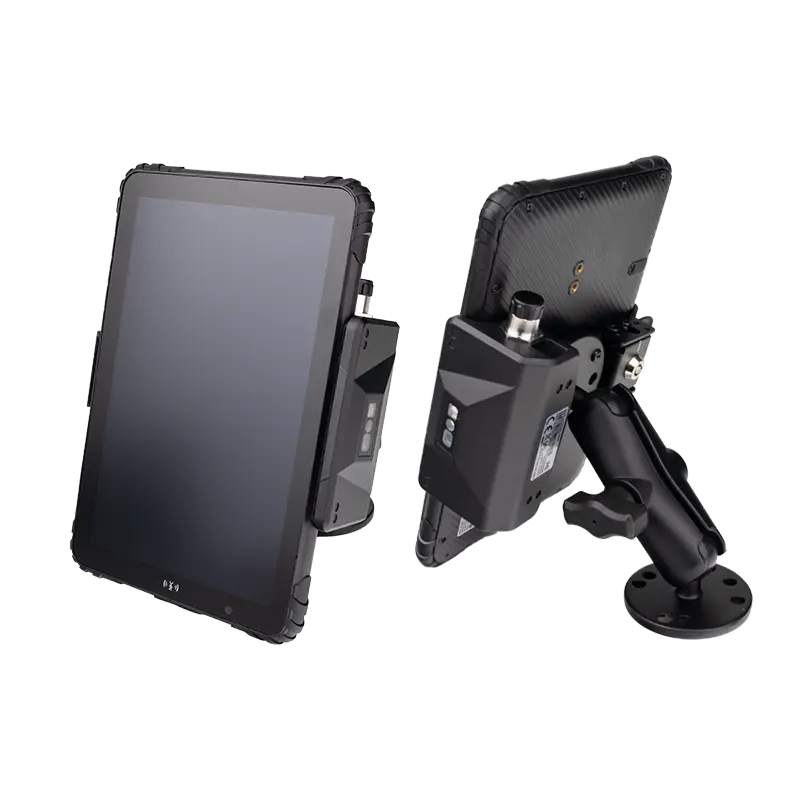
MDT865
8" Compact · Metal Chassis · 9-36V Vehicle Power · User-Replaceable Battery
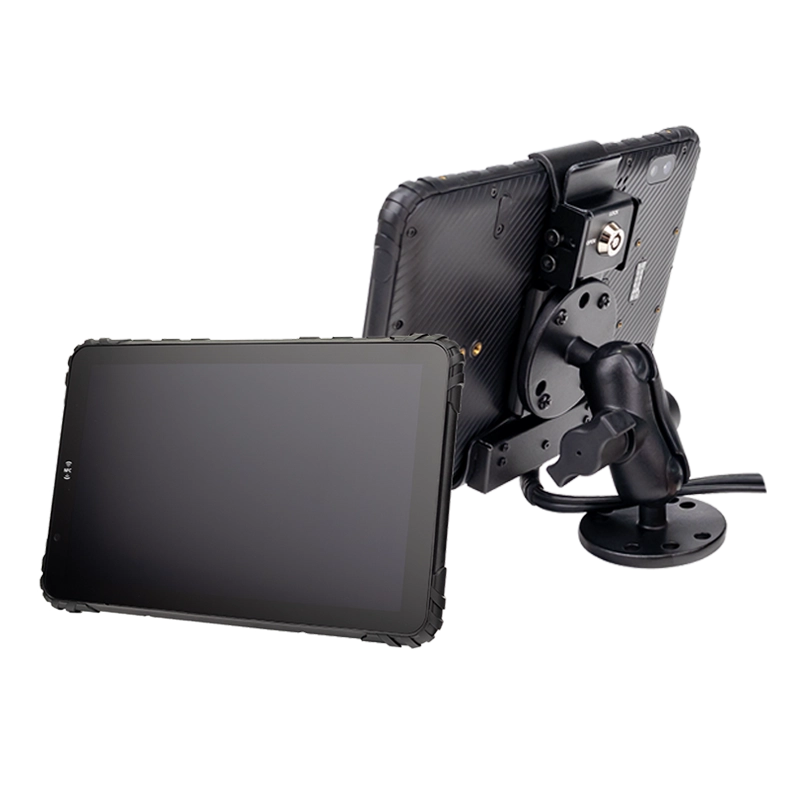
MDT880 5G
8" 5G · 1000-nit · Vehicle Docking · IP67 · Metal Chassis
Frequently Asked Questions
Why do fleet tablets slow down in hot weather even if they don't shut down?
The SoC thermally throttles — reducing CPU and GPU frequencies to protect itself from damage. The device stays operational but performance drops significantly. This is the most common heat-related issue in fleet deployments and is often misdiagnosed as an app or connectivity problem.
Does vehicle docking help with thermal management?
Yes — in two ways. First, the charging circuit is in the dock, moving a significant heat source out of the tablet. Second, ignition-sensing power management means the tablet charges primarily when the engine is running and the cab is being cooled, reducing unnecessary heat generation when the vehicle is parked.
How does thermal cycling affect tablet storage life?
Daily temperature swings (cold nights, hot days) cause microscopic expansion and contraction of NAND cells, accelerating wear. UFS storage handles thermal cycling better than eMMC due to more advanced wear leveling. For multi-year fleet deployments in hot climates, storage type should be a selection criterion. Source a rugged MDT with UFS storage →
What should fleet managers look for in hardware for hot climate deployments?
Prioritize industrial-grade SoCs with higher thermal ceilings, metal chassis for passive heat dissipation, vehicle docking that moves charging heat outside the device, and wide-temperature component ratings (-20°C to 60°C minimum). These features are standard on professional-grade MDTs engineered for sustained vehicle operation.
Deploying Fleet Tablets in Hot Climates?
TOPICON rugged MDTs are engineered for sustained vehicle operation — with industrial-grade SoCs, metal chassis thermal dissipation, and vehicle docking that moves charging heat out of the device.