Quick-Release vs All-Metal Fixed Dock — Choosing the Right Retention Mechanism for a Vehicle Tablet
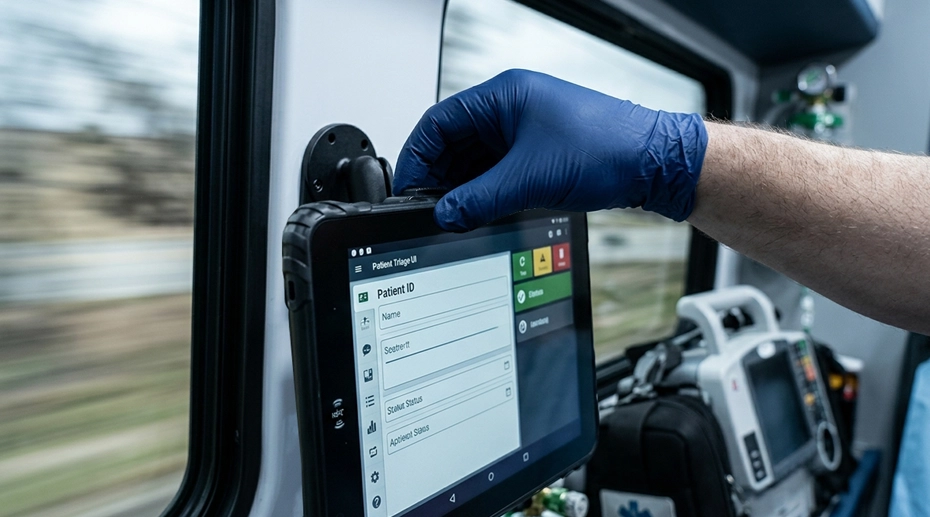
Two fleets, same tablet model, different docks. In the first, drivers remove the tablet at end of shift because the device carries the driver’s login session and the proof-of-delivery records for the day, and the next driver needs to start with a clean device. In the second, the tablet stays in the vehicle permanently — the driver never touches the dock except to verify it is seated. The first fleet uses a quick-release dock. The second uses an all-metal fixed dock. The difference is not cosmetic. It determines whether the tablet stays connected under sustained vibration, whether the connector survives a year of thermal cycling, and whether the driver can remove the device without tools when the shift requires it.
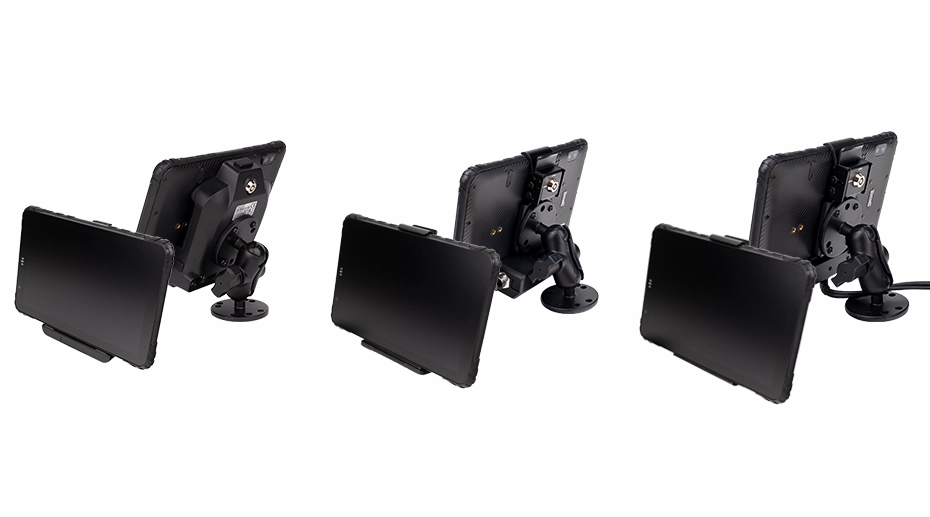
Table of Contents
1. Two Fleets, Two Workflows
A delivery fleet with 120 vans runs two shifts per day. Each driver starts and ends the shift by removing the tablet from the vehicle, because the tablet carries the driver’s login session, the proof-of-delivery records for the day, and the device needs to be charged overnight in the depot. The dock is used for the mount and the power connection, nothing more. It must release the tablet in seconds, with one hand, without a tool.
A long-haul truck fleet with 80 vehicles runs the same truck continuously across driver handovers. The tablet stays in the vehicle. The dock is the permanent interface between the tablet and the vehicle network — CAN Bus, RS232, camera input, and power all pass through it. The dock must never release the tablet unintentionally. The driver does not remove the device, and the dock’s job is to hold it in place under sustained vibration for the life of the vehicle.
The two workflows map to two retention mechanisms. A quick-release dock uses pogo-pin contact and a friction retention system that releases with a lever or a magnet. An all-metal fixed dock uses a metal clamp that is tightened against a gasket. Both are compatible with the same tablet, the same power harness, and the same RAM mount arm. The difference is in how the tablet is held against the connector and how it is released.
2. Three Dock Types for Vehicle Tablets
TOPICON vehicle docks fall into three families. The retention mechanism and the interface set determine which one fits a given deployment.
• All-Metal Fixed Dock: metal clamp, threaded retention, optional IP67 waterproof connector. Designed for permanent installations under sustained vibration.
• Integrated 1D/2D Barcode Scanner Dock: the dock carries the scanner module, so the tablet does not need an external scanner accessory. Designed for warehouse, retail, and asset tracking workflows.
The rest of this article focuses on the first two, because the choice between them is the decision that most frequently determines whether a deployment succeeds. The scanner dock is a separate selection driven by data capture requirements. The docking station matrix maps each tablet model to the available dock families and the interface set each one exposes.
3. Quick-Release: Tool-Less Removal
A quick-release dock uses pogo-pin contacts and a retention mechanism that the driver can release without tools. The tablet drops into the dock, the pins make contact, and a lever or magnetic latch holds the device against the connector. Releasing the tablet is a single motion — pull a lever, press a release tab, or lift the device out of the magnetic field.
• Retention force: provided by the friction fit of the pogo pins and the mechanical latch. Sufficient for normal vehicle vibration.
• Sealing: the tablet is sealed at IP67; the dock connection itself is not gasketed unless specified.
• Mating cycle rating: pogo-pin connectors are rated for a specified number of cycles — typically several thousand to tens of thousands, depending on the pin design.
This is the right dock for shift-based workflows: delivery vans, taxis, utility vehicles where the tablet moves with the driver, and any deployment where the device is removed daily for charging or data transfer. The MDT865 and MDT880 both support quick-release docks in the CRD865 and CRD880 series.
TOPICON MDT880 / MDT865 Vehicle Docking Guide — RAM Mount, Wiring Harness & Key Lock
Demonstration of the quick-release dock: RAM mount installation, 9–36V wiring harness, and key lock mechanism for one-hand undocking.
4. All-Metal Fixed Dock: Threaded Retention
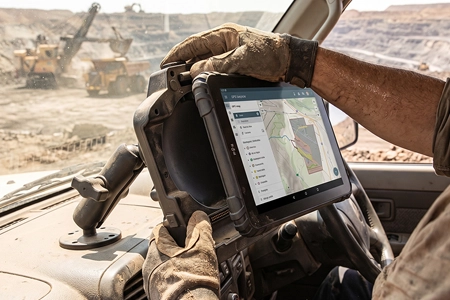
An all-metal fixed dock uses a metal clamp that is tightened against the tablet. The clamp compresses the device against a gasket, which compresses the pogo-pin contacts and, on some models, provides an IP67 seal at the dock connector. The clamp must be loosened to remove the tablet. The tablet does not come out unless the driver intentionally releases the latch.
• Retention force: mechanical clamping force, maintained by the threaded latch. Resists sustained vibration better than a friction-fit retention system.
• Sealing: the gasket at the dock connector can be IP67-rated when the optional waterproof connector is specified.
• Contact pressure: the clamping force compresses the pogo-pin contacts more firmly than a quick-release dock, which reduces contact resistance and micro-fretting over time.
TOPICON MDT880 / MDT865 Metal Mount Bracket — Heavy-Duty IP67 Sealed Mount
Demonstration of the all-metal fixed dock: mounting, IP67 sealed connector, and threaded retention mechanism.
This is the right dock for permanent installations: long-haul trucks, buses, construction equipment, agricultural machines, and any deployment where the tablet stays in the vehicle across its service life. The MDT1065 and MDT864 are suited to this workflow, and the CRD1065 and CRD864 dock series provide the all-metal fixed option. The vehicle mount terminal page covers the fixed installation architecture.
5. Integrated 1D/2D Barcode Scanner Dock
The third dock family adds a 1D/2D scanner module to the cradle. The scanner is built into the dock, so the tablet does not need a separate handheld reader or a scan accessory. The tablet displays the application; the dock captures the barcode. This is the right configuration for warehouse, retail, and asset tracking workflows where the tablet is mounted on a vehicle or a workstation and the operator scans items at the point of work.
The scanner dock is available in the CRD865 and CRD880 series. It can be combined with the quick-release or all-metal retention mechanism depending on the deployment. The barcode and RFID integration options page covers the scanner configuration and the application-level interface.
TOPICON MDT865 Metal Bracket with Optional Barcode Scanner Module
Demonstration of the integrated 1D/2D barcode scanner dock: scanner module in the all-metal bracket, capture at the point of work, and tablet docking.
6. Vibration and Contact Wear
Both retention mechanisms rely on pogo-pin contacts. The difference is how much force holds the contacts together and how that force changes over time.
Under sustained vehicle vibration, a quick-release dock with friction retention allows a small amount of movement at the contact interface. This is called micro-fretting. Over tens of thousands of vibration cycles, it wears the contact plating and increases contact resistance. The failure mode is intermittent: the tablet loses power for a few milliseconds, the session drops, the driver reports “the tablet rebooted.” The failure is not visible on a bench test.
An all-metal fixed dock eliminates this failure mode by applying a clamping force that holds the contacts rigidly together. The tablet does not move against the pogo pins, so micro-fretting does not occur. This is why permanent installations — long-haul trucks, buses, construction equipment — use the all-metal fixed design. The vibration damage prevention guide covers the mounting practices that reduce vibration exposure regardless of dock type.
7. IP67 Sealing and the Connector Choice
The tablet itself is sealed to IP67. The dock connector is a separate sealing point. A quick-release dock without a gasket does not provide IP67 at the dock interface — the tablet is protected when it is away from the dock, but the dock connection itself is not sealed. An all-metal fixed dock with the optional waterproof connector provides IP67 at both the tablet and the dock interface.
This matters in three deployment environments: pressure-wash cleaning, marine and coastal operations, and any vehicle where water ingress into the dock connector is possible. For dry-cab deployments, the tablet’s own IP67 rating is sufficient. The waterproof tablet specifications page covers the sealing rating and the dock connection options.
Single Point of Failure
The retention mechanism is the single point of failure that determines whether the tablet stays connected under vibration — and the failure mode is intermittent, not obvious. A quick-release dock that is suitable for a delivery van may be the wrong choice for a long-haul truck, not because the van work is gentle, but because the truck accumulates vibration cycles ten times faster. The failure appears as a dropped session, a reboot, or a corrupted data record — not as a dock that visibly fails. The dock selection must match the vibration profile of the vehicle class, not the convenience of the workflow. A tool-less release is the right answer for a shift-based fleet and the wrong answer for a permanently installed terminal. The retention mechanism is not an accessory. It is the physical layer that keeps the software session alive.
8. Selection Checklist
Before choosing between quick-release and all-metal fixed for a vehicle class, confirm the following.
• Vibration profile: Is the vehicle a delivery van, a long-haul truck, a bus, or a piece of heavy equipment? Higher vibration exposure favours the all-metal fixed dock.
• Sealing requirement: Does the dock connection need IP67, or is the tablet’s own IP67 sufficient? IP67 at the dock requires the all-metal fixed dock with the waterproof connector option.
• Interface set: Does the deployment need CAN Bus, RS232, or camera input through the dock? The dock configuration that provides those interfaces may already be the all-metal fixed design.
• Data capture: Does the workflow require barcode scanning at the point of work? An integrated scanner dock removes the need for a separate handheld reader.
• Driver workflow: Does the driver need to remove the tablet for inspections, shift handovers, or off-vehicle data entry? If yes, the release mechanism must be tool-less.
• Dock replacement cost: A quick-release dock with pogo-pin wear may need replacement within the vehicle’s service life. An all-metal fixed dock with lower contact wear may last longer. Factor the replacement into the TCO.
The docking station matrix maps each tablet model to the available quick-release, all-metal fixed, and scanner cradles. The OEM customization program covers the connector and harness options for each design.
9. Frequently Asked Questions
Can a quick-release dock handle long-haul truck vibration?
A quick-release dock is designed for workflows where the tablet is removed regularly. For a permanent installation in a long-haul truck, the accumulated vibration cycles can cause micro-fretting at the pogo-pin contacts and intermittent disconnects. An all-metal fixed dock with mechanical clamping is the appropriate choice for high-vibration, permanent installations.
Does the all-metal fixed dock provide IP67 at the dock connector?
Only with the optional waterproof connector. The standard all-metal fixed dock provides mechanical retention and the tablet’s own IP67 protection. The IP67 rating at the dock interface requires the gasketed connector option. For dry-cab deployments, the standard connector is sufficient.
Can the same tablet use both dock types?
Yes, if both docks are designed for that tablet model. The tablet is the same; the dock is a separate SKU. A fleet that operates both shift-based vans and permanent-installation trucks can use the same tablet model with two dock types. The docking station matrix maps each tablet model to the compatible cradles.
How long does a pogo-pin connector last?
The mating cycle rating depends on the pin design and plating. Industrial pogo-pin connectors are typically rated for several thousand to tens of thousands of cycles. In a shift-based workflow with two removals per day, that translates to several years of service. In a permanent installation with no removal, the connector life is limited by vibration wear rather than mating cycles, which is why the all-metal fixed dock reduces contact wear.
When should I choose an integrated barcode scanner dock?
Choose an integrated scanner dock when the workflow requires barcode capture at the point of work and the operator has both hands occupied with the device or the goods. The dock carries the scanner module, so the tablet does not need a separate handheld reader. The barcode and RFID integration options page covers the scanner configuration.
Choosing a Dock for a Vehicle Fleet?
The removal frequency, the vibration profile, and the sealing requirement determine whether quick-release, all-metal fixed, or scanner dock is the right choice. Request a hardware evaluation kit or discuss the dock configuration for your vehicle class.