8-Inch vs 10-Inch Rugged Tablet for Vehicle Cabs — Visibility, Sight Lines, and Mounting Space
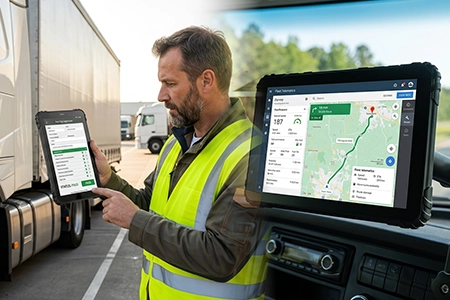
A driver mounting a 10-inch tablet on the A-pillar loses the near-side mirror in the left periphery. The same driver with an 8-inch tablet keeps the mirror visible but needs more panning to read a route. Neither size is universally correct. The decision depends on cab geometry, mounting position, and what the screen is used for during driving. This article covers the variables that determine whether 8-inch or 10-inch is the right fit for a specific vehicle.
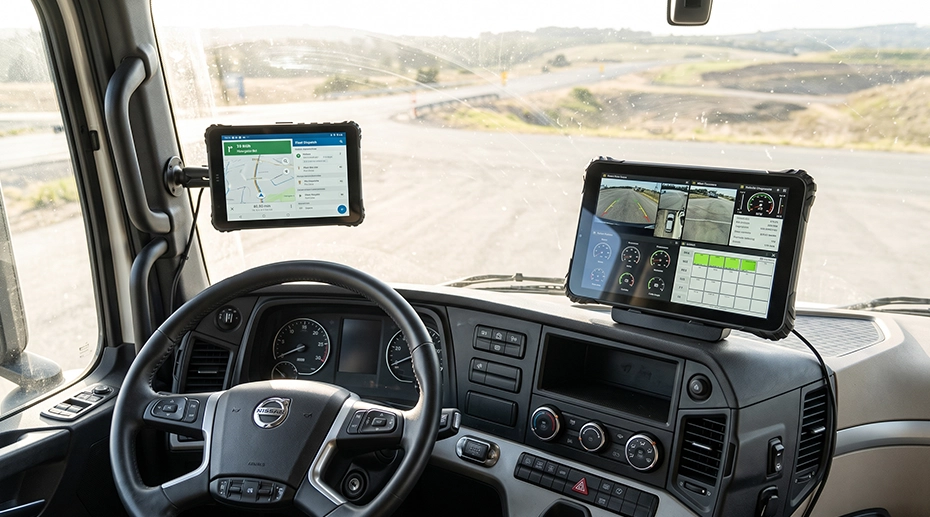
Table of Contents
1. The Cab Geometry Constraint
A truck cab is a constrained space. The windscreen, the A-pillars, the airbag deployment zone, the near-side mirror, and the driver’s forward sight line all compete for the same volume. A tablet mounted on the dashboard occupies part of that volume. The larger the screen, the more volume it consumes.
The constraint is not only physical. It is regulatory and safety-related. In markets where airbag deployment zones are defined, a tablet mounted in front of a passenger airbag is a hazard. In vehicles with a narrow A-pillar, a 10-inch tablet mounted on the pillar extends into the driver’s near-side sight line. The same 10-inch tablet mounted on the centre console may be acceptable.
The size decision therefore cannot be made in isolation. It depends on where the tablet is mounted, what the driver needs to see while driving, and what the vehicle’s interior geometry allows. The cab visibility and airbag clearance guide covers the regulatory constraints in detail.
2. Where 8-Inch Wins
An 8-inch tablet occupies roughly 200 mm of width. A 10-inch tablet occupies roughly 250 mm. In a narrow cab, that 50 mm difference determines whether the tablet can be mounted without extending into the driver’s field of view.
• Single-hand operation: the driver can reach the far edge of an 8-inch screen without releasing the steering wheel. A 10-inch screen requires a full reach.
• Limited mounting surfaces: delivery vans, taxis, and utility vehicles often have a smaller dashboard area. An 8-inch tablet fits where a 10-inch does not.
• Quick-release undocking: the smaller device is easier to remove one-handed at end of shift, which matters when the tablet is undocked daily for inspections or shift handovers.
The MDT880 and MDT865 are both 8-inch platforms with 1000-nit anti-glare displays, IP67 sealing, and 9–36V vehicle power. The 8-inch selection guide covers the hardware specifications in detail.
3. Where 10-Inch Wins
A 10-inch tablet has roughly 50% more screen area than an 8-inch tablet. That extra area matters when the screen is used for more than a single map.
• Form-heavy applications: proof-of-delivery forms, inspection checklists, and compliance logs with many fields benefit from the larger touch targets and reduced scrolling.
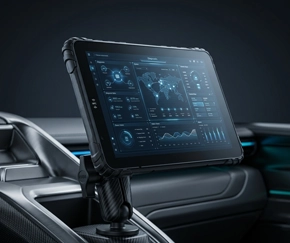
• Centre-console and fixed mounting: when the tablet is mounted on the centre console or as part of a fixed terminal installation, the A-pillar sight line is not affected. The larger screen becomes an advantage rather than a constraint.
• Passenger and supervisor use: in buses and coaches, the terminal may be viewed by a second person. The larger screen is easier to read from a distance.
The MDT1065 is a 10-inch platform with Anti-glare display, IP67 sealing, and RS232 / RS485 / M12 Ethernet / GPIO. The MDT1080 is a 10-inch 5G platform with 800-nit display and 8GB+128GB storage, suited to dashboards and telematics applications where 5G is required.
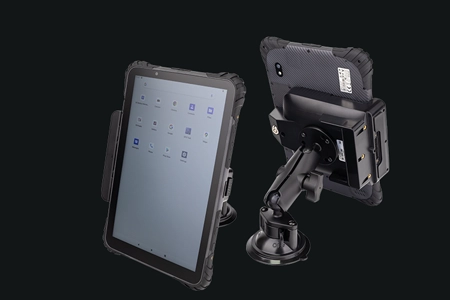
TOPICON MDT880 / MDT865 Vehicle Docking Guide
Vehicle docking installation with RAM mount, 9–36V wiring harness, and key lock mechanism.
4. Mounting Position Changes the Answer
The same tablet size can be right or wrong depending on where it is mounted. Three mounting positions cover most vehicle deployments.
For A-pillar mounting, the 8-inch tablet is the practical choice. For centre-console mounting, both sizes work, and the decision depends on the application rather than the geometry. For fixed terminal installations, the 10-inch screen is usually the design target because the terminal is integrated into the dashboard rather than added to it. The vehicle mount terminal page covers the fixed installation architecture.
5. Dock and Mount Compatibility
The tablet size determines the dock. An 8-inch tablet and a 10-inch tablet cannot share the same cradle. The dock is model-specific, and the mounting accessory is dock-specific. This has two implications for fleet planning.
First, a mixed fleet that uses both 8-inch and 10-inch tablets needs two dock SKUs. The vehicle mount, the wiring harness, and the RAM mount arm are the same, but the cradle is different.
Second, the dock determines which interfaces are available. The docking station matrix maps each tablet model to its compatible cradles and the interface set each cradle exposes. For a deployment that needs CAN Bus, RS232, or camera input, the dock selection is as important as the tablet selection. The vehicle mount tablet platform documentation covers the dock and mounting options for each size class.
Single Point of Failure
A tablet that fits the mounting position but not the driver’s sight line is a safety problem, not a convenience problem. The size decision is usually made from a spec sheet: screen area, resolution, brightness. The spec sheet does not show the near-side mirror. It does not show the A-pillar width. It does not show the airbag deployment zone. Those are visible only when the tablet is mounted in the actual cab. A deployment that selects 10-inch tablets for all vehicles because the larger screen is “better” will discover, in the first vehicle with a narrow A-pillar, that the driver has lost part of the mirror. The size decision must be made per vehicle class, with the mounting position and the sight line in view. It is not a global hardware standard.
6. Selection Checklist
Before choosing between 8-inch and 10-inch for a vehicle class, confirm the following.
• Sight line: Does the mounted tablet intrude on the near-side mirror, the forward view, or the airbag deployment zone? Measure with a mock-up before committing.
• Application layout: Does the software require multi-window display or a single map? Multi-window pushes toward 10-inch.
• Driver operation: Does the driver need to reach the far edge of the screen while driving? Single-hand reach favours 8-inch.
• Undock frequency: Is the tablet removed daily for inspections or shift handovers? 8-inch is easier to remove one-handed.
• Dock and interface requirement: Does the deployment need CAN Bus, RS232, or camera input? The dock selection may narrow the tablet choice.
• Fleet standardisation: Is the deployment a single vehicle class or a mixed fleet? A mixed fleet may need both sizes.
For deployments that include camera input, the 4-channel vehicle video tablet platform covers the AHD input configuration. For deployments that include CAN Bus, the CAN Bus vehicle tablet platform covers the protocol and dock configuration.
7. Frequently Asked Questions
Is 8-inch or 10-inch better for a truck cab?
It depends on the mounting position. An 8-inch tablet mounted on the A-pillar leaves the near-side mirror visible. A 10-inch tablet in the same position extends into the mirror’s sight line. On the centre console, both sizes work, and the decision depends on the application rather than the geometry. The 8-inch selection guide covers the hardware specifications in detail.
Can a driver reach the far edge of a 10-inch tablet while driving?
Not without releasing the steering wheel. A 10-inch screen is roughly 250 mm wide; the far edge is beyond a single-hand reach for most drivers seated in a normal driving position. An 8-inch screen is roughly 200 mm wide, which is within reach for most drivers. For workflows that require driver input while the vehicle is moving, the 8-inch size is the practical choice.
Does the tablet size affect the dock selection?
Yes. An 8-inch tablet and a 10-inch tablet cannot share the same cradle. The dock is model-specific, and the mounting accessory is dock-specific. A mixed fleet needs two dock SKUs. The docking station matrix maps each tablet model to its compatible cradles.
What if the cab is too narrow for either size on the A-pillar?
If neither size fits on the A-pillar without intruding on the sight line, the mounting position needs to change. The centre console, the overhead console, or a fixed terminal position may be the only options. A fixed vehicle mount terminal is designed for installations where the terminal is integrated into the dashboard rather than added to it.
Can the same mount be used for 8-inch and 10-inch tablets?
The RAM mount arm, the vehicle-specific base, and the wiring harness are common across sizes. The cradle is not. The cradle is specific to the tablet model because the pogo-pin interface and the mechanical retention are designed around a specific tablet. The mounting solutions page covers the common mounting accessories.
Specifying Tablet Size for a Vehicle Fleet?
The mounting position, the sight line, and the application layout determine whether 8-inch or 10-inch is the right fit. Request a hardware evaluation kit or discuss the cab geometry for your vehicle class.