Real-Time TPMS and Mass Monitoring for a HazMat Road Train Fleet
8-inch 1,000-nit in-cab terminal, CRD865-CAN dock, 22-wheel trailer telemetry under NHVR OBM rules
A dangerous-goods carrier runs B-double and road-train combinations on long-haul Australian routes. The compliance requirement is easy to state and hard to enforce: the mass on every axle group has to be known before the truck leaves the yard, and every trailer tyre has to be watched while the truck is moving. The previous cab setup used a consumer tablet on a suction mount. It lost power on corrugated sections, washed out at midday, and buried the one alert that mattered. This is the hardware configuration that replaced it.
In this case study
1. The Operation
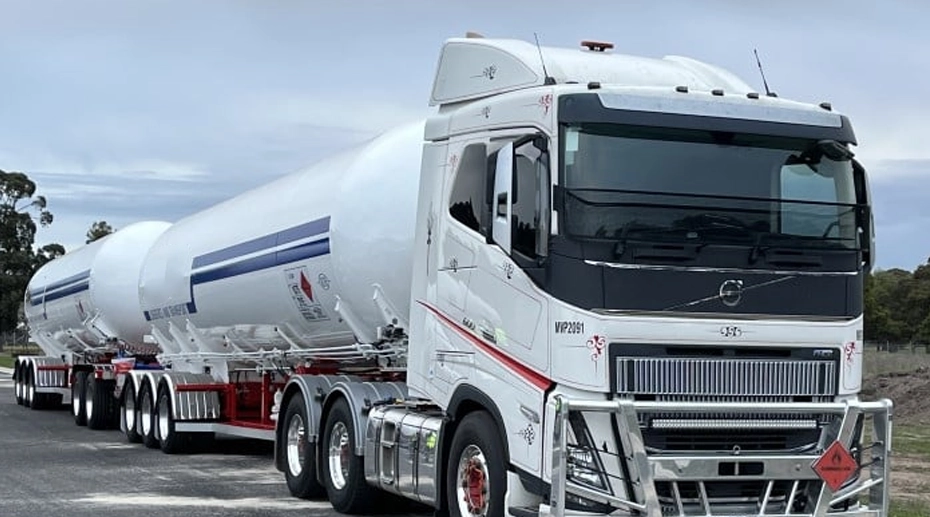
The carrier moves packaged dangerous goods and bulk liquid loads between a coastal port and inland distribution centres — roughly 900 km each way, half of it on two-lane highway, a stretch of unsealed access road at the destination, and a night leg on most runs. Combinations are B-double and, on the northern corridor, a four-axle trailer set behind a prime mover.
Three regulatory threads run through the deployment. Mass management sits under the NHVR Heavy Vehicle National Law, and the carrier reports under an On-Board Mass (OBM) arrangement rather than relying on weighbridge tickets alone. Dangerous goods transport follows the ADG Code, which sets placarding and load-restraint duties but says nothing about the cab electronics. Vehicle standards require the driver to see trailer EBS and ABS warning lamps — a lamp that is lit is a defect that has to be acted on, not a background event.
The operator's own requirement was narrower than any of those documents: one screen in the cab that shows trailer mass, every tyre, and the trailer lamp state — readable at 100 km/h in direct sun, without the driver touching anything.
2. Where the Previous Cab Setup Failed
The first deployment was a consumer 10-inch tablet on a suction mount, powered from a 12 V socket through a right-angle USB-C cable, running the telematics vendor's app. It failed in three ways, and none of them was a software defect.
The cable came out. On the unsealed access road, the mount flexed and the connector walked out of the side port twice in a month. Each time the tablet ran on battery until the screen dimmed, and the trailer gateway stopped logging to it. A side-entry USB port on a 700 g tablet is a lever arm; vibration finds it.
The screen lost the argument with the sun. A consumer tablet in the 400–450 nit range, behind a glossy cover glass, is unreadable in an Australian summer cab at midday. Drivers tilted it, then ignored it. The TPMS page — the reason the tablet was there — became a page nobody looked at.
The alert was a line in a list. A trailer-level alarm such as low brake air or an amber EBS lamp is a red-banner event. In the previous app it rendered as a row in a scrolling table, behind whichever navigation app was in the foreground. On a night leg, with the driver watching for wildlife, that row was never seen.
The pattern is worth naming: the failure was mechanical and optical, at the connector and at the panel. The software had been doing its job the whole time.
3. What the Terminal Has to Do
Before specifying hardware, the integrator wrote the requirement as five measurable lines. This is the part most fleet projects skip, and it is the part that decides whether the deployment survives its first winter.
Per-wheel telemetry, not per-axle. Sixteen wheels on a four-axle set, pressure and temperature each, refreshed at roughly 1 Hz. A trailer-level average hides the one tyre that is heating up.
Mass on the screen before departure. Gross and per-group axle mass against the NHVR limits, from the OBM system, not from a weighbridge visit.
Trailer lamp state, always visible. Low brake air and amber EBS lamps as a banner that occupies the screen, not a row that scrolls.
Daylight readability with gloves on. 1,000-nit class panel with an anti-glare finish; touch targets that work with a work glove, no pinch gestures.
A connector that cannot walk out. The cable has to terminate on the dock, not on a side port in the tablet: a fixed multi-pin harness with strain relief, plus ignition-sensed power so the unit is not on a battery timer.
4. Hardware Configuration
The deployment per prime mover, as built:
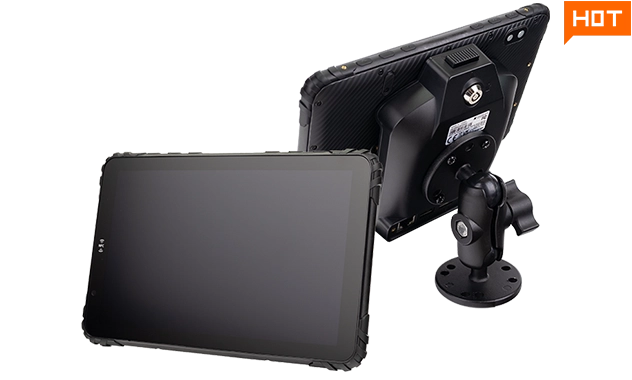
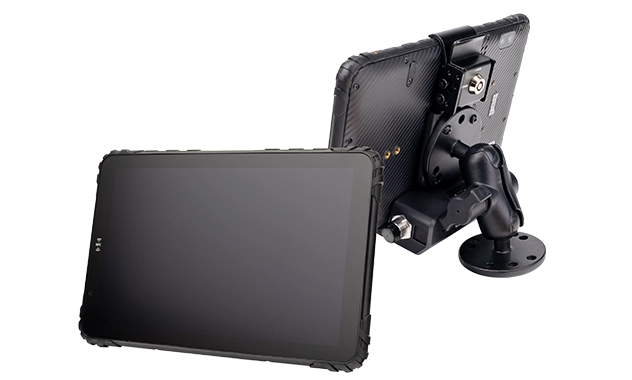
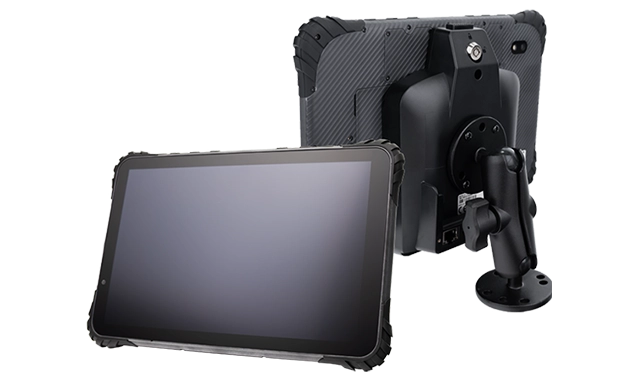
Dock: CRD865-CAN cradle (MDT865-exclusive) — 1× CAN, 2× RS232, 4× GPIO (2 in / 1 out / 1 ADC), RJ45, 2× USB-A OTG, 1× USB-C charge — ignition sense taken from the vehicle harness
Mount: RAM ball and short arm on the dash, right of the centre console, within the mirror scan path
Trailer link: trailer gateway over CAN, with an M12 Ethernet option where the gateway is sealed
Power: direct wire to the vehicle electrical system; a DC-DC converter where the combination runs 24 V
Software: the integrator's app in kiosk mode, OTA updates, no driver configuration
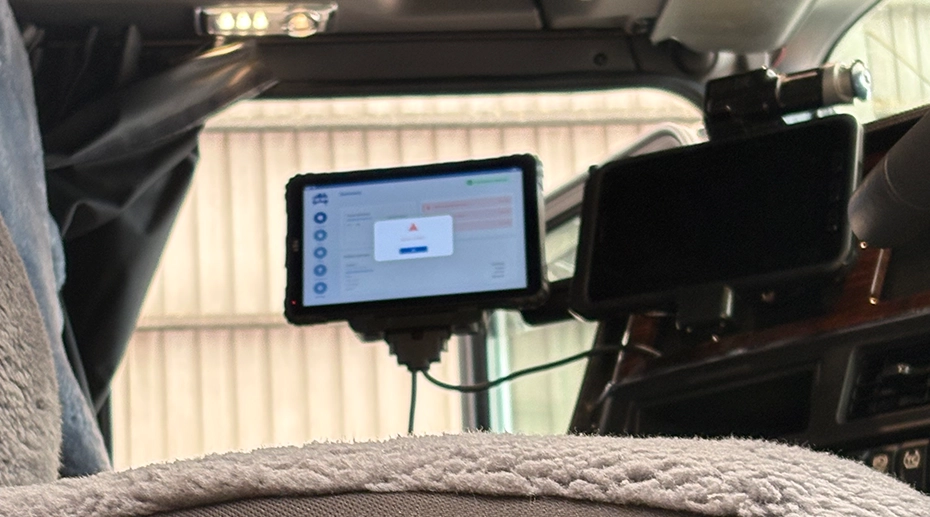
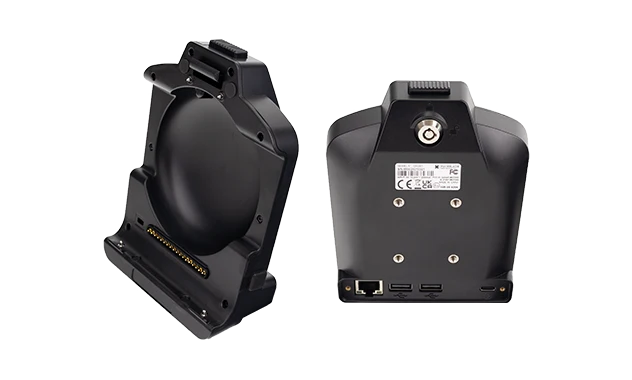
Two details matter more than the model number. First, the cable does not plug into the tablet. The harness terminates on the cradle's own connector, and the tablet simply seats into the cradle — so vibration loads the dock, not a side-entry port. That is the whole difference between this and the setup it replaced. Second, the connector carries power and data: the trailer gateway and the OBM feed arrive on the same multi-pin interface, which is why there is one cable in the cab instead of three. The dock is also model-specific — CRD865-CAN is listed against MDT865 only, so the harness is not automatically reusable with the next tablet generation unless the docking matrix says it is.
The panel in this build is 1,000 nit at 8 inches, which is what a cab-side terminal needs and what the previous consumer tablet could not do. Diagonal and brightness are a trade, not a package deal: the 10-inch units run 800 nit, and the 500-nit 10-inch panel is an office display that has no business in direct sun. If the app needs more canvas, specify the 10-inch and accept the drop in light — the comparison table lists both per model.
Total electrical and data architecture — how the dock, the trailer gateway and the vehicle bus share the same 9–36 V supply — is covered in the vehicle power and integration architecture.
5. Inside the Screen
The application is the integrator's, but the information architecture was agreed with the carrier. Five panels, one of them modal.
| Panel | What it shows | Why it earns screen space |
|---|---|---|
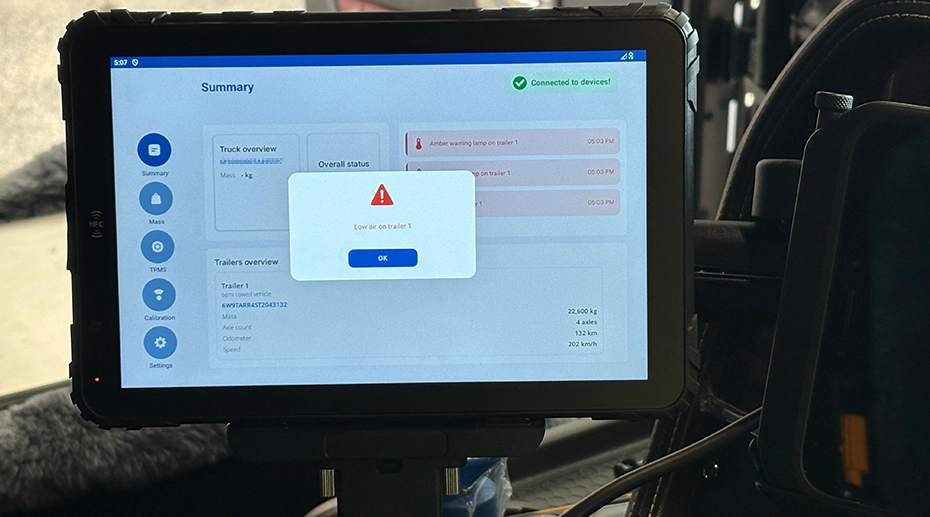
| Summary | Trailer mass 22,600 kg across 4 axles, odometer, active diagnostic codes, device connection state | The pre-departure glance. If "Connected to devices!" is not on screen, the run does not start. |
| Mass | Per-axle and group mass against the permitted limits, from the OBM feed | Overload is a fine and a load-shift, discovered in the yard rather than at an inspection bay. |
| TPMS | 22 wheels: 93–104 psi running band, 22–23 °C, one sensor per wheel position | A tyre at 12 psi below its group mean is a puncture in progress; heat follows pressure. |
| Alerts | "Low air on trailer 1", "Amber warning lamp on trailer 1" — red banner, audible, blocks the panel | Brake air and lamp state are stop-and-check events, not trends. |
| Calibration | Sensor IDs, wheel positions, pressure baselines, mass zeroing | Done at commissioning, locked afterwards, never by the driver. |
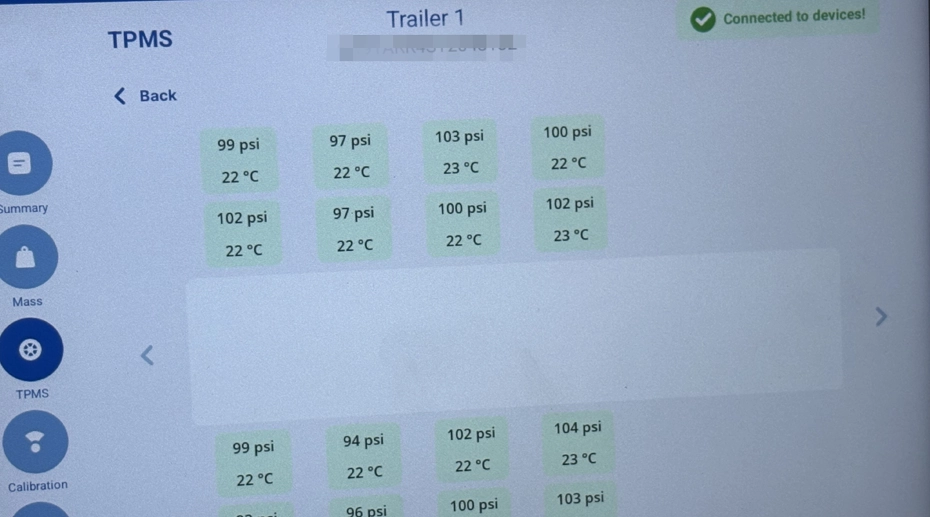
Figures in the screen captures are from the carrier's own trailer set and vary with configuration, tyre brand and load.
The alert design is the part worth copying. When brake air drops on trailer 1, the application does not tint a gauge — it takes the screen, states which trailer, and stays there until acknowledged. A driver at 100 km/h with a 60-tonne combination has one reliable channel, and it is peripheral vision.
6. Operational Impact
Failure detection moved earlier in the curve. Per-wheel temperature is the leading indicator, not pressure. A dragging brake or an under-inflated tyre raises carcass temperature first; on this fleet a sustained 8–10 °C offset from the group mean is the trigger to pull over at the next safe bay. That is a maintenance decision taken minutes before it would have become a fire-risk decision.
Mass compliance is now a pre-departure question. With OBM mass on the same screen as the tyre page, the driver sees an overloaded group before the gate, not at a weighbridge 300 km later. Load shifts and re-strapping happen in the yard where there is a forklift and a radio, not on a highway shoulder.
The connector stopped being a weekly event. The carrier reports no connector-related downtime since the dock went in — the failure mode that had cost two half-shifts a month simply left the system. This is a boring result and the most valuable one: a dock-side connector is cheaper than a roadside call-out, every time it is compared.
Driver workload went down, not up. The old setup asked a driver to interpret gauges; the new one asks a driver to acknowledge a banner. That is a lower cognitive load per kilometre, and it is why the TPMS page gets looked at now.
The connector is the single point of failure nobody budgets for
Specification sheets compare processors and nits. Road trains break cables. A side-entry USB port on a consumer tablet is a lever arm pointed at the one component that carries both power and data; eighteen months of corrugated road will find it. A dock that owns the connector is not a premium accessory — it is the difference between a telematics deployment and a tablet that logs four hours a shift.
7. Frequently Asked Questions
Can one rugged Android tablet show 22-wheel TPMS and OBM mass at the same time?
Yes. The two feeds arrive on different paths — TPMS and trailer lamp state from the trailer gateway over CAN, mass from the OBM system — and both land on the dock's multi-pin interface. The constraint is not the tablet's compute; it is whether the trailer gateway exposes a documented CAN or Ethernet interface for the integrator's app to poll. Ask for that document before specifying hardware.
Is a RAM mount enough, or does the dock really add something?
For a handheld that leaves the cab, a RAM arm is the right answer. For a fixed in-cab terminal on a road train, the dock carries three things a mount cannot: strain-relieved power, the data connector, and ignition sensing. A RAM arm holds the device; it does not hold the cable. On unsealed road, that difference is measured in months.
What happens to the telematics session when the trailer gateway drops out?
The app should treat it as a first-class state, not an error toast. In this deployment the Summary panel switches to "no device" and the alert banner persists until the gateway returns; readings keep logging locally with timestamps so the audit trail has no silent gap. A dropout that the driver cannot see is worse than an outage the driver knows about.
Is an 8-inch screen enough for a five-panel app in a truck cab?
Yes, if the layout is built for it. The five panels are tabbed, not tiled; the TPMS grid uses a fixed 4 × 4 wheel map that fits 1280 × 800 without scrolling, and the alert banner takes the full width when it fires. An 8-inch 1,000-nit panel is also the brightest option in the range, which matters more than diagonal in a cab with no tint on a northbound afternoon. If a fleet insists on 10 inches, the panel drops to 800 nit — a real trade, not a free upgrade.
Does a HazMat fleet need certified hardware for the tablet itself?
The ADG Code governs the load, placarding and the vehicle, not the cab electronics; there is no "HazMat-certified tablet". What you do need is radio and electrical compliance per market, held per model — check the certification matrix rather than a brochure claim, and confirm the RCM status of the exact model you specify.
Specifying an In-Cab Terminal for a HazMat Fleet?
Send the trailer configuration — axle count, gateway protocol, lamp and air-pressure signals — and we will answer with the dock, the harness and the panel brightness that fit it, not a catalogue PDF.