Warehouse Order Picker Terminal — WMS Pick Instructions and Barcode Capture at the Rack Face
A fulfilment centre running narrow-aisle order pickers was still picking from printed lists. The picker carried a paper sheet onto the operator platform, read the next location, drove the machine to the rack, picked the quantity, and marked the line by hand. Completed sheets were keyed into the warehouse management system at the end of the shift. The centre replaced the paper workflow with a mounted tablet on each order picker, connected to the WMS and to a barcode reader at the rack face. This deployment note covers what the terminal actually does, how the display is mounted on the operator platform, and what happened to the connectivity problem inside steel racking. The deployment selected the MDT1065 10-inch rugged Android tablet as the platform, paired with the CRD1065 docking station and MDT1065 accessories, to handle WMS interaction and barcode capture on the order picker console.
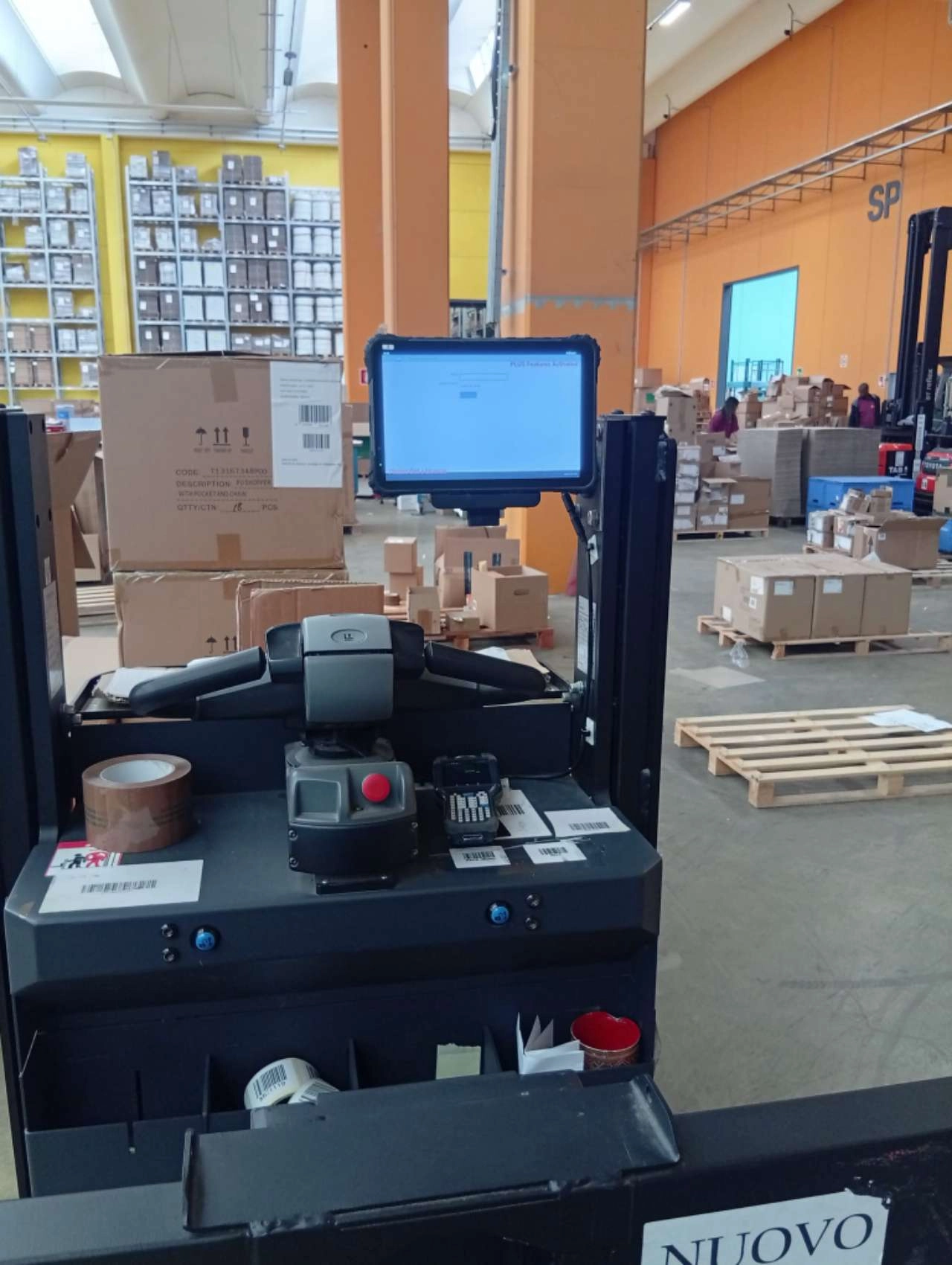
Table of Contents
1. The Operation
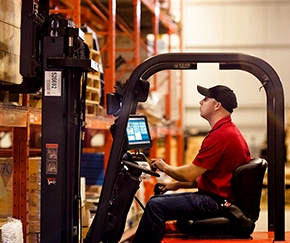
The facility handles palletised and case-picked goods across a racked area with aisles between 1.8 and 2.4 metres wide. Order pickers are used rather than counterbalance forklifts because the operator platform rises with the forks — the picker travels up to the rack face at the required level instead of using a reach truck and then climbing.
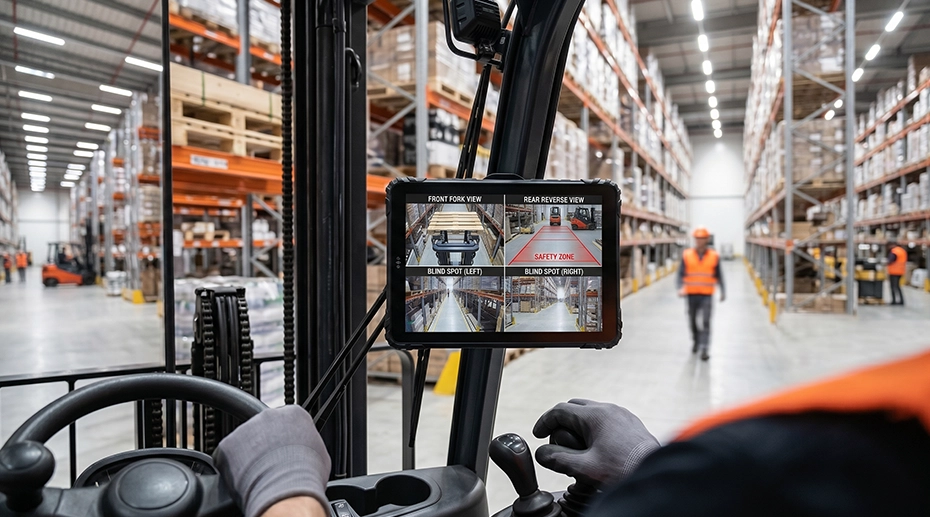
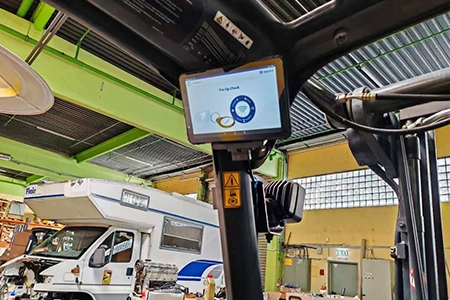
Each order picker carries one operator for the duration of a shift. A shift covers 8 hours with pick rates measured in lines per hour. The operator platform has a control console with the travel and lift controls, and it is this console that is the natural mounting point for a display — the operator is standing at it for the whole shift, and it moves with the platform as the machine rises.
2. Where the Paper Workflow Broke Down
The first failure was the mid-shift pick list change. When an order was amended or a priority shipment arrived, the WMS re-sequenced the pick order. The printed sheet on the operator platform no longer matched the system. The picker either continued with the original sequence and created a delay at the dispatch lane, or returned to the office for a new printout — which on a narrow-aisle machine means driving back out of the aisle, down to the floor, and back again.
The second failure was manual keying. Completed pick sheets were collected at the end of the shift and entered into the WMS by office staff. Between the physical pick and the digital record there was a delay of up to 8 hours, and a manual transcription step. Stock accuracy reports run at the end of the shift did not reflect the actual state of the racking — they reflected the state of the keying queue.
The third failure was damage claims. When a case arrived at a customer with a damaged outer, there was no record of what the case looked like when it was picked. The picker had no way to photograph the case at the rack face and attach the image to the order line. Claims were resolved by argument rather than by record. The warehouse tablet platform is specified for exactly this class of workflow — a mounted terminal that runs the WMS client and captures data at the point of work.
3. What the Mounted Terminal Does
The terminal is not a screen showing a PDF of the pick list. It is a computing platform that runs the WMS client directly. Three functions run on the same device:
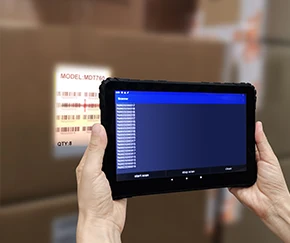
• Confirmation at the rack face: The pick is confirmed by scanning the location barcode and the item barcode — not by ticking a line. The confirmation goes back to the WMS in real time.
• Exception capture: When a case is damaged, the operator photographs it on the tablet. The image is attached to the order line and visible to the claims team without waiting for the case to arrive at the customer.
Because the terminal is connected to the WMS continuously, a re-sequenced pick list appears on the screen within seconds. The operator does not leave the aisle. The pick sequence follows the system, not the printout.
Hardware Platform: MDT1065 10-Inch Rugged Tablet
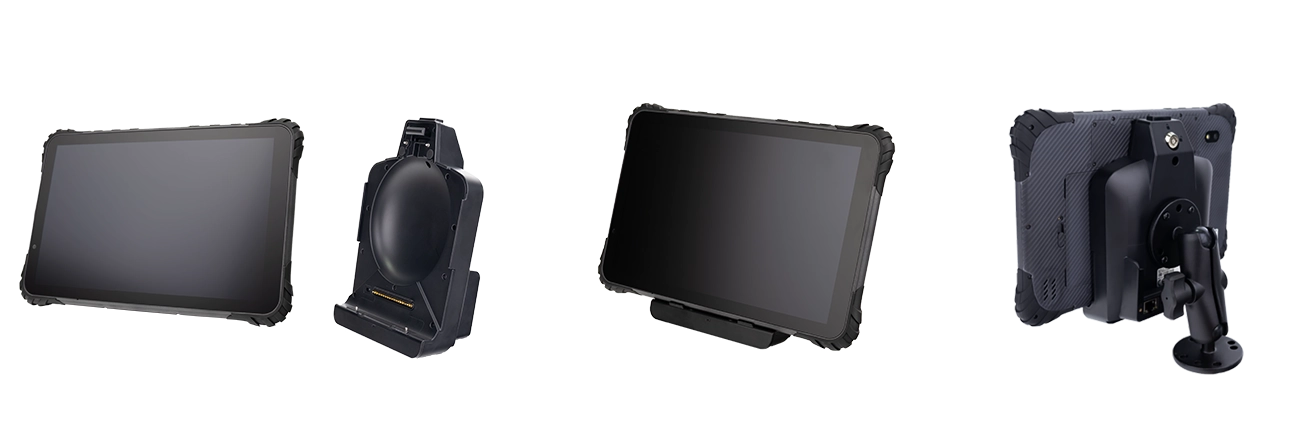
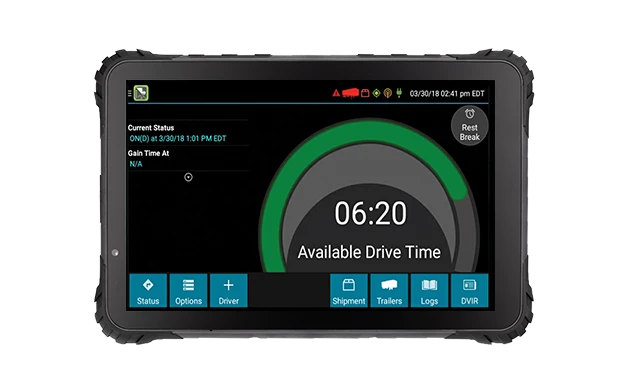
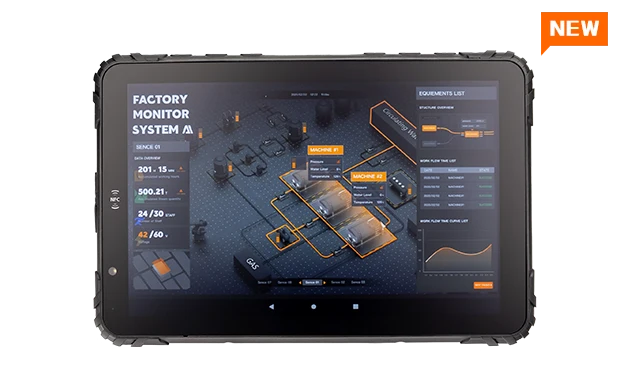
The deployment uses the MDT1065, a 10-inch 1000-nit display with IP67 sealing and MIL-STD-810H vibration resistance. The platform provides dual RS232, RS485, GPIO, and M12 Ethernet, allowing the WMS client, barcode scanner, and serial scale to run on the same device. The dock mounts to the console through screws and a RAM mount; the tablet drops in without tools.
For the order picker workflow, the RS232 serial interface connects the onboard scale, the barcode and RFID modules handle location and container identification, and the MDM platform pushes the WMS client and configuration across the fleet.
4. Data Capture at the Rack Face
Two data capture methods are used on the order pickers, for two different purposes.
Barcode scanning handles the location and item confirmation. The rack face carries a location label; the case or pallet carries an item label. Both are read with an integrated 1D/2D scan engine. The scan engine is either built into a handheld reader connected to the terminal, or integrated into the dock as a fixed module — the choice depends on how far the operator needs to reach from the platform. For cases picked from the rack at arm's length, a handheld reader connected to the terminal is sufficient. For pallet locations where the operator leans out from the platform, a dock-mounted scanner with an extension is more practical. The barcode and RFID integration options for warehouse terminals cover both configurations. The MDT1065 supports LF RFID modules and 1D/2D scan engine expansion through its dedicated accessories.
LF RFID reading handles asset and container identification where a barcode label is not practical — returnable plastic containers, metal stillages, and tooling that passes through the warehouse repeatedly. The terminal uses an LF module at 125–134 kHz. LF reads at short range, typically 2 to 10 centimetres, which means the operator brings the reader close to the tag. The reason LF is used here rather than a higher frequency is the material the tag is attached to: LF is significantly less affected by metal and liquid than UHF. Returnable containers with metal frames, or containers holding liquid product, read reliably at LF where a UHF tag on the same container would be detuned.
This is a frequency selection decision, not a preference. If the deployment requires reading pallet tags at a distance — for example, an automated read portal at a dock door — LF is the wrong technology because of its short range. The frequency must be matched to the tag type, the mounting material, and the required read distance before the terminal is specified. A warehouse terminal selection guide covers the RFID frequency trade-offs in more detail.
5. Connectivity Inside Steel Racking
A racked warehouse is a difficult radio environment. Steel uprights and horizontal beams reflect and absorb 2.4 GHz and 5 GHz signals. A dense racking layout creates a series of partially shielded pockets at each rack bay. The WMS data link must survive this — a dropped connection means the pick instruction on the screen stops updating.
The deployment uses WiFi with fast roaming as the primary data link. The access points are positioned so that a machine travelling down an aisle sees overlapping coverage between adjacent APs, and the terminal hands over between them without dropping the session. This is the link that carries the WMS data — pick instructions, confirmations, and photographs.
4G LTE is available as a fallback for areas where WiFi coverage is marginal — typically the far end of long aisles, or the yard if the machine is used for loading. The terminal switches to cellular when the WiFi link degrades, and back when coverage recovers. This is a continuity measure, not the primary link.
LoRa is used for a separate network. It does not carry WMS data — LoRa is a low-bandwidth modulation and is not appropriate for the data volume the WMS client generates. It carries low-rate telemetry from battery-powered sensors in the warehouse: pallet-level condition sensors, or environmental monitoring in areas where a fixed sensor installation is impractical. The LoRa module mounts on the rear expansion interface of the terminal, so the same device that displays pick instructions also acts as a LoRa gateway as the machine moves through the building. This is a useful side effect of using a general-purpose computing platform rather than a fixed-function terminal.
6. Onboard Scale and Serial Peripherals
Some pick workflows require the weight of the picked goods to be captured alongside the quantity. The order picker carries an onboard scale on the platform, connected to the terminal through an RS232 serial interface. The weight reading is displayed on the same screen as the pick instruction and written to the WMS record alongside the barcode confirmation.
This is where the serial interface matters. A scale with an RS232 output cannot be connected to a device that only offers USB and Bluetooth. The terminal in this deployment carries two RS232 channels, one of which is used for the scale. The remaining channel is available for a printer or a second peripheral. The MDT1065 provides dual RS232 and RS485, allowing the onboard scale and a label printer to run at the same time. The RS232 serial tablet interface page covers the device compatibility considerations for warehouse peripherals.
7. Outcome
The deployment was completed across the order picker fleet. The most direct change was the end of shift-end keying. Pick confirmations are written to the WMS as each line is completed, so the stock record reflects the racking at the moment of the pick rather than at the end of the shift. Inventory accuracy reports run at any point in the shift now show the actual state.
The second change was mid-shift re-sequencing. A revised pick order reaches the platform screen within seconds. The operator does not leave the aisle, and the machine does not return to the floor mid-sequence. The pick sequence follows the system in real time.
The third change was claims documentation. Damage photographs captured at the rack face are attached to the order line before the goods leave the pick area. When a claim arrives, the facility has an image of the case at the moment it was picked. The claims team resolves the question from the record rather than from correspondence with the customer.
Single Point of Failure
A terminal that loses its WMS link mid-aisle is a single point of failure that stops the pick, not just the display. The operator cannot confirm the line without the scan returning to the system. The machine waits at the rack face while the terminal reconnects. On a narrow-aisle order picker, that wait blocks the aisle behind it — one dropped connection delays every machine queued behind. The connectivity architecture is not a background detail. It determines whether the pick rate that the WMS calculates is achievable in the building, or only on paper.
8. Frequently Asked Questions
Why mount the terminal on the operator platform rather than on the machine chassis?
The operator platform rises with the forks. On a chassis-mounted display, the operator would need to look down the mast to read the screen when the platform is at height. On the platform console, the screen is at the operator's eye level regardless of the platform position. The console also carries the travel and lift controls, which the operator is using continuously — the display and the controls are in the same visual field.
Can the terminal read both barcodes and RFID tags?
Yes, with the appropriate modules. The deployment described here uses an integrated 1D/2D scan engine for location and item barcodes, and an LF RFID module at 125–134 kHz for returnable containers and metal stillages. LF is used because it tolerates metal and liquid better than UHF at the tag mounting position. The frequency must be matched to the tag type and the required read distance before the terminal is specified.
Does LoRa carry the WMS data link?
No. The WMS data link runs over WiFi with fast roaming between access points, with 4G LTE as a fallback where WiFi coverage is marginal. LoRa is a low-bandwidth modulation and is not appropriate for WMS client traffic. In this deployment LoRa carries low-rate telemetry from battery-powered warehouse sensors, with the module mounted on the terminal's rear expansion interface.
How are the terminals managed across the fleet?
The terminals are enrolled in the TOPICON MDM platform, which handles application deployment, firmware updates, and configuration distribution across the order picker fleet. The WMS client and the scan engine configuration can be updated centrally without visiting each machine. Kiosk mode locks the terminal to the WMS application so that the operator cannot leave the pick workflow. The MDM server is hosted on TOPICON infrastructure, with no on-premises server required.
Mounting Terminals on Order Pickers or Material Handling Equipment?
The mounting position on the operator platform, the data capture method at the rack face, and the radio environment inside the racking determine whether the WMS workflow runs as designed. Request a hardware evaluation kit or discuss the configuration for your picker fleet.