

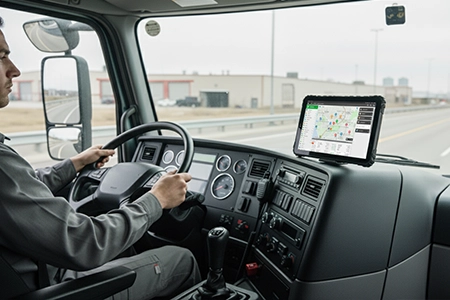
What Is an In-Vehicle Tablet? Complete Guide for Fleet Managers (2026)
What is an in-vehicle tablet and how does it differ from a consumer tablet? This guide covers key features, certifications, fleet software integration, and how to choose the right rugged in-vehicle tablet for trucks, buses, and commercial fleets.
Deployment Guides
2026-08-19
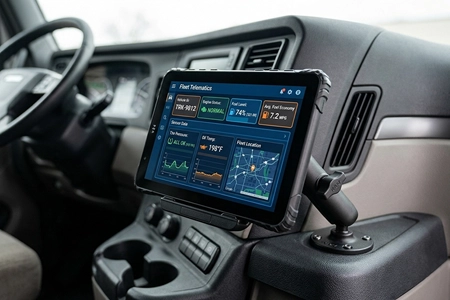
Zero-Touch Enrollment for Fleet Tablets — What It Actually Means and Why It Matters for 100+ Device Deployments
Zero-touch enrollment means a fleet tablet configures itself the first time it connects to the internet — no technician, no USB cable, no manual setup. For deployments of 100+ devices, this single capability cuts provisioning time from weeks to hours. Here is the actual enrollment flow from device unboxing to fully managed fleet asset.
Deployment Guides
2026-08-12
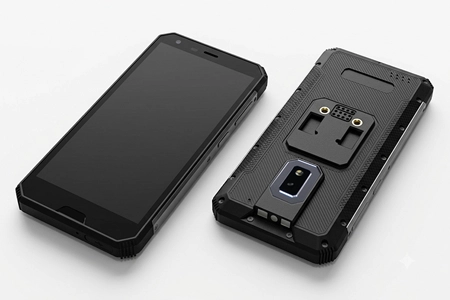
MDT680 Rugged 5G Handheld Terminal – New Product: 40MP Camera, Built-in Barcode, IP67 | TOPICON
New product introduction: The MDT680 rugged 5G handheld terminal delivers 40MP autofocus, built-in 1D/2D barcode reader, NFC, 128GB UFS2.2, and MIL-STD-810H drop resistance — over 30% performance gain vs MDT665. Android 14/16 with MDM-ready deployment.
Product Specifications
2026-08-05
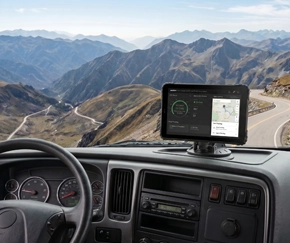
Dynamic Setting Sync — Clone One Tablet's Configuration to Your Entire Fleet in One Click
Configuring 500 fleet tablets one by one takes weeks. Dynamic Setting Sync lets an administrator fully configure one device — kiosk mode, app whitelist, WiFi, button mappings — and clone that exact setup to every other device in the fleet in a single operation. No Excel imports. No manual repetition.
Deployment Guides
2026-08-05
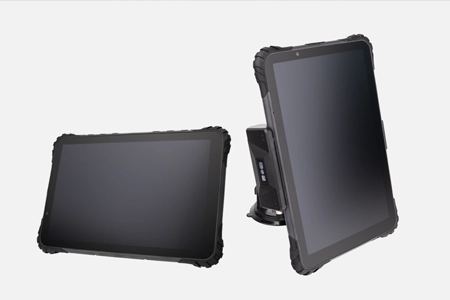
Remote ADB and Screen Control — Troubleshooting Fleet Tablets Without Calling the Driver
A driver reports a frozen tablet. With remote screen control and ADB shell, the IT administrator sees exactly what the driver sees and runs diagnostic commands from a browser — without calling the driver, without a site visit, and without pulling the vehicle from service.
Deployment Guides
2026-08-04

How to Push a Firmware Update to 500 Fleet Tablets Without Touching Any of Them
A firmware update that requires a technician to visit 500 vehicles is not an update — it's a logistics operation. Learn how scheduled OTA updates, WiFi-enforced download, wake-from-off upgrading, and automatic version staging let a single IT administrator push firmware to an entire fleet overnight without a single vehicle visit.
Deployment Guides
2026-08-03
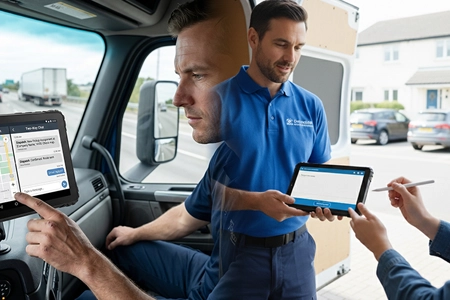
One Device, Two Jobs — Eliminating the Second Device in Last-Mile Delivery
A last-mile delivery driver makes 120 stops per day. With a fixed in-cab tablet, each stop requires a second handheld for barcode scanning and signature capture. A 17mm quick-release tablet undocks in one second — the same device navigates to the address, scans the parcel, photographs damage, and captures proof of delivery. One Android platform, one battery, one MDM enrolment. No data sync between devices to fail.
Deployment Guides
2026-07-31
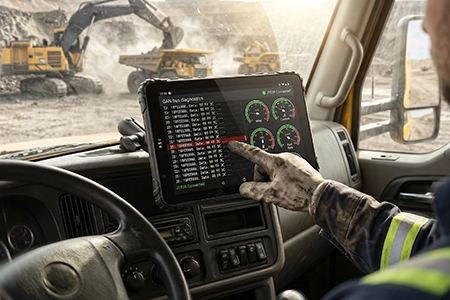
One Tablet, Multiple Vehicles — How a Detachable Hardware Architecture Cuts Fleet CapEx by 30–50%
Fixed terminals create a 1:1 device-to-vehicle ratio — 100 vehicles, 100 tablets, regardless of utilisation. A quick-release dock architecture enables 1:N deployment: docks stay in vehicles, tablets follow drivers. For seasonal, shared, and mixed-utilisation fleets, this reduces device count by 30–50%, cuts MDM licence costs, and eliminates hardware depreciation on idle vehicles. The dock infrastructure pays for itself in the first procurement cycle.
Deployment Guides
2026-07-29
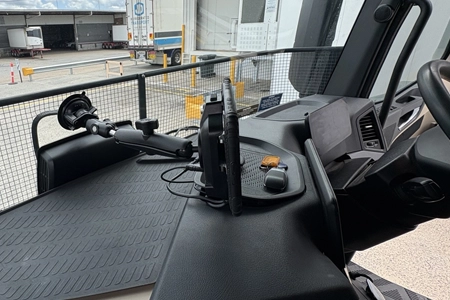
17mm vs 28mm — How Tablet Thickness, Dock Depth, and RAM Mount Offset Affect A-Pillar Visibility and Airbag Safety
A tablet spec sheet shows 17mm or 28mm — but the auditor measures from the dashboard surface. With the dock depth and RAM arm offset added, a 17mm tablet on a short arm produces 75mm total protrusion. A 28mm tablet on a standard arm reaches 130mm — creating an A-pillar blind spot where a cyclist can disappear. Total protrusion determines safety audit outcomes, not the tablet thickness alone.
Deployment Guides
2026-07-28
Recent articles
Vehicle-Mounted Mobile Data Terminal Trends 2025 | 5G MDT for Fleets | TOPICON
ELD Compliance: Why Rugged Tablets Matter for Fleet Management
Vehicle Mount Terminal Selection Guide – How to Choose the Right In-Vehicle Computing Platform
Mining Vehicle Computer Guide – Rugged Computing for Surface & Underground Operations
RS232 in Fleet Telematics – 5 Applications Where Serial Still Matters | TOPICON
Fixed Vehicle Terminals vs Docked Tablets – An Engineering Decision Guide | TOPICON
How System Integrators Build Recurring Revenue with White-Label Fleet Hardware | TOPICON
How to Push a Firmware Update to 500 Fleet Tablets Without Touching Any of Them